P79), Taking pictures with different image effects – Panasonic Lumix DMC-G85M User Manual
Page 79
79
3. Recording Modes
Taking Pictures with different image effects
(Creative Control Mode)
Recording Mode:
This mode records with additional image effects.
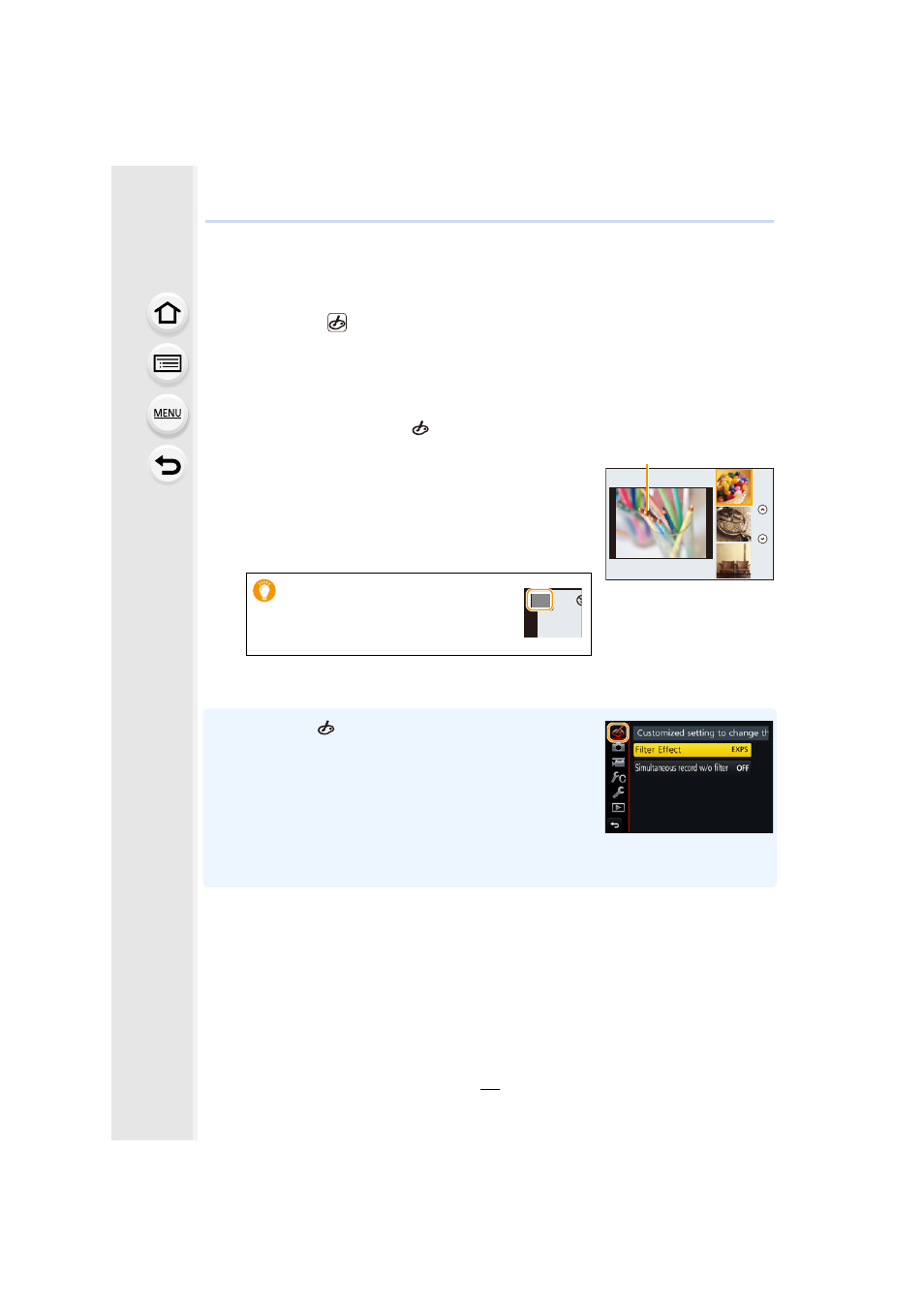
You can set the effects to add by selecting example images and checking them on the
screen.
1
Set the mode dial to [
].
2
Press 3/4 to select the image effects
(filters).
A Preview display
•
You can also select the image effects (filters) by touching
the example images.
3
Press [MENU/SET].
•
If you select the [
] tab on the menu screen, you can select
the following menu items:
–
[Filter Effect]: Displays the image effect (filter) selection
screen.
–
[Simultaneous record w/o filter]: Allows you to set the camera
to take a picture with and without an image effect
simultaneously.
•
White Balance will be fixed to [AWB], and [Sensitivity] will be fixed to [AUTO].
•
Depending on the image effect, the recording screen may seem as if frames are missed.
•
It is also possible to display the
selection screen by touching the
Recording Mode icon in recording
screen.
A
EXPS
EXPS