Sending images in the camera to an sns, Smartphone/tablet, P259 – Panasonic Lumix DMC-G85M User Manual
Page 259: P259), Camera (p259)
259
10. Using the Wi-Fi function
1
2
Operate the smartphone.
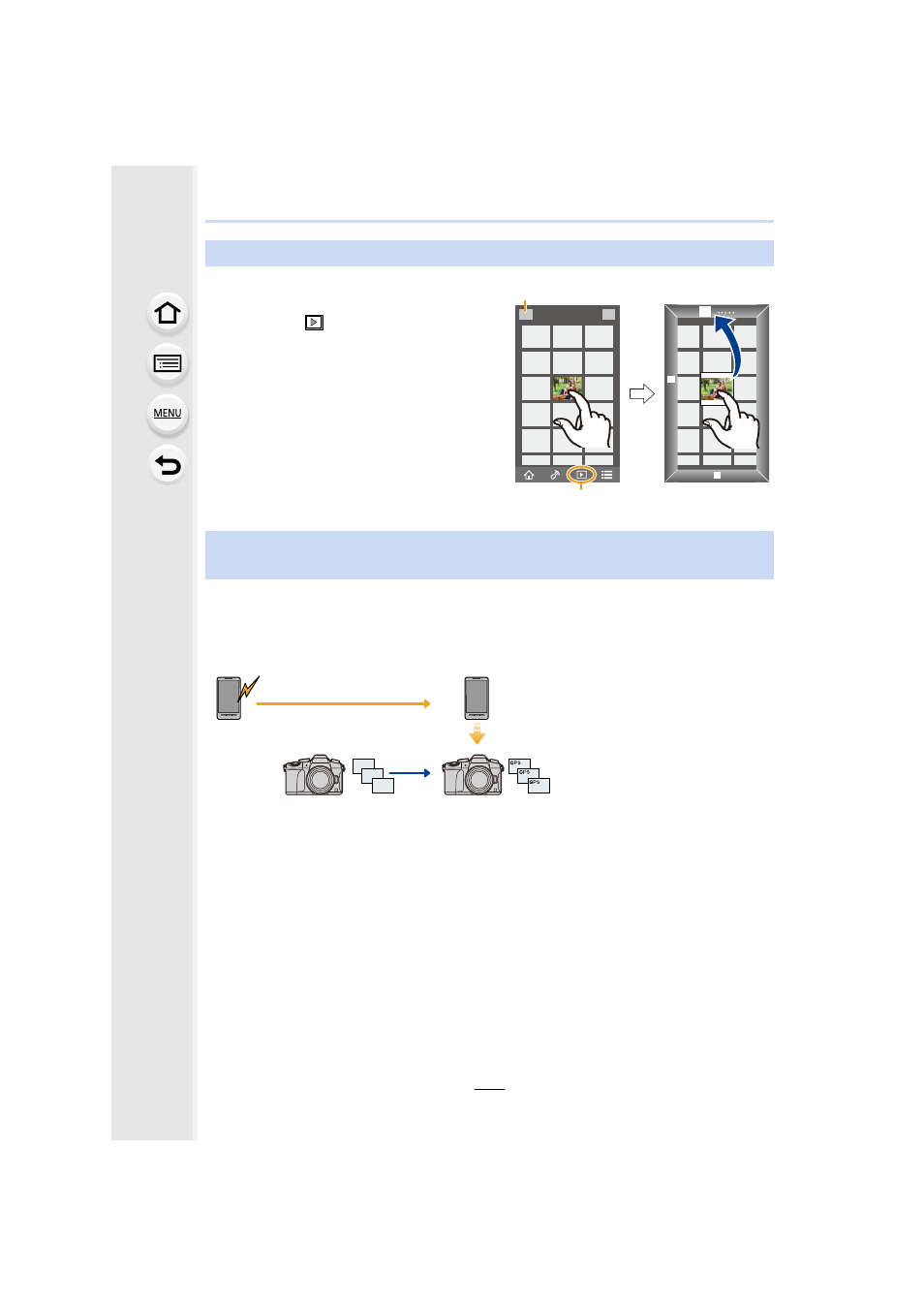
You can send location information acquired with a smartphone to the camera. After
sending the information, you can also write it on images stored in the camera.
•
Once the location information is sent to the camera, you can also write it on images by
performing [Location Logging]
•
Location information different from that at the time of recording may be written. Keep the
following points in mind:
–
Set the camera’s [Home] setting in [World Time] to your region.
–
Once you start recording location information with your smartphone, do not change the
camera’s [Home] setting in [World Time].
•
Location information cannot be written on images that were recorded when the clock was not
set.
Sending images in the camera to an SNS
1 Select [
].
•
You can switch the images to be
displayed by selecting the icon (A)
on the top left of the screen. To
display images stored in the camera,
select [LUMIX].
2 Touch and hold an image, and drag
it to send it to an SNS, etc.
•
The image is sent to a web service
such as an SNS.
Adding location information to images stored in the camera from a
smartphone/tablet
A Start recording location
information
B Start recording images
C Finish recording the location
information
D Sending and writing location
information
GPS