P215, P215) – Panasonic Lumix DMC-G85M User Manual
Page 215
215
9. Using Menu Functions
[Highlight]
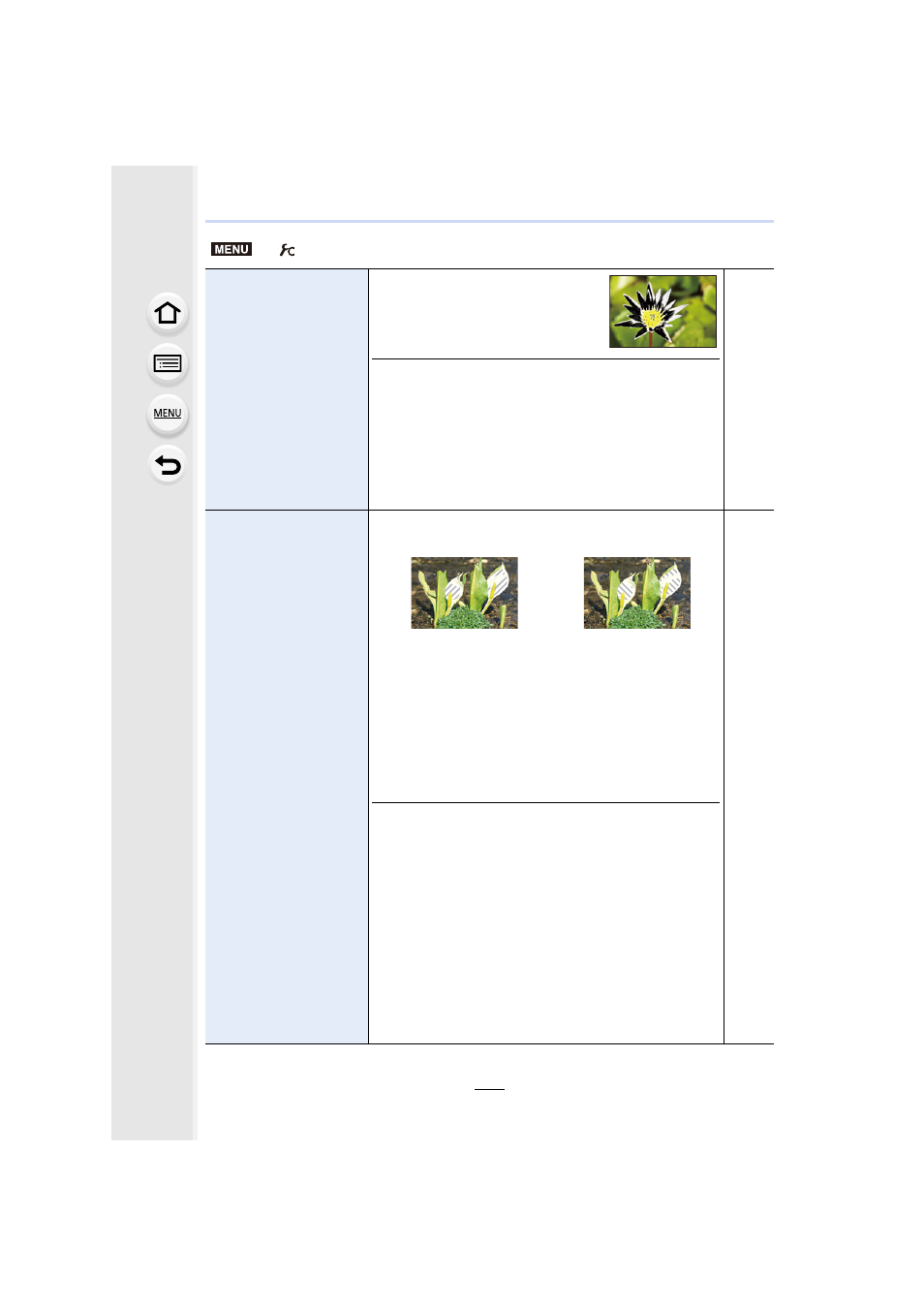
When the Auto Review function is
activated or when playing back, white
saturated areas appear blinking in
black and white.
•
If there are any white saturated areas, we recommend
compensating the exposure towards negative
referring to the histogram
picture again. It may result in a better quality picture.
•
This function is disabled during 4K photo playback,
playback of images recorded with the Post Focus
function, Multi Playback, Calendar Playback, or Playback
Zoom.
s
[Zebra Pattern]
Indicates parts that may become white saturated through
overexposure in a zebra pattern.
Select [SET] to
set the brightness
to be processed as a
zebra pattern
.
•
You can select a brightness value between [50%] and
[105%]. In [Zebra 2], you can select [OFF]. If you select
[100%] or [105%], only the areas that are already white
saturated are displayed in a zebra pattern. The smaller
the value is, the wider the brightness range to be
processed as a zebra pattern will be.
•
If there are any white saturated areas, we recommend
compensating the exposure towards negative
referring to the histogram
picture.
•
Displayed zebra patterns will not be recorded.
•
If you assign [Zebra Pattern] to [Fn Button Set]
in
the [Custom] menu, each time you press the function
button to which the setting is assigned, the zebra pattern
toggles as follows:
[Zebra 1]
>
[Zebra 2]
>
[OFF].
When [Zebra 2] is set to [OFF], the setting toggles in the
order of [Zebra 1]
>
[OFF], allowing you to switch the
setting quickly.
s
>
[Custom]
MENU
[ZEBRA1]
[ZEBRA2]