1 preferences – general page – Native Instruments MASCHINE MK3 Groove Production Studio (Black) User Manual
Page 121
►
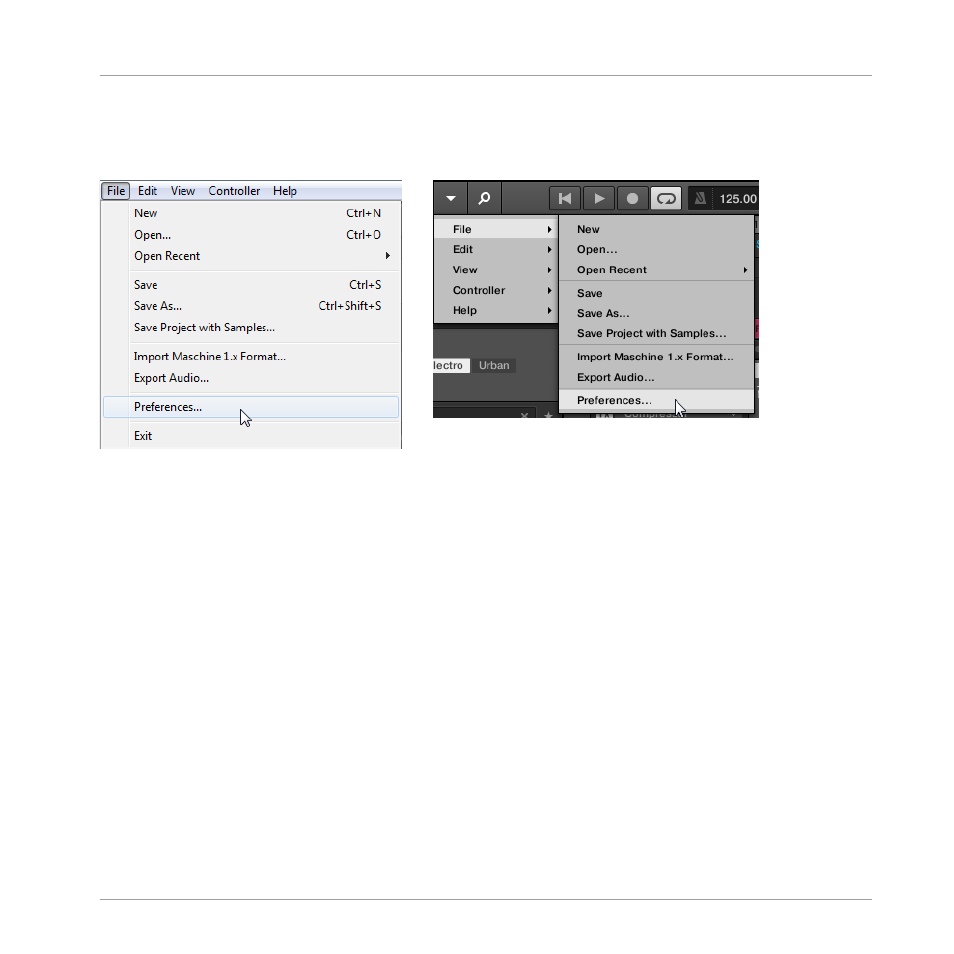
To open the
Preferences
panel, click
Preferences…
in the
Maschine
menu (macOS) or
File
menu (Windows) of the Application Menu Bar, or in the
File
submenu of the MA-
SCHINE menu:
Preferences… in the File menu of the Application Menu Bar (Windows depicted), and in the File submenu of the MA-
SCHINE menu.
The following pages are available in the
Preferences
panel:
▪
General: see
3.7.1, Preferences – General Page
.
▪
Audio: see
3.7.2, Preferences – Audio Page
.
▪
MIDI: see
3.7.3, Preferences – MIDI Page
.
▪
Default: see
3.7.4, Preferences – Default Page
▪
Library: see
3.7.5, Preferences – Library Page
.
▪
Plug-ins: see
3.7.6, Preferences – Plug-ins Page
▪
Hardware: see
3.7.7, Preferences – Hardware Page
▪
Colors: see
3.7.8, Preferences – Colors Page
3.7.1
Preferences – General Page
The
General
page holds all of the global settings for MASCHINE.
Basic Concepts
Preferences
MASCHINE - Manual - 121