Native Instruments MASCHINE MK3 Groove Production Studio (Black) User Manual
Page 46
Advertising
1
2
3
4
5
6
7
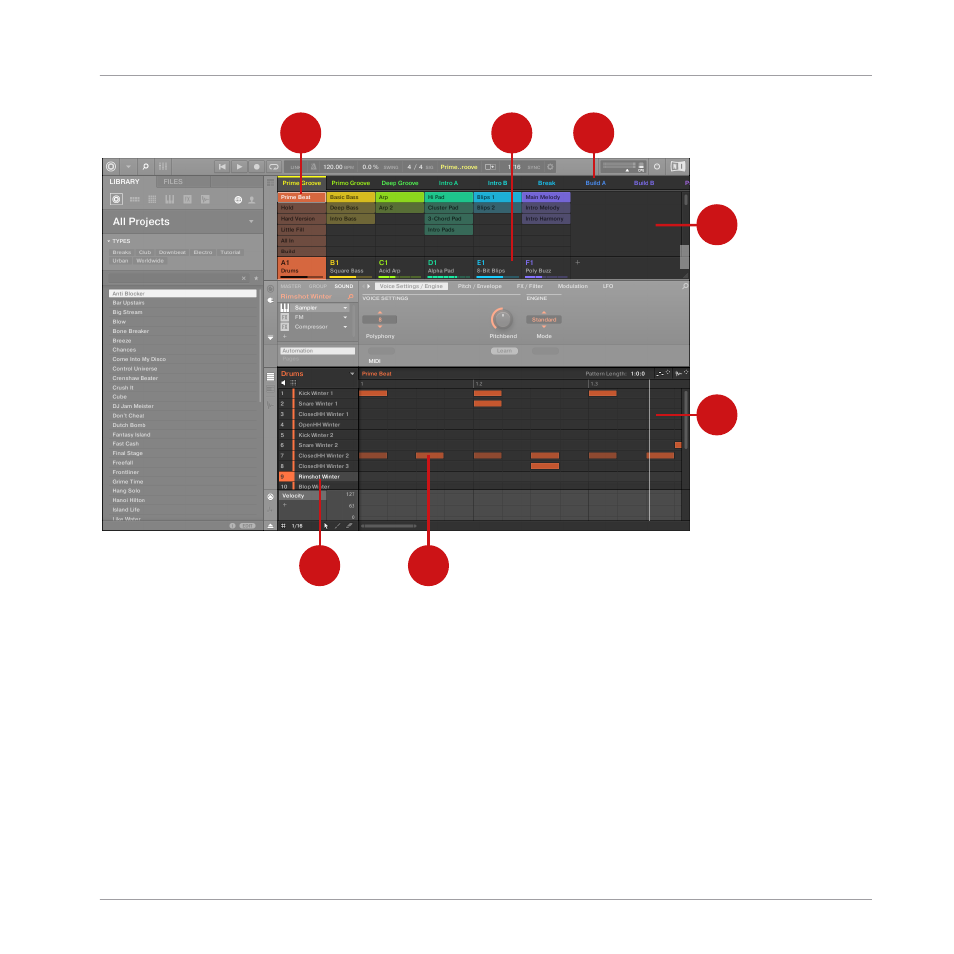
The Ideas view of a MASCHINE Project optimized for creating Patterns and building Scenes.
The workflow of creating ideas in MASCHINE is as follows:
▪
You load samples or plug-ins into the Sound slots (7) of the selected Group (2).
▪
You record instances of your Sounds by playing the pads (
1
-
16
). A recorded instance of a
Sound is called an event (6).
▪
Together, the events add up to a Pattern (1) for the selected Group.
▪
All of this takes place in the Pattern Editor (5), where you can create several Patterns for
each of your Groups.
Quick Reference
MASCHINE Project Overview
MASCHINE - Manual - 46
Advertising