Resetting a sound slot on your controller – Native Instruments MASCHINE MK3 Groove Production Studio (Black) User Manual
Page 246
Advertising
You can select multiple Sound slots to reset them all at once! See
►
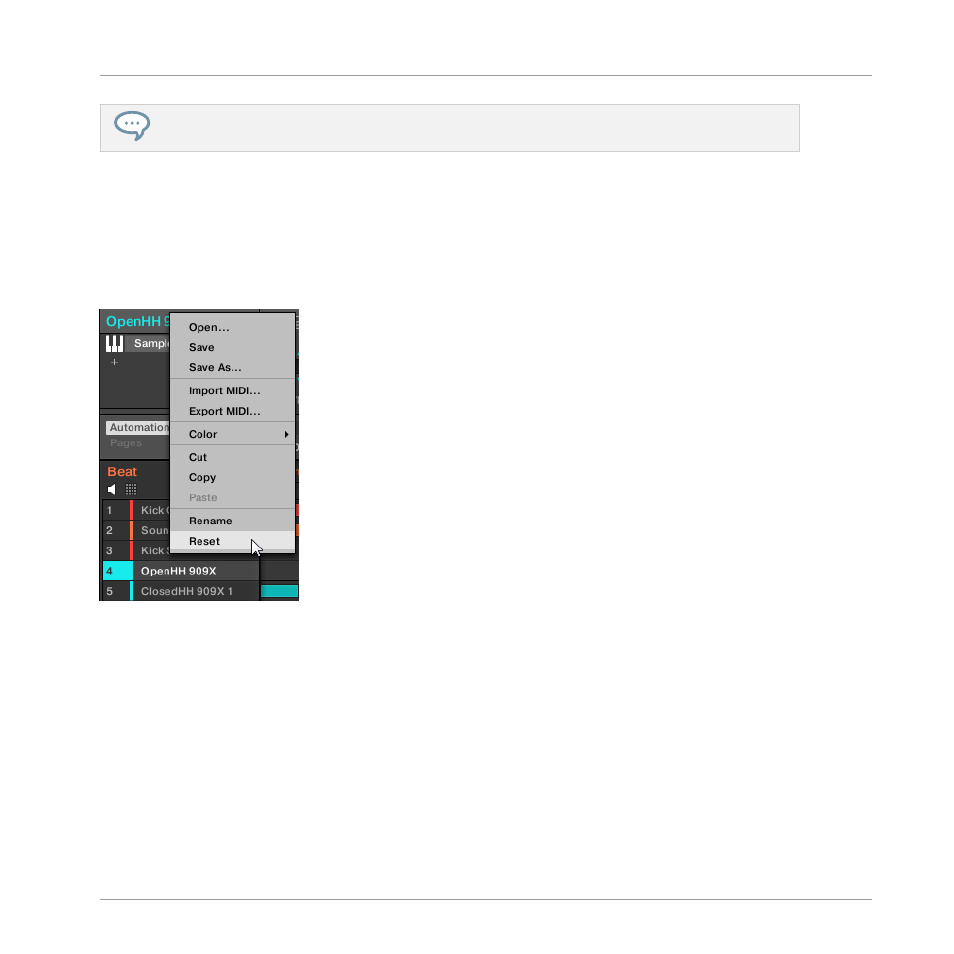
To reset a Sound slot, select it in the Sound List or in the Pad view and press [Del] on
your computer keyboard, or right-click (on macOS: [Ctrl]-click) the Sound slot and choose
Reset
from the context menu.
→
The content of the Sound slot is removed and the Sound slot is reset to its default set-
tings and name.
Resetting a Sound slot.
Resetting a Sound Slot on Your Controller
►
To reset a Sound slot, hold
SHIFT
+
ERASE
and then press the pad related to the Sound
you want to reset.
→
The Sound is removed from the pad, and the pad is turned off.
Managing Sounds, Groups, and Your Project
Managing Sounds
MASCHINE - Manual - 246
Advertising