Common layout in the plug-in strip (mix view) – Native Instruments MASCHINE MK3 Groove Production Studio (Black) User Manual
Page 476
◦
The Main page groups the most important parameters. Here you can adjust the
Shape
of the oscillator waveform, the filter
Cutoff
and
Resonance
, the envelope modulation
(
Mod. Amt.
) and envelope
Decay
amounts, the
Drive
amount and the
Glide Time
.
◦
The Advanced page provides access to the
Glide
on/off parameter.
Common Layout in the Plug-in Strip (Mix View)
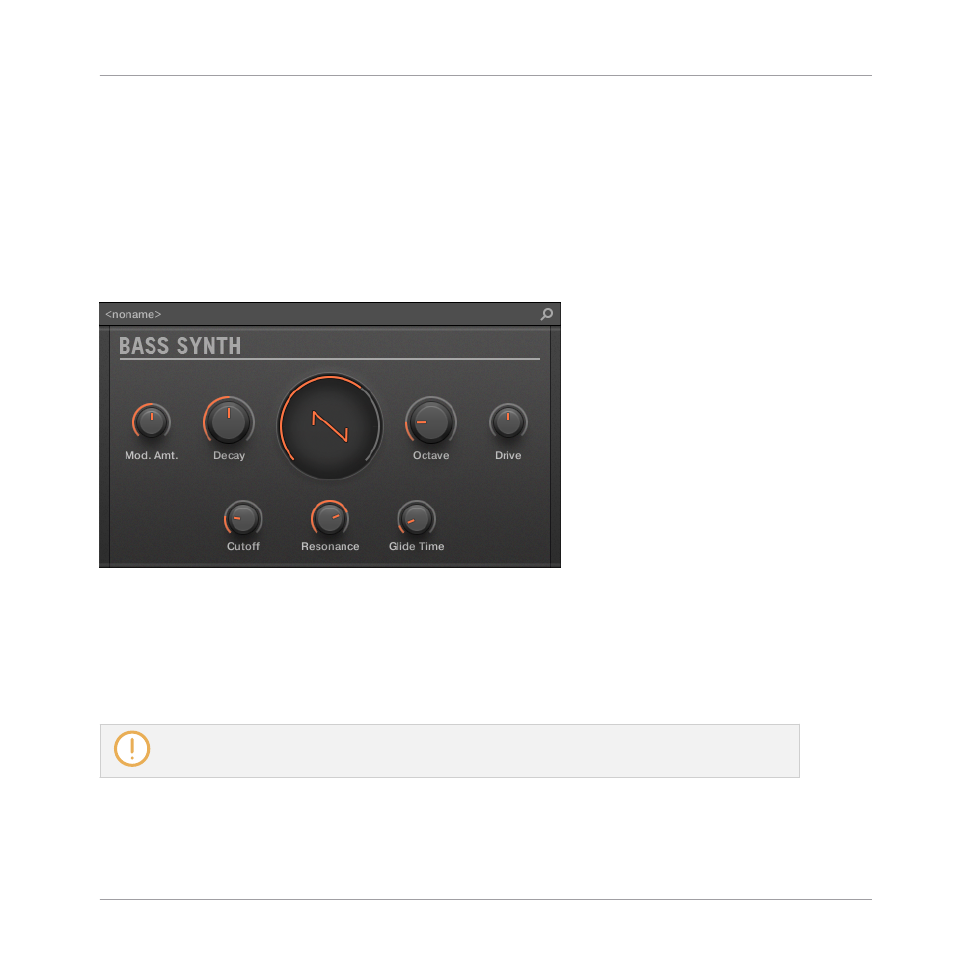
In Mix view, the Plug-in panel of the Bass Synth in the Plug-in Strip provides easy access to
parameters and visualization of the oscillator waveform:
The Bass Synth layout in the Plug-in Strip.
▪
In the top row of the panel are the envelope
Mod. Amt.
(modulation amount) and
Decay
parameters, followed by the main
Shape
(oscillator waveform), the
Octave
range, and the
Drive
parameters.
▪
In the bottom row of the panel you find the filter
Cutoff
,
Resonance
and
Glide Time
param-
eters.
For more information on the various Plug-in panels found in the Plug-in Strip, please refer to sec-
tion
.
Using the Bass Synth
Bass Synth – General Handling
MASCHINE - Manual - 476