Deleting a pattern bank – Native Instruments MASCHINE MK3 Groove Production Studio (Black) User Manual
Page 567
Advertising
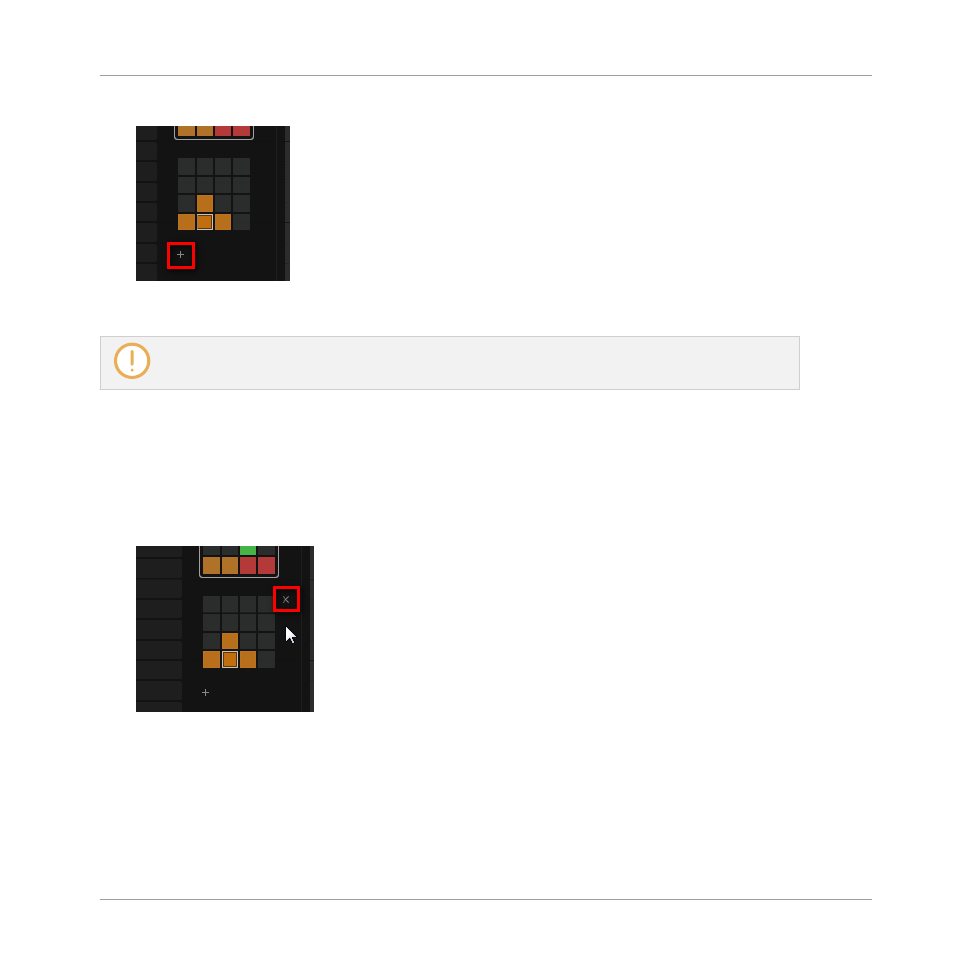
2.
Click the “
+
” symbol under the last pad grid on the right to create another Pattern bank.
→
A new empty Pattern bank is created and its pad grid appears in place of the “
+
” symbol.
If the last Pattern bank is empty, there is no “
+
” symbol under its pad grid and you cannot create
any new Pattern bank.
Deleting a Pattern Bank
To delete a Pattern bank:
1.
11.7.1, The Pattern Manager and Pattern Mode
2.
Hover the pad grid of the desired Pattern bank with your mouse.
A little cross appears at the top right of the pad grid.
3.
Click the little cross to delete that Pattern bank.
→
The Pattern bank is deleted including all its Patterns, if any. The following banks are
shifted up to fill the gap.
Working with Patterns
Managing Patterns
MASCHINE - Manual - 567
Advertising