Step 3: load an effect to process an input, 3 step 3: load an effect to process an input – Native Instruments MASCHINE MK3 Groove Production Studio (Black) User Manual
Page 700
→
Now the external audio is routed to your Sound! You can adjust the level of the incoming
signal by turning Knob 2 (
GAIN
).
14.2.3 Step 3: Load an Effect to Process an Input
Here we describe the procedure in Arrange view. You can also do this in Mix view — see section
.
You can now insert an Effect Plug-in into this Sound so that it processes the incoming audio.
1.
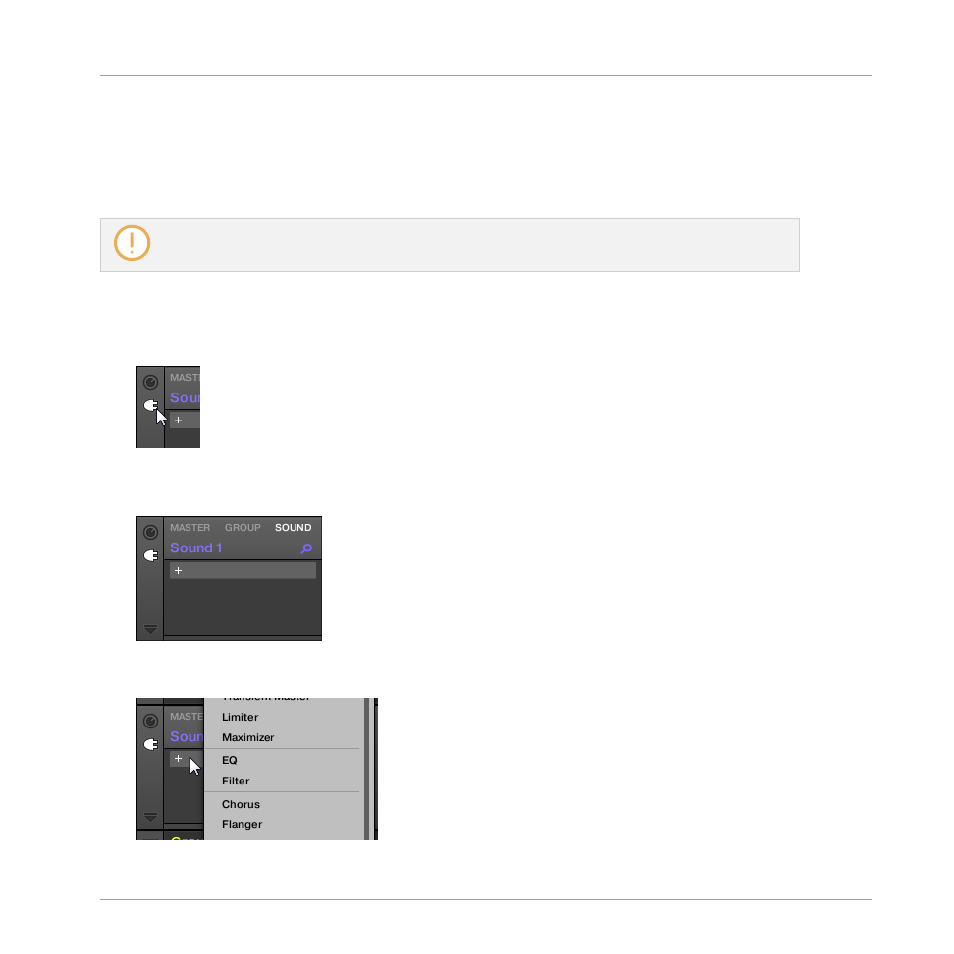
At the far left of the Control area, click the Plug-in icon to display the Plug-ins of the
Sound:
The icon lights up. The Plug-in List appears nearby. Since we have chosen an empty
Sound in section
14.2.2, Step 2: Set up a Sound to Receive the External Input
the Plug-in List should be empty:
2.
Click the “
+
” icon at the top of the Plug-in List.
The Plug-in menu opens and shows a list of all available Instrument and Effect Plug-ins.
Using Effects
Applying Effects to External Audio
MASCHINE - Manual - 700