Native Instruments MASCHINE MK3 Groove Production Studio (Black) User Manual
Page 859
Advertising
▪
Loop start / length
▪
Loop position
▪
Pattern length
▪
Scene length
▪
Song Clip start / length
▪
Playhead relocation
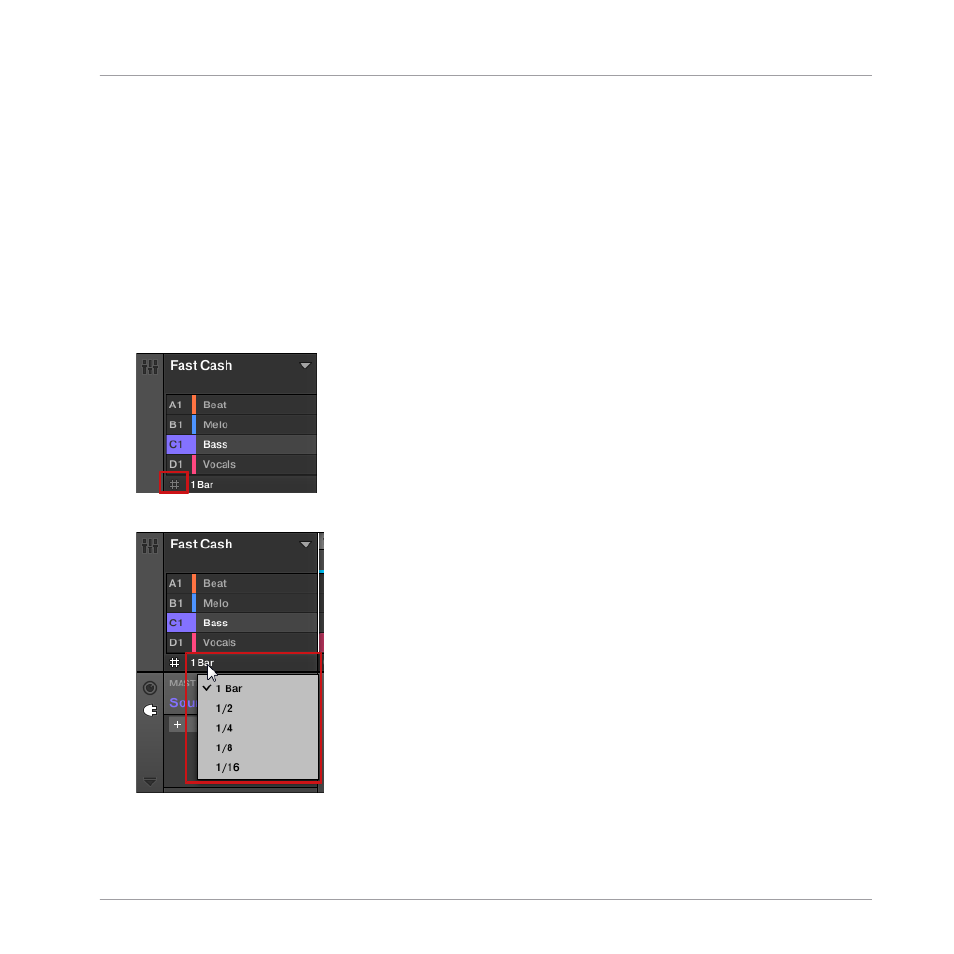
The Arrange Grid setting is located at the bottom left corner of the Arranger area and can be
activated/deactivated by toggling the Grid symbol.
1.
Click the Grid symbol next to the value to enable the Arrange Grid.
2.
Click the current Arrange Grid value to open the drop-down menu.
3.
Select a new value for the Arrange Grid.
Working with the Arranger
The Arrange Grid
MASCHINE - Manual - 859
Advertising