Removing sections – Native Instruments MASCHINE MK3 Groove Production Studio (Black) User Manual
Page 846
→
The Section will become independent of any Sections it was linked to and the Patterns
can be edited without affecting any the original Sections.
Making a Section Unique on the Hardware
To make a Section unique on the hardware:
1.
Press
SHIFT
+
SCENE
(
Section
) to enter Song view.
2.
Select the Section you want to make unique by pressing the pad.
3.
Press Button 2
UNIQUE
.
→
The Section will become independent of any Sections it was linked to and the Patterns
can be edited without affecting any the original Sections.
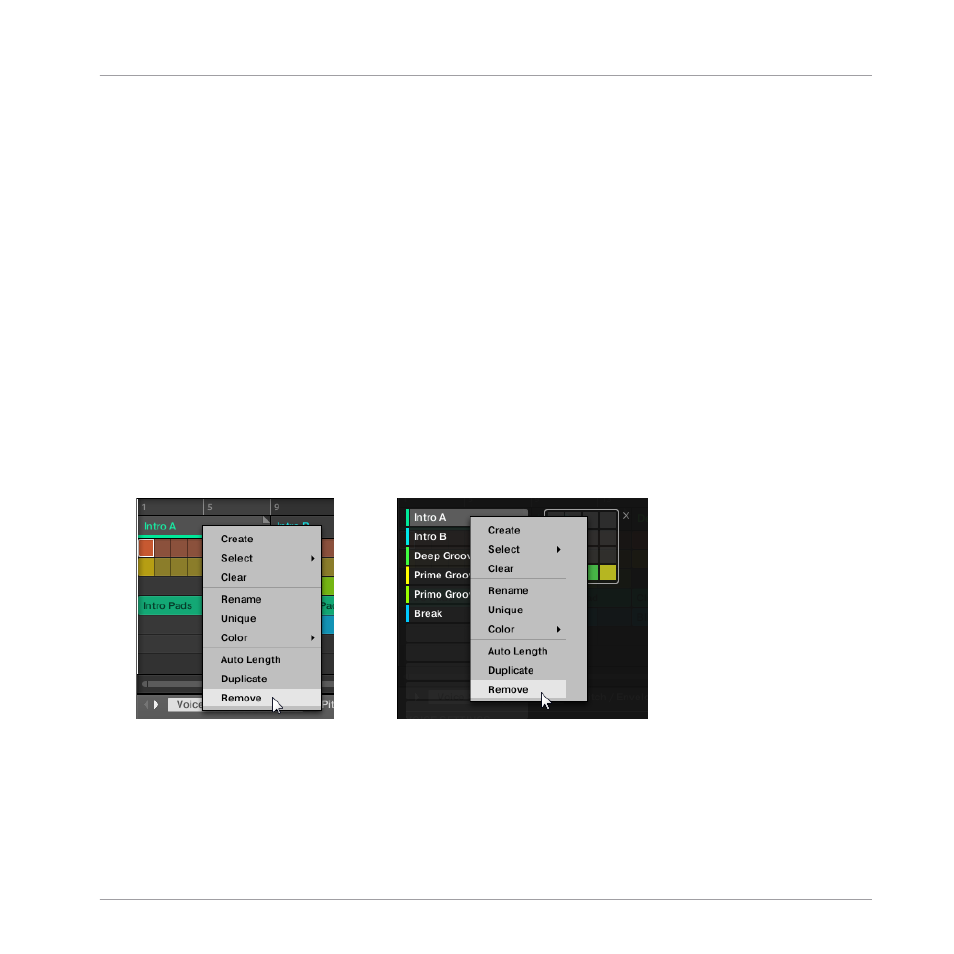
16.3.9 Removing Sections
To remove a Section from the arrangement:
►
In the top row of the Song view, right-click ([Ctrl]-click on macOS) the name of the Sec-
tion you want to remove and select
Remove
from the context menu:
→
The Section is removed from the arrangement. The next Sections shift ahead to fill the
gap.
Working with the Arranger
Using Song View
MASCHINE - Manual - 846