Integrating maschine into a midi setup, Connecting external midi equipment, 8 integrating maschine into a midi setup – Native Instruments MASCHINE MK3 Groove Production Studio (Black) User Manual
Page 156: 1 connecting external midi equipment
3.8
Integrating MASCHINE into a MIDI Setup
You can quickly integrate MASCHINE into a MIDI setup.
You can use MIDI in MASCHINE in various ways. Notably:
▪
You can synchronize a MIDI Clock signal between MASCHINE and other MIDI devices:
3.8.2, Sync to External MIDI Clock
.
▪
If you connect a MIDI keyboard to the
MIDI IN
, you can directly play the focused Sound
with it without having to set anything up.
▪
You can let particular Sounds and Groups react to incoming MIDI data and send MIDI data
to the desired port. More on these in section
12.2, Using MIDI Control and Host Automa-
.
▪
You can also switch Scenes remotely by sending MIDI Note or MIDI Program Change mes-
sages to MASCHINE. More on this in section
16.5, Triggering Sections or Scenes via
3.8.1
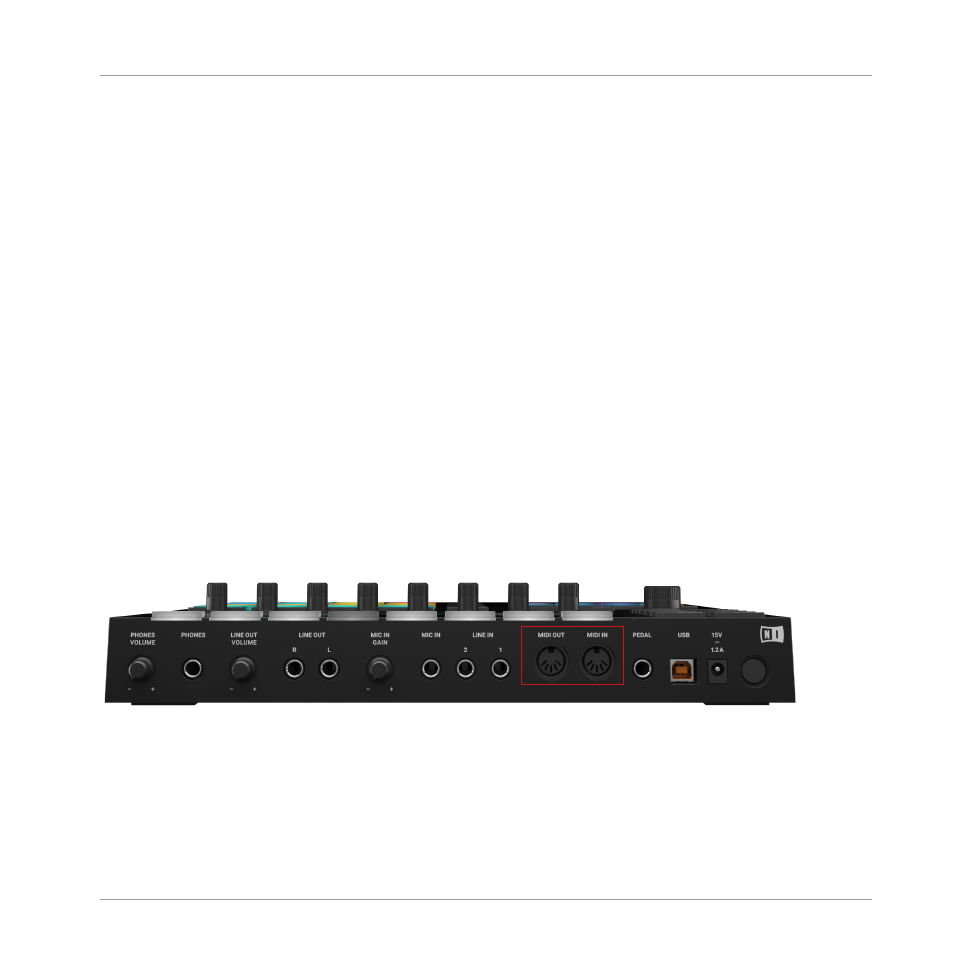
Connecting External MIDI Equipment
The MIDI sockets on the rear panel of the MASCHINE controller.
To connect your external MIDI equipment:
1.
Hook it up to the MASCHINE hardware controller’s
MIDI IN
or
MIDI OUT
socket on the
rear panel.
Basic Concepts
Integrating MASCHINE into a MIDI Setup
MASCHINE - Manual - 156