Clearing sections, 11 clearing sections – Native Instruments MASCHINE MK3 Groove Production Studio (Black) User Manual
Page 849
2.
Type a name and press [Enter] on your computer keyboard to confirm (or press [Esc] to
cancel you change).
→
The Scene is renamed.
If you use MASCHINE as a plug-in, some hosts will utilize the [Enter] key, as it is mapped to some
function of the host software. In this case, click anywhere else in the MASCHINE plug-in window to
confirm the name you have entered.
16.3.11 Clearing Sections
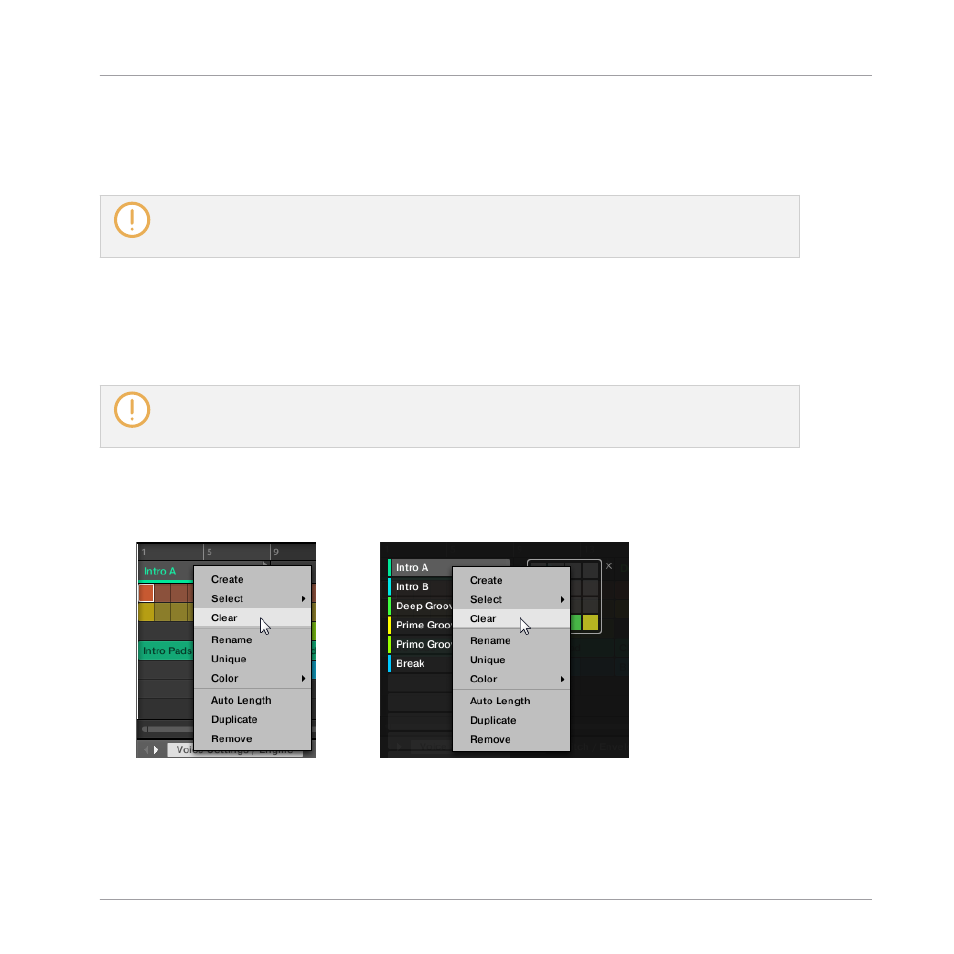
Clearing a Section allows you to remove the referenced Scene, leaving the Section empty.
Clearing Sections is only available from within the software.
While deleting a Section removes it entirely from your arrangement, clearing it only removes its con-
tent, the Section stays in your arrangement, but empty. For information on deleting Sections, see
section
To clear a Section:
►
Right-click ([Ctrl]-click on macOS) the name of the desired Section in the Song view, and
select
Clear
from the context menu.
→
The Section is cleared.
Working with the Arranger
Using Song View
MASCHINE - Manual - 849