Ocr settings – Plustek Opticpro A320E Flatbed Scanner User Manual
Page 195
Button Configuration Window Overview
23
All rights are reserved.
The items and parameters available in the window are explained as follows:
OCR Settings
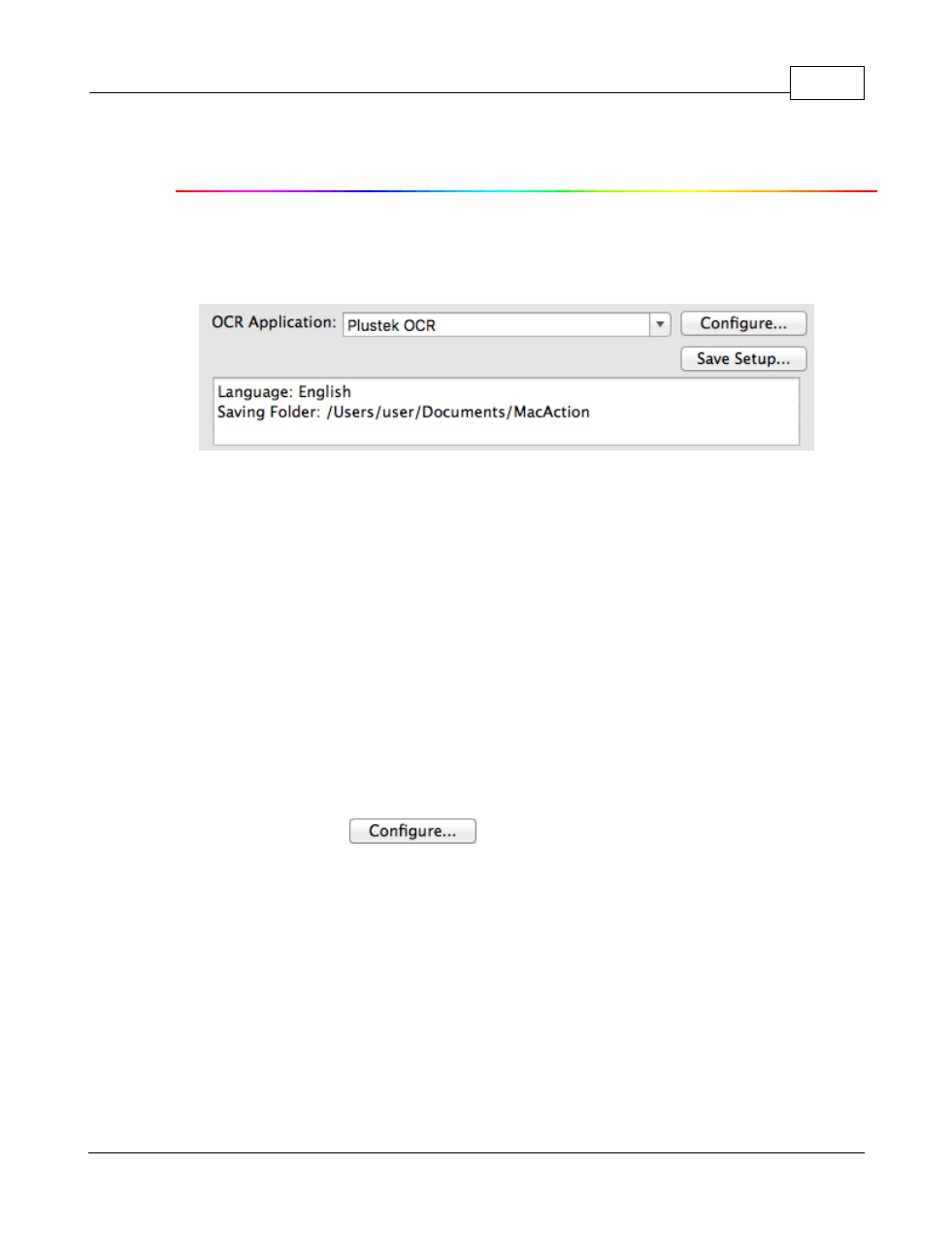
Determine to use which OCR application and what settings (e.g., recognition
language) to process the scanned images into text file.
OCR Application
All documents that are scanned are treated by the computer as graphic
images. Acting as an image-to-text converter, an OCR (Optical Character
Recognition) application program recognizes letters on a page and write them
into an editable text file or a text-searchable pdf file.
The options available in the drop-down menu depends on the OCR application
programs that you may have installed in your Mac OS. MacAction has been
programmed to support the following famous OCR applications in the industry
to give you the convenience of single-touch OCR button operation:
·
Plustek OCR
The availability of the programs may vary depending on the scanner model you
purchase.
Major OCR settings of the selected OCR application are displayed at the
bottom. Clicking
opens a configuration window where you
may check or modify the OCR settings (e.g., the file format to save the OCR
result, recognition language, etc.) as desired.