Image edge fill – Plustek Opticpro A320E Flatbed Scanner User Manual
Page 64
The TWAIN Interface
29
All rights are reserved.
2.2.3.4
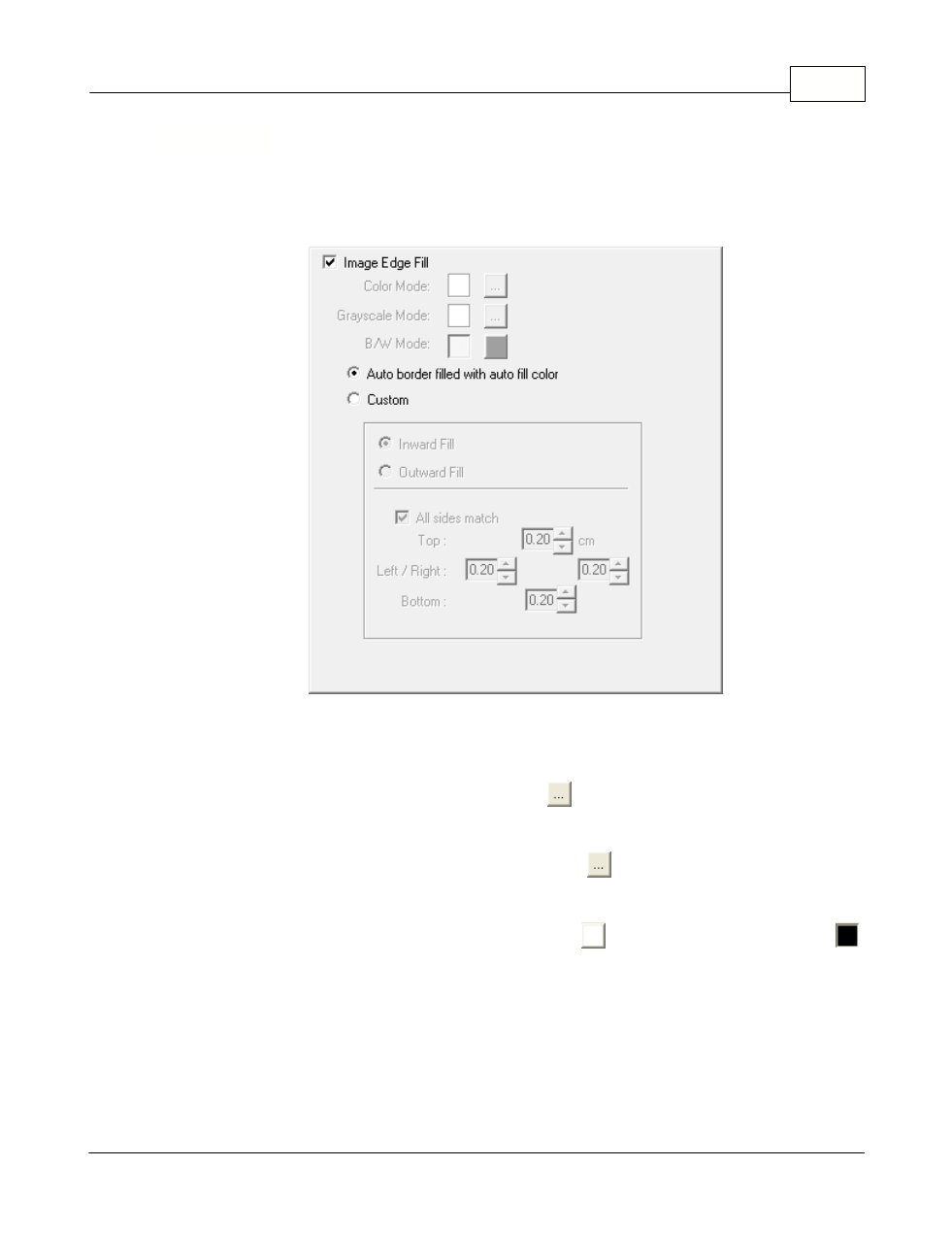
Image Edge Fill
Tick the check box of
Image Edge Fill
, the edge of scanned image would be
filled.
Tick the check box of
Image Edge Fill
, the edge of scanned image would be
filled.
When you scan by the
Color Mode
, clicking
button would allow you to choose
the color you prefer for edge fill.
When you scan by the
Grayscale Mode
, clicking
button would allow you to
adjust the color you prefer for edge fill.
When you scan by the
BW mode
, you may click
button for white edge fill or
button for black edge fill.
·
Auto border filled with auto fill color
When the scanned document size is smaller than the selected page size, select
this option to automatically detect the document edge in the scanned image and
fill the background color around the document edge after the document is
scanned.