Main – Plustek Opticpro A320E Flatbed Scanner User Manual
Page 44
Advertising
The TWAIN Interface
9
All rights are reserved.
Clicking anywhere on the above screenshot links you immediately to more
detailed information of the selected setting.
2.2.1
Main Tab
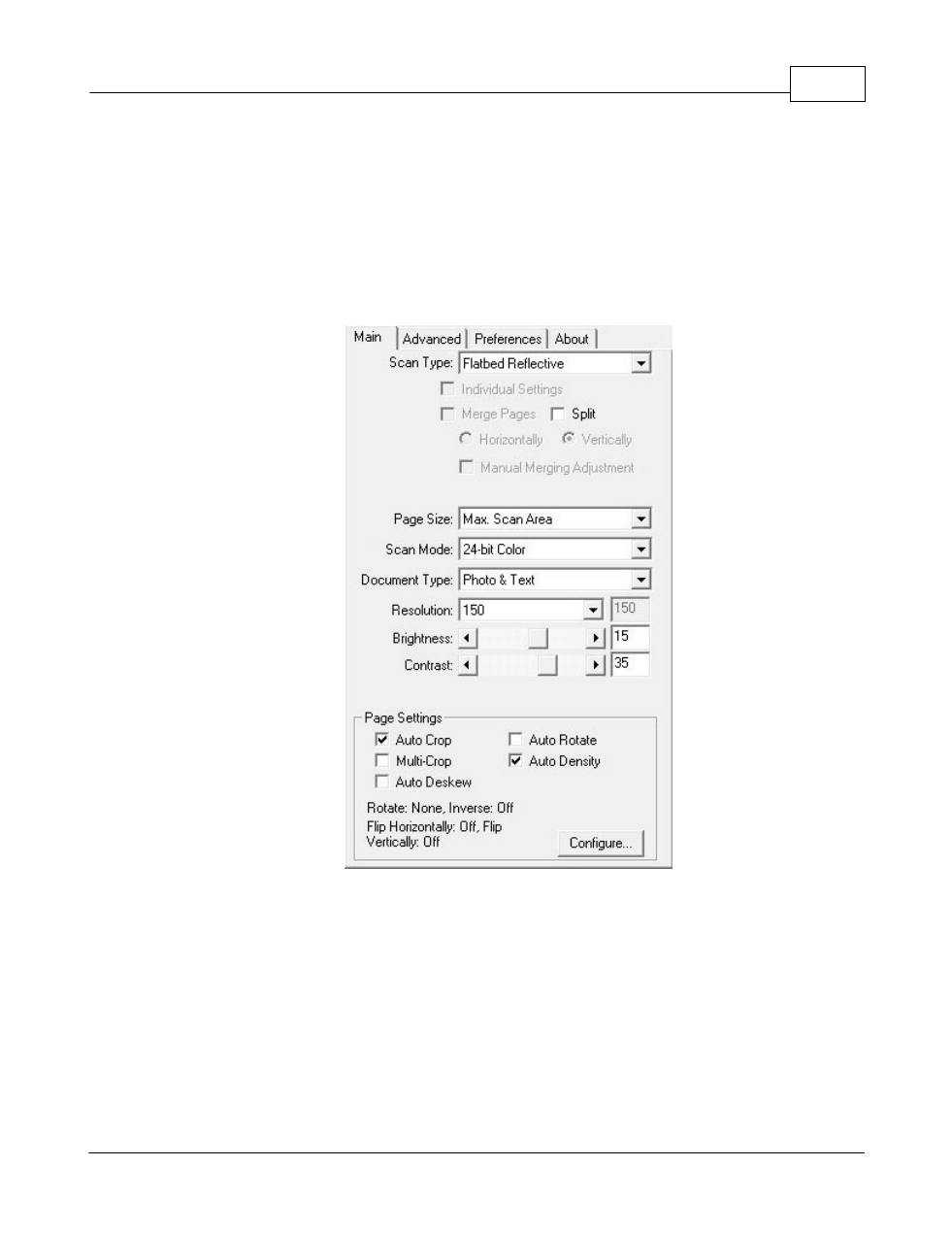
Main Tab contains some frequently used scanning settings.
Clicking anywhere on the above screenshot links you immediately to more
detailed information of the selected function.
2.2.1.1
Scan Type
Tells the scanner the method you will use to scan documents or images. The
following options are available from the drop-down list:
·
Flatbed Reflective
-- Use this setting to scan normal sheets of paper or any
non-transparent material directly from the scanner glass.
Advertising