PLANET SGSW-24040 User Manual
Page 184
User’s Manual of SGSW-24040 / 24240 Series
184
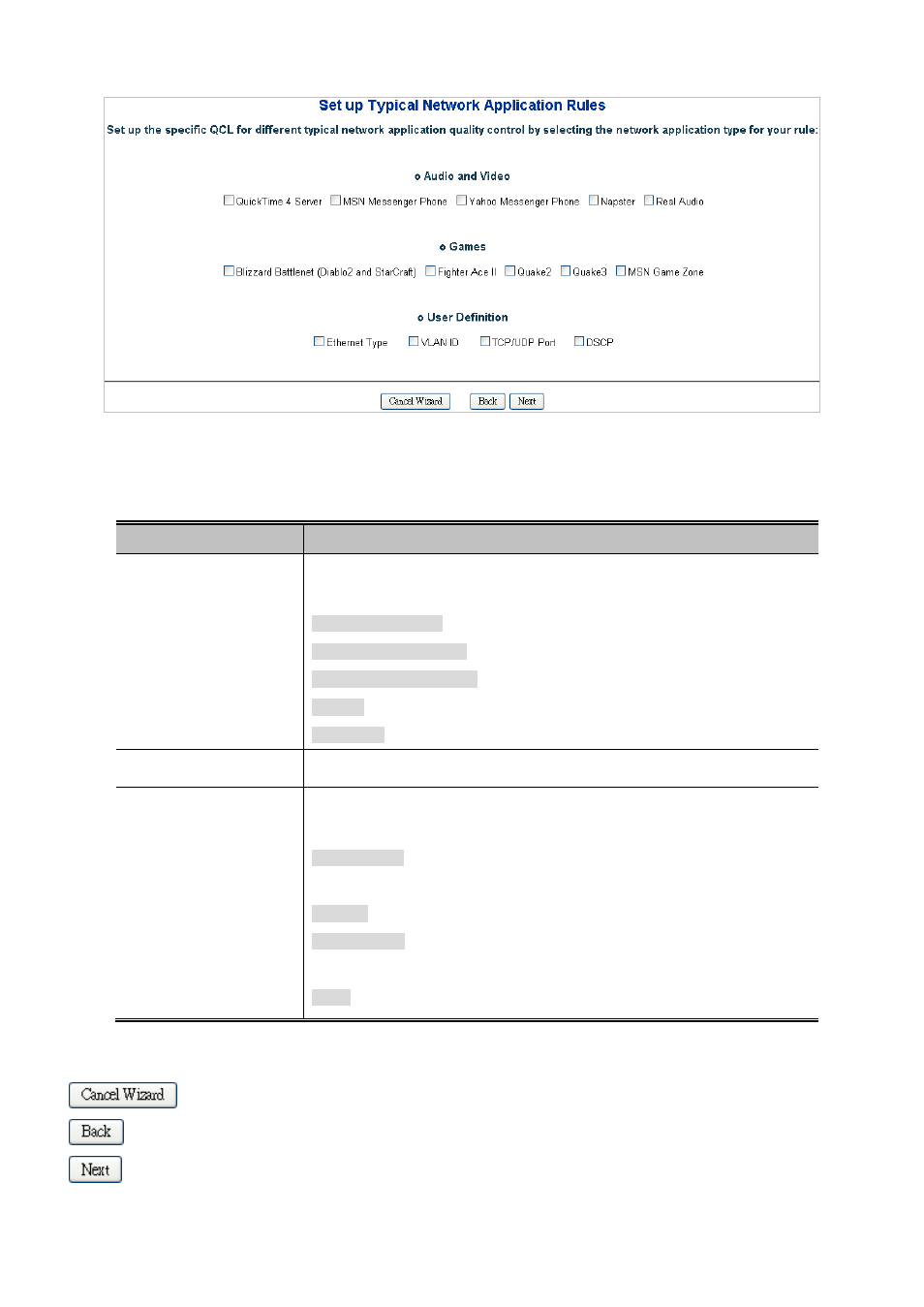
Figure 4-9-3 Set up Typical Network Application Rules page screenshot
The page includes the following fields:
Object
Description
•
Audio and Video
Indicates the common servers that apply to the specific QCE .
The common servers are:
QuickTime 4 Server
MSN Messenger Phone
Yahoo Messenger Phone
Napster
Real Audio
•
Games
Indicates the common games that apply to the specific QCE.
•
User Definition
Indicates the user definition that applies to the specific QCE. The user definitions
are:
Ethernet Type: Specify the Ethernet Type filter for this QCE. The allowed range
is 0x600 to 0xFFFF.
VLAN ID: VLAN ID filter for this QCE. The allowed range is 1 to 4095.
UDP/TCP Port: Specify the TCP/UDP port filter for this QCE. The allowed range
is 0 to 65535.
DSCP: Specify the DSCP filter for this QCE. The allowed range is 0 to 63.
Buttons
: Click to cancel the wizard.
: Click to go back to the previous wizard step.
: Click to continue the wizard.