3 qos control list configuration – PLANET SGSW-24040 User Manual
Page 188
User’s Manual of SGSW-24040 / 24240 Series
188
4.9.3 QoS Control List Configuration
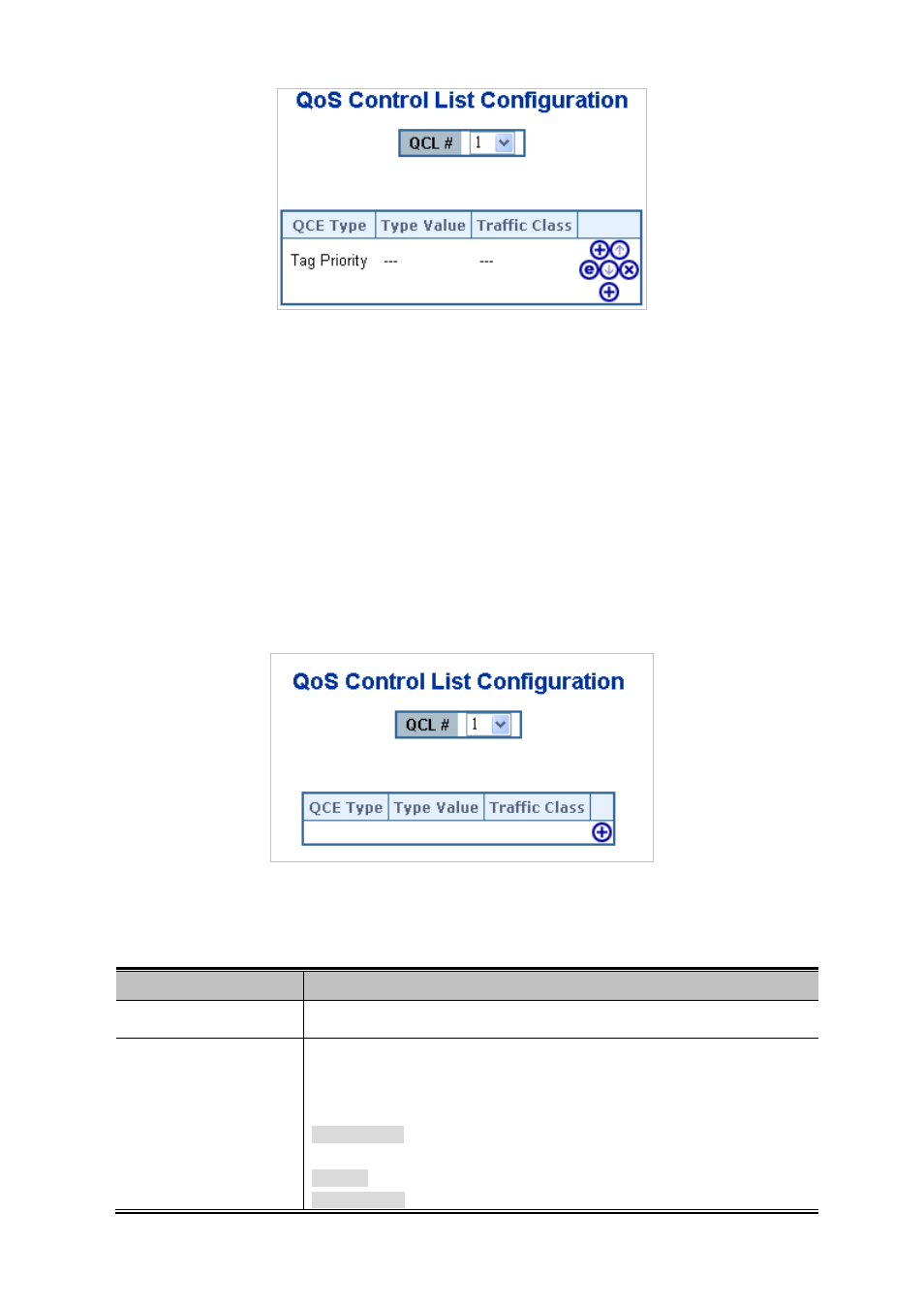
This page lists the QCEs for a given QCL.
Frames can be classified by 4 different QoS classes: Low, Normal, Medium, and High.
The classification is controlled by a QoS assigned to each port.
A QCL consists of an ordered list of up to 12 QCEs.
Each QCE can be used to classify certain frames to a specific QoS class.
This classification can be based on parameters such as VLAN ID, UDP/TCP port, IPv4/IPv6 DSCP or Tag Priority.
Frames not matching any of the QCEs are classified to the default QoS Class for the port.
The QoS Control List Configuration screen in
Figure 4-9-7
appears.
Figure 4-9-7 QoS Control List Configuration page screenshot
The page includes the following fields:
Object
Description
•
QCL #
Select a QCL to display a table that lists all the QCEs for that particular QCL.
•
QCE Type
Specifies which frame field the QCE processes to determine the QoS class of the
frame.
The following QCE types are supported:
Ethernet Type: The Ethernet Type field. If frame is tagged, this is the Ethernet
Type that follows the tag header.
VLAN ID: VLAN ID. Only applicable if the frame is VLAN tagged.
TCP/UDP Port: IPv4 TCP/UDP source/destination port.