1 system information – PLANET SGSW-24040 User Manual
Page 64
User’s Manual of SGSW-24040 / 24240 Series
64
4.2.1 System Information
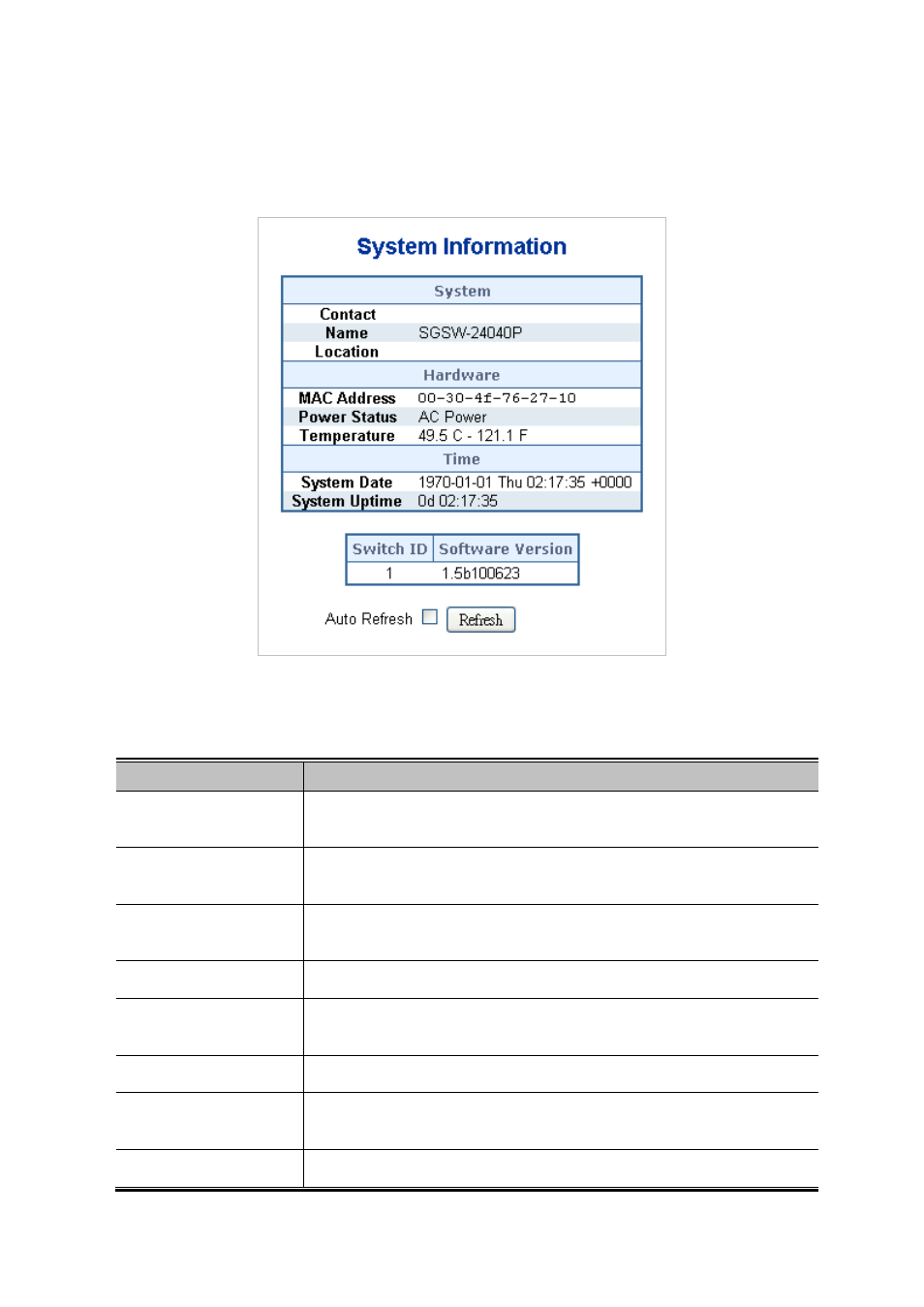
The System Info page provides information for the current device information. System Info page helps a switch administrator to
identify the hardware MAC address, software version and system uptime. The screen in
Figure 4-2-1
appears.
Figure 4-2-1 System Information page screenshot
The page includes the following fields:
Object
Description
•
Contact
The system contact configured in Configuration | System | Information | System
Contact.
•
Name
The system name configured in Configuration | System | Information | System
Name.
•
Location
The system location configured in Configuration | System | Information | System
Location.
•
MAC Address
The MAC Address of this switch.
• Power Status
Indicate AC / DC power supply input of this switch. Only SGSW-24040R /
24240R support DC power supply input.
• Temperature
Indicate main chipset temperature.
•
System Date
The current (GMT) system time and date. The system time is obtained through
the configureerver, if any.
• System Uptime
The period of time the device has been operational.