Classification results list, Tree view of the classified signals’ code checks – Wavecom W74PC V8.7.0 User Manual
Page 286
276
Classifier (Optional)
WAVECOM Decoder W74PC, W-PCI/e, W-CODE, W-CLOUD Manual V8.7.0
” on page 266).
Classification Results List
The Classification Results List is identical to the Classifier Classification Results List (see the section on “
” on page 266).
This information is available for all processes.
Tree View of the Classified Signals’ Code Checks
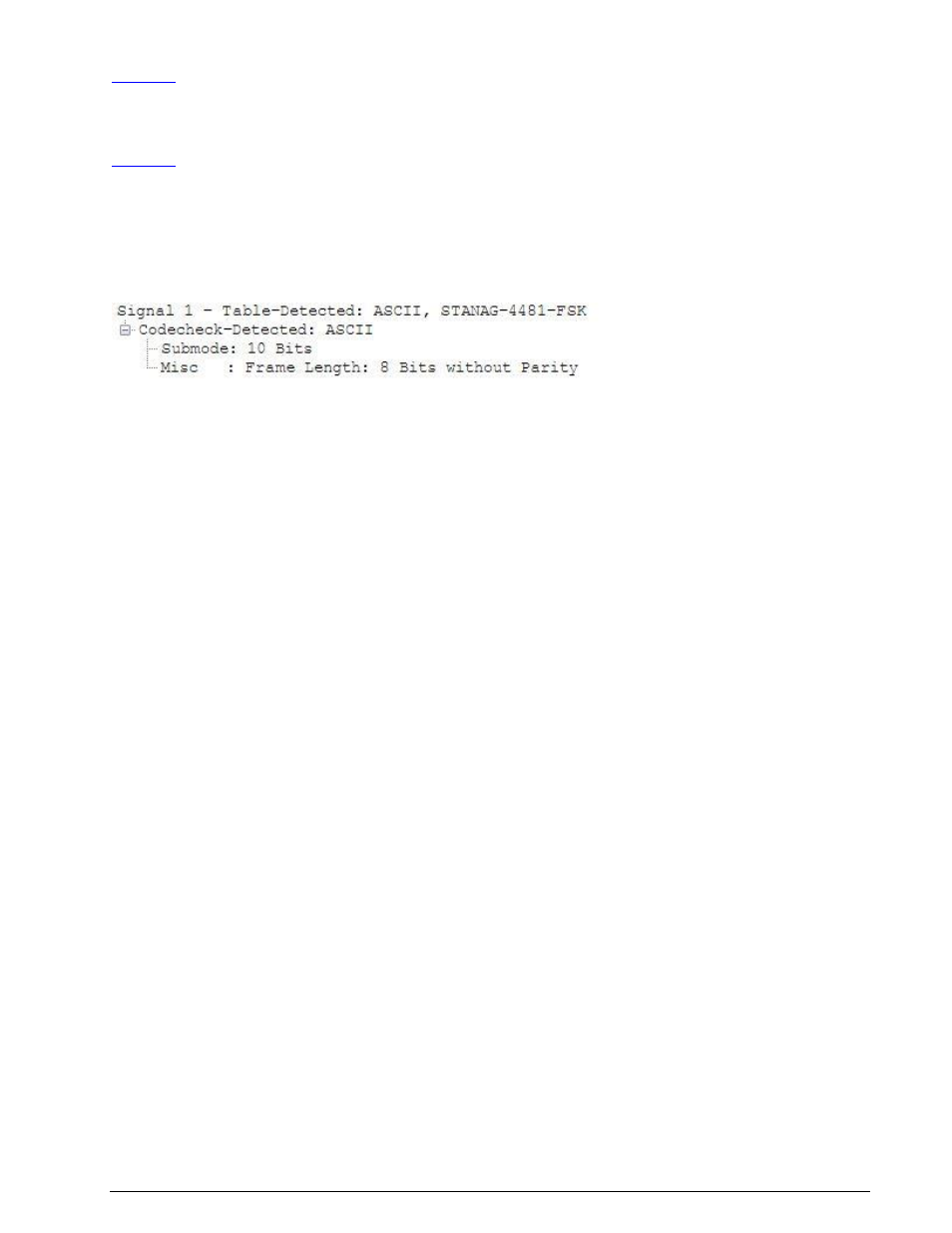
A list of code checked signals is displayed below the list of classified signals. For each signal a tree struc-
ture is used if required for more detailed information (see below).
To expand the view, right-click on the node. The view has two levels:
A classified signal reference “Signal <number>” with a “Table-Detected” reference if a match has
been determined from the XML table loaded
A “Codecheck-Detected” reference
Signal <number>
This level contains a reference to the list of classified signals.
Codecheck-Detected
Left-clicking on the expand folder button to the left of “Codecheck-Detected” will expand the view to in-
clude details of the mode detected by the code check.
The Codecheck-Detected listing may also contain more details on the mode in the “Submode” and
“Misc.” fields.