Taking panorama pictures (panorama shot mode), P104, P104) – Panasonic Lumix GX8 User Manual
Page 104: Taking panorama pictures
3. Recording Modes
104
Taking panorama pictures
(Panorama Shot Mode)
Recording Mode:
Consecutive photos taken while the camera is moved are combined to form a panorama.
1
Set the mode dial to [
].
•
After the screen that asks you to check the recording direction is displayed, the
horizontal/vertical guidelines will be displayed.
2
Press the shutter button halfway to focus.
3
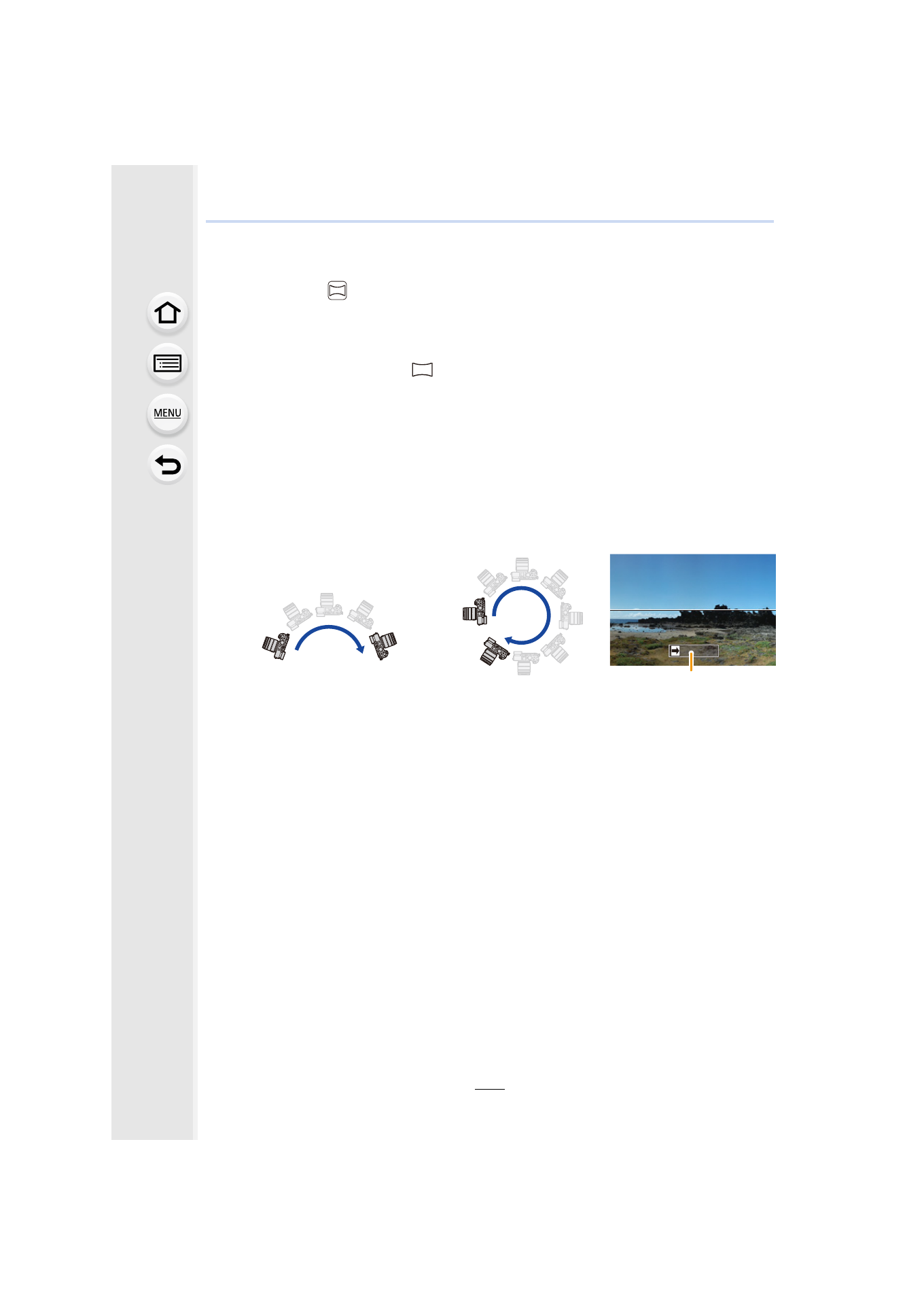
Press the shutter button fully and move the camera in a small circle
in the direction of the arrow on the screen.
4
Press the shutter button once again to end the picture recording.
•
Recording can also be ended by keeping the camera still while recording.
•
Recording can also be ended by moving the camera to the end of the guide.
Recording from left to right
•
Move the camera at a constant speed.
Pictures may not be able to be recorded properly if the
camera is moved too fast or slow.
A Recording direction and
panning (Guide)
Image size: [STANDARD]
Image size: [WIDE]
A
- Lumix G85 Mirrorless Camera with 12-60mm Lens Lumix DMC-G85M Lumix DMC-G85 Lumix GH5 Lumix GX80 Lumix GX85 Mirrorless Camera with 12-32mm and 45-150mm Lenses Lumix G7 Mirrorless Camera with 14-42mm and 45-150mm Lenses (Black) Lumix G7 Mirrorless Camera with 14-42mm Lens Deluxe Kit (Silver) Lumix G7 Mirrorless Camera with 14-42mm Lens (Silver) Lumix DMC-G7 body