P74), Configuring basic settings of this unit, Setup menu) – Panasonic Lumix GX8 User Manual
Page 74
2. Getting Started/Basic Operations
74
Configuring basic settings of this unit
(Setup Menu)
For details on how to select the [Setup] menu settings, refer to
.
[Clock Set] and [Economy] are important items.
Check their settings before using the camera.
•
Refer to
•
Press 3 if you are using Daylight Savings [
]. (The time will move forward by 1 hour.)
Press 3 once more to return to the normal time.
•
If you cannot find the travel destination in the areas displayed on the screen, set by the time
difference from the home area.
[Clock Set]
—
[World Time]
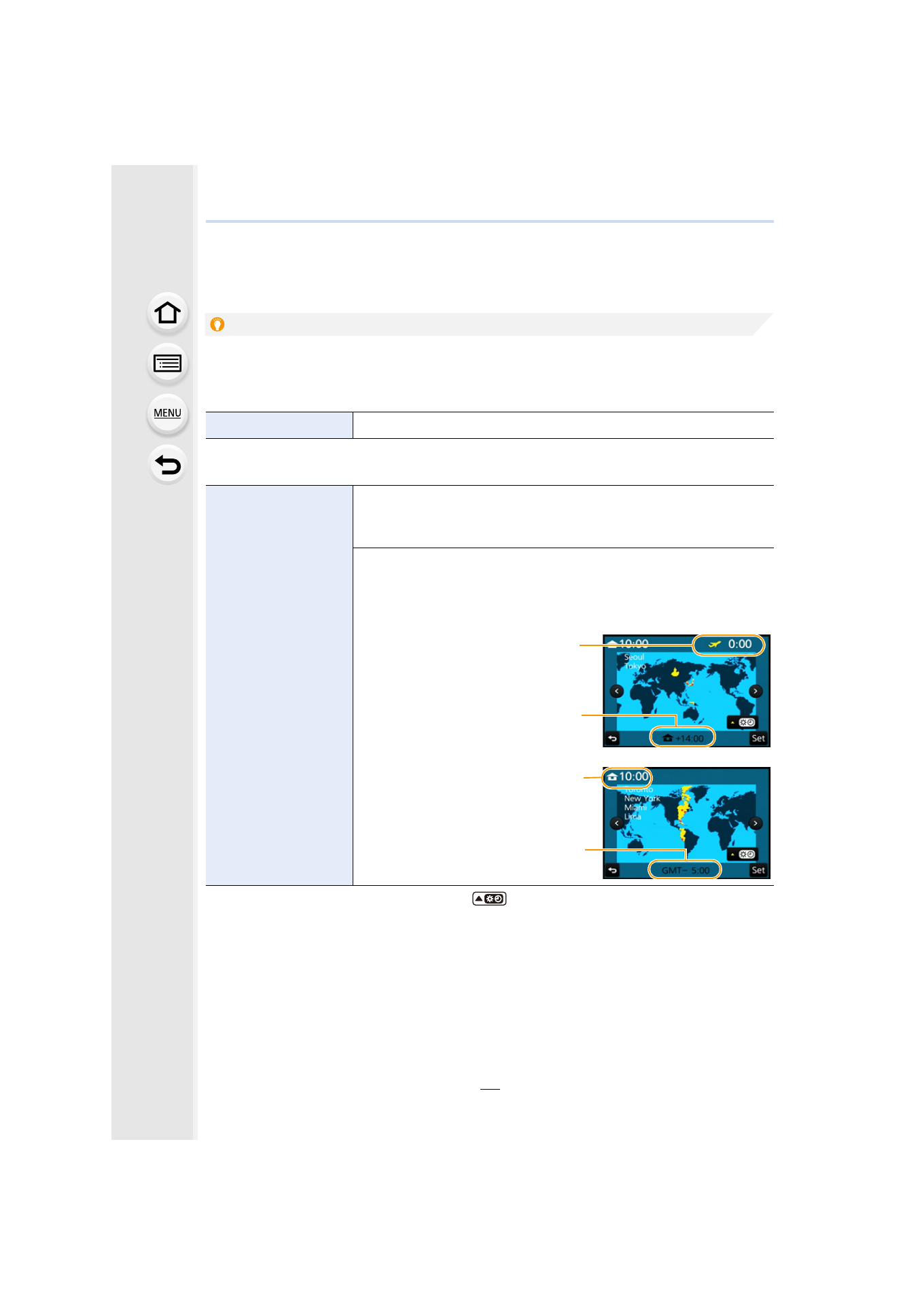
Set the time in your home area and travel destination.
You can display the local times at the travel destinations and
record them on the pictures you take.
•
Set [Home] first thing after purchasing.
[Destination] can be set after setting up [Home].
After selecting [Destination] or [Home], press 2/1 to select
an area, and press [MENU/SET] to set.
“
[Destination]:
Travel destination area
A Current time of the
destination area
B Time difference from home
area
–
[Home]:
Your home area
C Current time
D Time difference from GMT
(Greenwich Mean Time)
A
B
C
D
- Lumix G85 Mirrorless Camera with 12-60mm Lens Lumix DMC-G85M Lumix DMC-G85 Lumix GH5 Lumix GX80 Lumix GX85 Mirrorless Camera with 12-32mm and 45-150mm Lenses Lumix G7 Mirrorless Camera with 14-42mm and 45-150mm Lenses (Black) Lumix G7 Mirrorless Camera with 14-42mm Lens Deluxe Kit (Silver) Lumix G7 Mirrorless Camera with 14-42mm Lens (Silver) Lumix DMC-G7 body