Panasonic Lumix GX8 User Manual
Page 222
8. Stabilizer, Zoom and Flash
222
∫
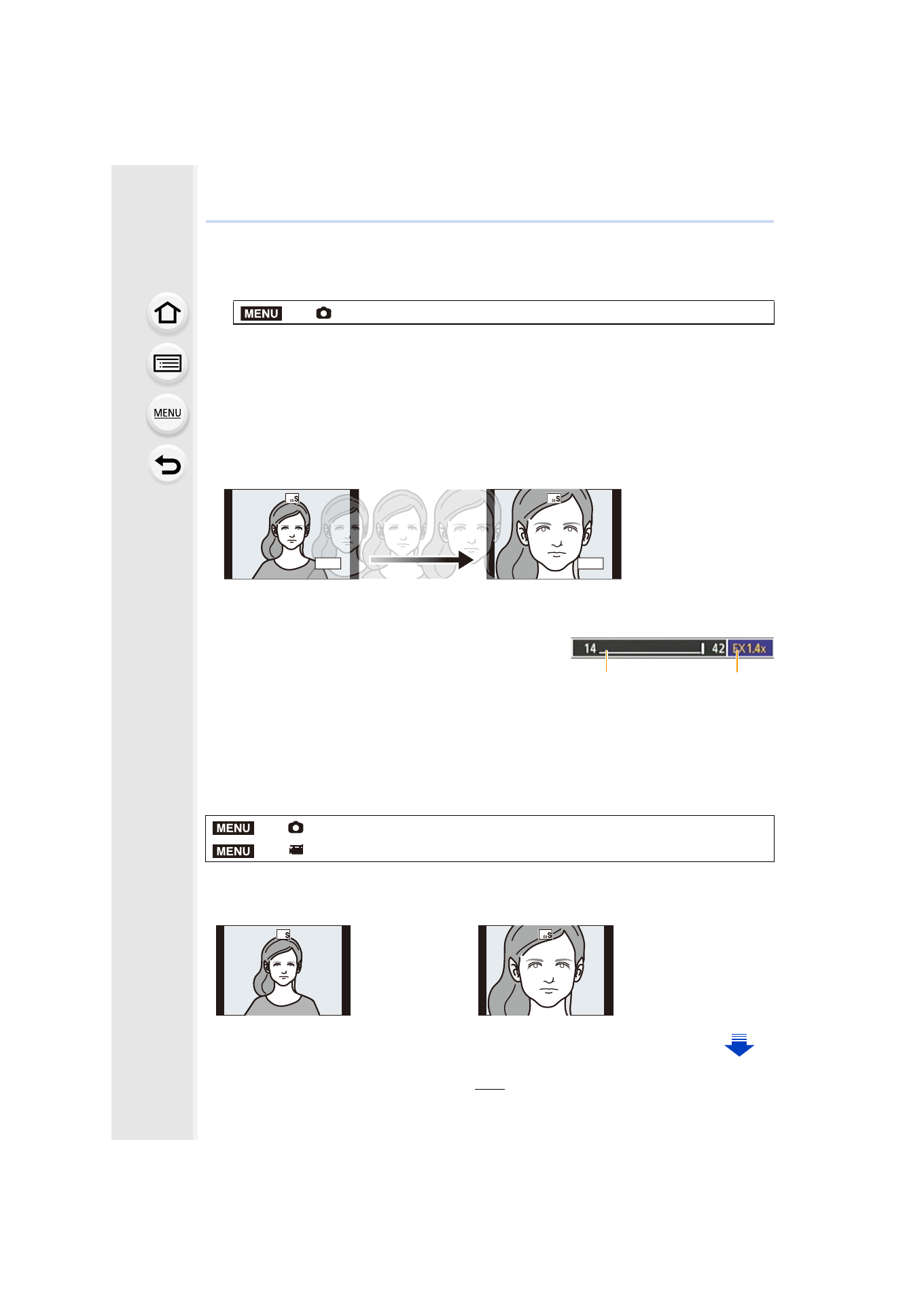
Increasing the zoom magnification in steps
•
This can be used only when recording pictures.
1
Select the menu.
2
Set a function button to [Zoom Control].
3
Press the function button.
4
Press 2/1 or 3/4.
•
The zoom operation is terminated when the function button is pressed again or a certain
amount of time passes.
•
When using an interchangeable lens that supports the power zoom, Extended Tele Conversion
becomes available after zooming in to the Tele end of the optical zoom.
A Optical Zoom range (Focal length)
¢
B Extended Tele Conversion range for still picture
recording (Zoom magnification)
¢
This zoom slider is displayed when using an
interchangeable lens
that supports the power zoom.
•
A constant zoom speed will be set.
•
The indicated zoom magnification is an approximation.
∫
Fixing the zoom magnification at the maximum level
Select the menu.
>
[Rec]
> [Ex. Tele Conv.] > [ZOOM]
3/1:
Tele (Enlarges distant subject)
4/2:
Wide (Widens angle of view)
>
[Rec]
> [Ex. Tele Conv.] > [TELE CONV.]
>
[Motion Picture]
> [Ex. Tele Conv.] > [ON]
[OFF]
[TELE CONV.]/[ON]
MENU
EX1.0x
EX2.0x
4:3
4:3
B
A
MENU
MENU
4:3
4:3
- Lumix G85 Mirrorless Camera with 12-60mm Lens Lumix DMC-G85M Lumix DMC-G85 Lumix GH5 Lumix GX80 Lumix GX85 Mirrorless Camera with 12-32mm and 45-150mm Lenses Lumix G7 Mirrorless Camera with 14-42mm and 45-150mm Lenses (Black) Lumix G7 Mirrorless Camera with 14-42mm Lens Deluxe Kit (Silver) Lumix G7 Mirrorless Camera with 14-42mm Lens (Silver) Lumix DMC-G7 body