P154) – Panasonic Lumix GX8 User Manual
Page 154
5. Focus and Brightness (Exposure) Settings
154
Applicable modes:
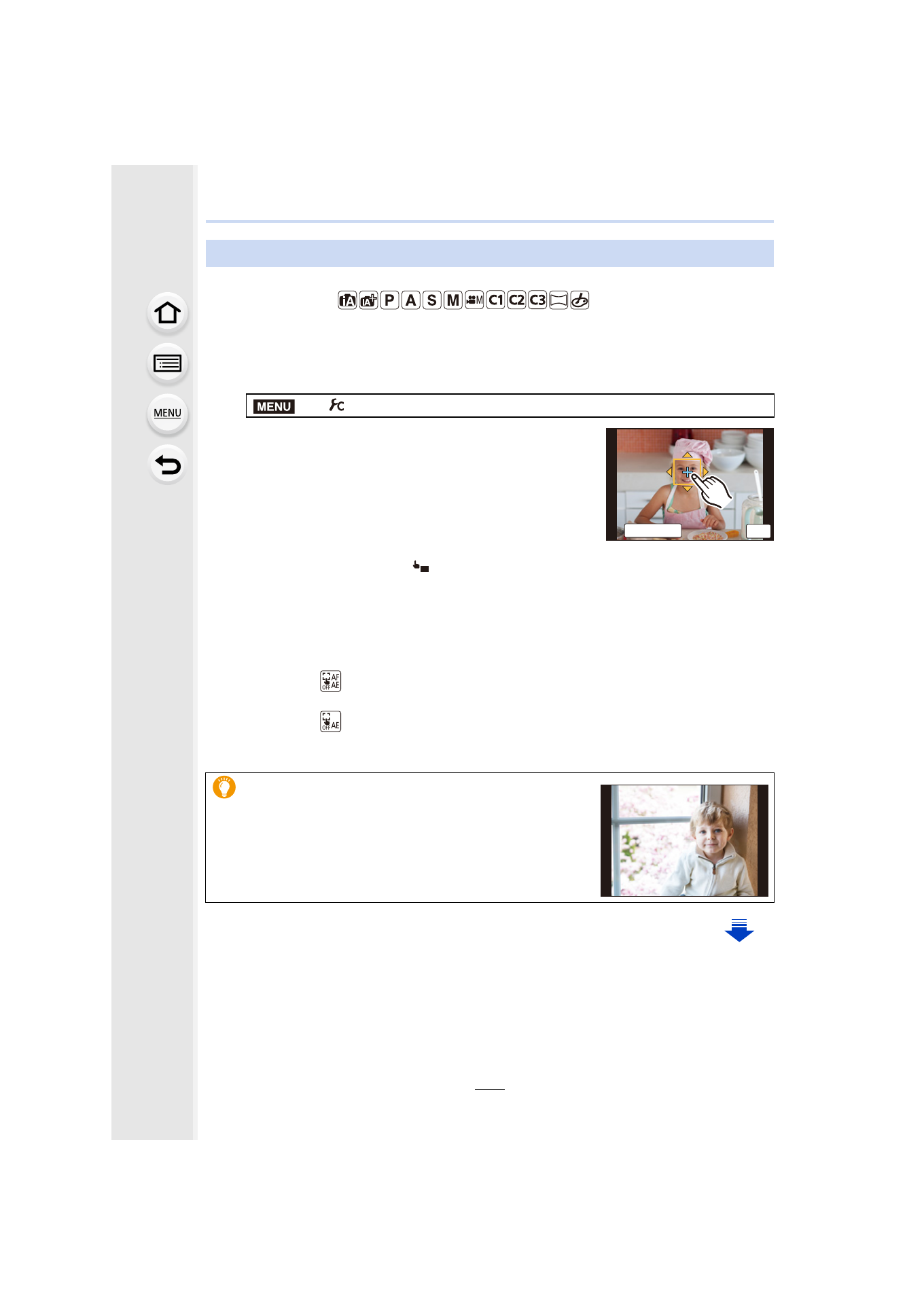
You can optimize the focus and brightness for the position you have touched.
1
Select the menu.
2
Touch the subject you want to optimize the
brightness for.
•
AF area setting screen is displayed.
•
The brightness optimization position is displayed on the
center of the AF area. The position follows the movement
of the AF area.
•
[Metering Mode] is set to [
], which is used exclusively for the Touch AE.
•
Touching [Reset] returns the brightness optimization position and the AF area to the
center.
3
Touch [Set].
•
The AF area with the same function as [Ø] is displayed on the touched position.
•
Touching [
] returns [Metering Mode] to the original setting and cancels the
brightness optimization position. The AF area setting is also canceled.
•
Touching [
] returns [Metering Mode] to the original setting and cancels the
brightness optimization position.
Optimizing the focus and brightness for a touched position
>
[Custom]
> [Touch Settings] > [Touch AF] > [AF+AE]
When the background has become too bright, etc., the
brightness contrast with the background can be
adjusted by compensating the exposure.
MENU
5HVHW
ュリヴヱハ
6HW
AE
- Lumix G85 Mirrorless Camera with 12-60mm Lens Lumix DMC-G85M Lumix DMC-G85 Lumix GH5 Lumix GX80 Lumix GX85 Mirrorless Camera with 12-32mm and 45-150mm Lenses Lumix G7 Mirrorless Camera with 14-42mm and 45-150mm Lenses (Black) Lumix G7 Mirrorless Camera with 14-42mm Lens Deluxe Kit (Silver) Lumix G7 Mirrorless Camera with 14-42mm Lens (Silver) Lumix DMC-G7 body