Panasonic Lumix GX8 User Manual
Page 152
5. Focus and Brightness (Exposure) Settings
152
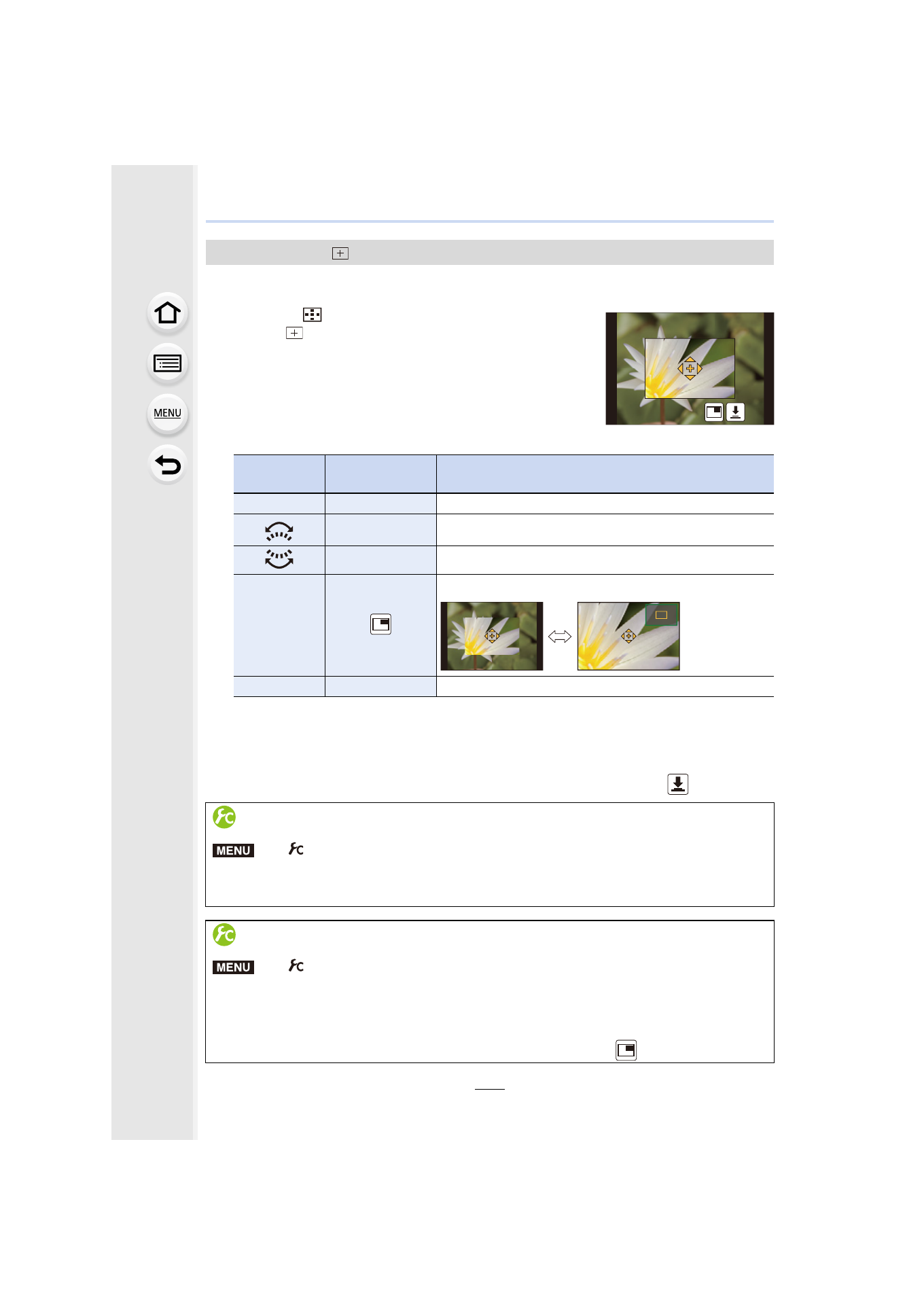
You can set the focus position precisely by enlarging the screen.
•
The focus position cannot be set at the edge of the screen.
1
Press 2 (
).
2
Select [
] and press 4.
3
Press 3/4/2/1 to set the focus position and then
press [MENU/SET].
•
The assist screen for setting the focus position is displayed
in an enlarged size.
•
The assist screen can also be displayed by touching the
subject.
4
Move [+] to the position to be in focus.
•
When the picture is displayed in windowed mode, you can enlarge/reduce the picture by
approximately 3 to 6
k
; when the picture is displayed in full screen, you can enlarge/
reduce the picture by approximately 3 to 10
k
.
•
If you use the HDMI output during recording, the screen cannot be enlarged in windowed
mode.
•
On the assist screen, it is also possible to record a picture by touching [
].
When selecting [
]
Button
operation
Touch
operation
Description of operation
3/4/2/1
Touching
Moves [+].
Pinching out/in Enlarges/reduces the screen in small steps.
s
Enlarges/reduces the screen in large steps.
s
Switches the enlarged display (windowed/full screen)
[DISP.]
[Reset]
Resets [+] back to the center.
Setting the duration for which the screen is enlarged
>
[Custom]
> [Pinpoint AF Time] >
[LONG] (Approx. 1.5 seconds)/[MID] (Approx. 1.0 second)/[SHORT]
(Approx. 0.5 second)
Changing the display of the assist screen
>
[Custom]
> [Pinpoint AF Display]
[FULL]:
Enlarges a picture in full screen.
[PIP]:
Enlarges a picture in a window on the screen.
•
The display of the assist screen can also be switched by touching [
].
MENU
MENU
- Lumix G85 Mirrorless Camera with 12-60mm Lens Lumix DMC-G85M Lumix DMC-G85 Lumix GH5 Lumix GX80 Lumix GX85 Mirrorless Camera with 12-32mm and 45-150mm Lenses Lumix G7 Mirrorless Camera with 14-42mm and 45-150mm Lenses (Black) Lumix G7 Mirrorless Camera with 14-42mm Lens Deluxe Kit (Silver) Lumix G7 Mirrorless Camera with 14-42mm Lens (Silver) Lumix DMC-G7 body