Taking pictures using auto bracket, P193, Bracket – Panasonic Lumix GX8 User Manual
Page 193: P193), Self-timer, Press 4 ( ), Focus on the subject and take a picture
193
6. Shutter and Drive Settings
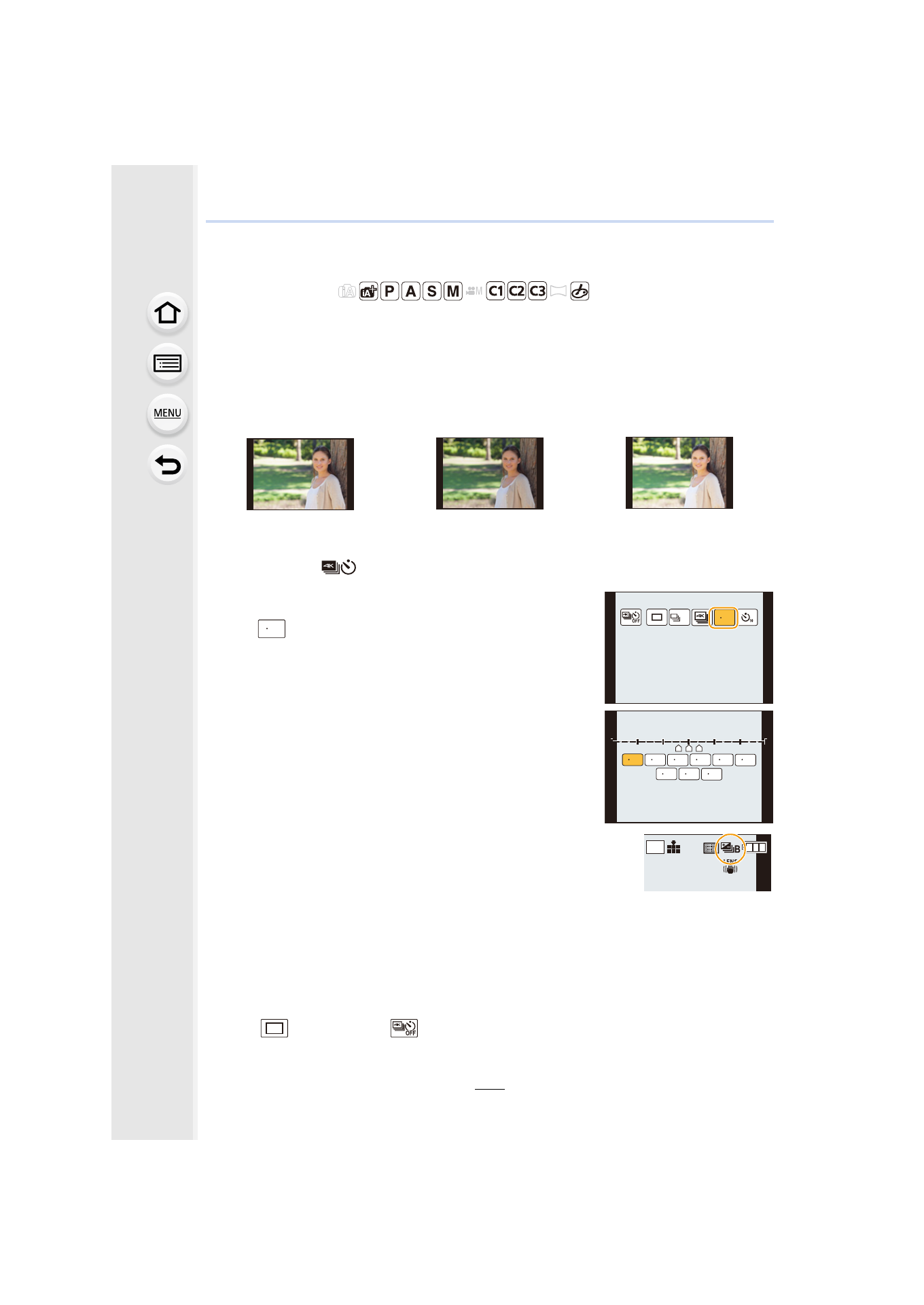
Taking Pictures using Auto Bracket
Applicable modes:
Maximum of 7 pictures will be recorded with different exposure settings following the
Exposure Compensation range every time the shutter button is pressed.
With Auto Bracket
[Step]: [3•1/3], [Sequence]: [0/s/r]
1
Press 4 (
).
2
Press to 2/1 to select the Auto Bracket icon
([
], etc.), and then press 3.
3
Press 2/1 to select the compensation range,
and then press [MENU/SET].
4
Focus on the subject and take a picture.
•
If you press and hold the shutter button, the number of
pictures that you set is taken.
•
The Auto Bracket indication blinks until the number of
pictures that you set is taken.
•
The picture count is reset to [0] if you change the Auto Bracket setting or turn the
camera off before all the pictures that you set are taken.
∫
Canceling the Auto Bracket
Select [
] ([Single]) or [
] from among the drive modes.
1st picture
2nd picture
3rd picture
d0 EV
j1/3 EV
i1/3 EV
31/3
H
31/3
-3
-2
-1
0
+1
+1
+2
+2
+3
+3
-3
-2
-1
0
+1
+2
+3
2
1
3
31/3
32/3 3 1 51/3 52/3 5 1
71/3 72/3 7 1
AFS
AFS
L
4:3
- Lumix G85 Mirrorless Camera with 12-60mm Lens Lumix DMC-G85M Lumix DMC-G85 Lumix GH5 Lumix GX80 Lumix GX85 Mirrorless Camera with 12-32mm and 45-150mm Lenses Lumix G7 Mirrorless Camera with 14-42mm and 45-150mm Lenses (Black) Lumix G7 Mirrorless Camera with 14-42mm Lens Deluxe Kit (Silver) Lumix G7 Mirrorless Camera with 14-42mm Lens (Silver) Lumix DMC-G7 body