Panasonic Lumix GX8 User Manual
Page 56
2. Getting Started/Basic Operations
56
∫
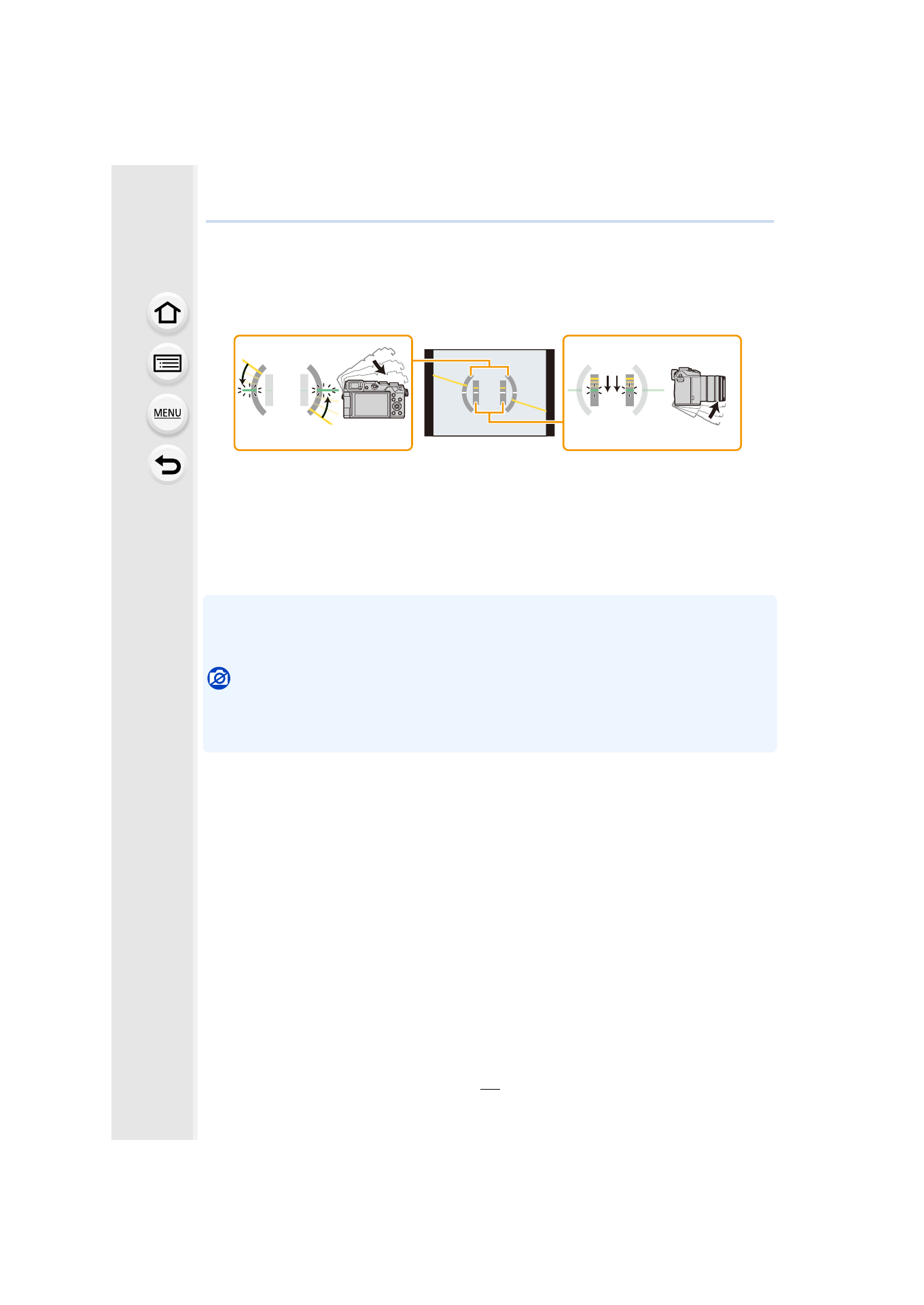
About the tilt sensor display
With the tilt sensor displayed, it is easy to correct the tilt of the camera etc.
1
Press [DISP.] to display the tilt sensor.
2
Check the tilt of the camera.
A Horizontal direction:
Correcting tilt to the left
B Vertical direction:
Correcting downward tilt
•
When the tilt of the camera is little, the indicator changes to green.
•
When recording with a vertical orientation, the display automatically switches to a
vertically orientated display.
•
Even after correcting the tilt, there may still be an error of approximately n1°.
•
When a function button is set to [Level Gauge], the tilt sensor display can be switched on/off by
pressing the function button.
Not available in these cases:
•
Tilt sensor display may not be displayed correctly when this unit is in motion.
•
When tilted significantly upwards or downwards to record, the tilt sensor display may not be
displayed correctly, and the Direction Detection Function
- Lumix G85 Mirrorless Camera with 12-60mm Lens Lumix DMC-G85M Lumix DMC-G85 Lumix GH5 Lumix GX80 Lumix GX85 Mirrorless Camera with 12-32mm and 45-150mm Lenses Lumix G7 Mirrorless Camera with 14-42mm and 45-150mm Lenses (Black) Lumix G7 Mirrorless Camera with 14-42mm Lens Deluxe Kit (Silver) Lumix G7 Mirrorless Camera with 14-42mm Lens (Silver) Lumix DMC-G7 body