Attaching/removing the lens, P36), Lens fitting mark – Panasonic Lumix GX8 User Manual
Page 36
2. Getting Started/Basic Operations
36
Attaching/Removing the Lens
By changing the lens, you will increase your picture taking-options and further your
enjoyment of the camera. Change the lens using the following procedure.
•
Check that the camera is turned off.
•
Change lenses where there is not a lot of dirt or dust. Refer to
when dirt or dust gets on
the lens.
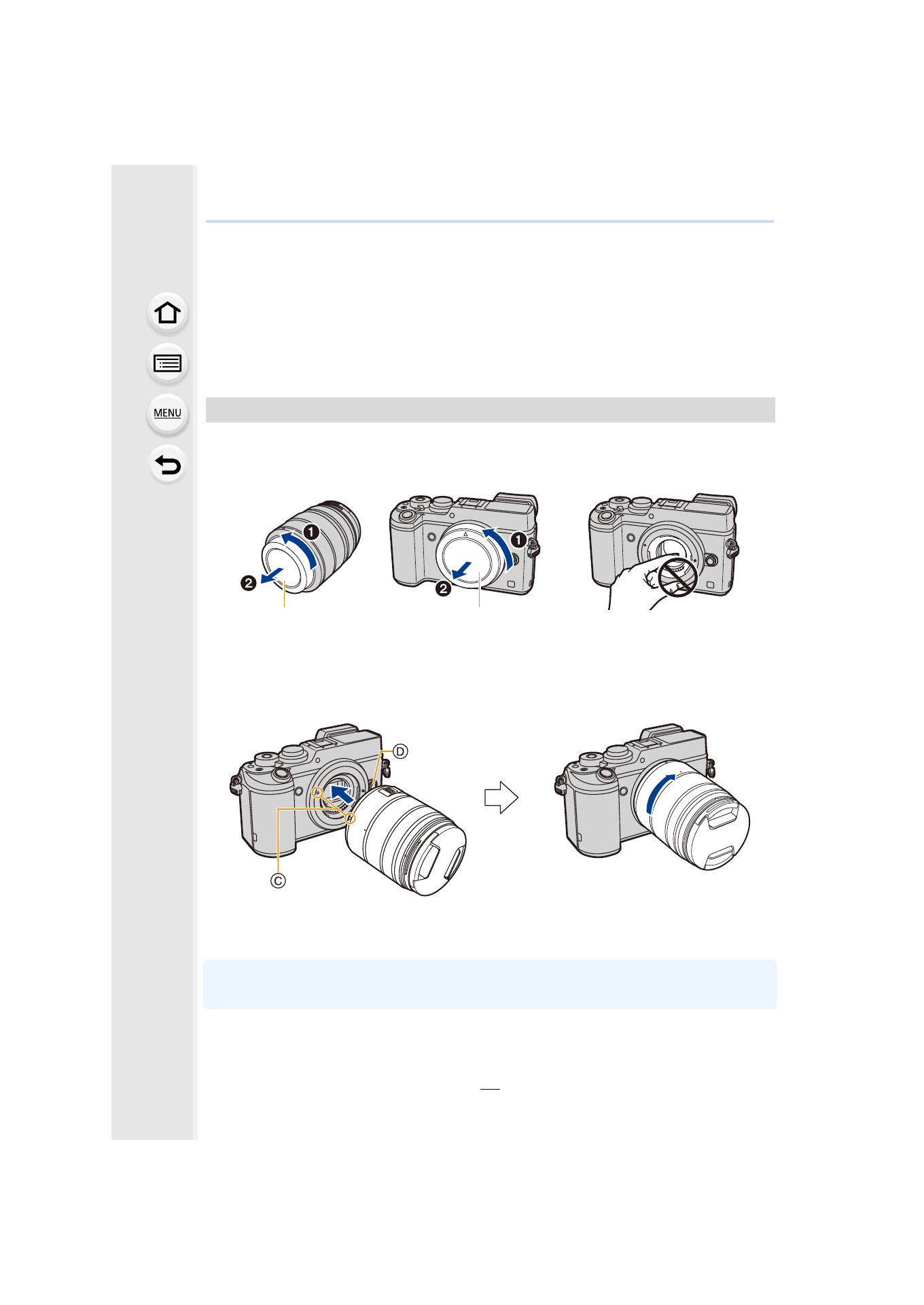
1
Turn the lens rear cap A and the body cap B in the direction of the
arrow to detach them.
•
Do not put your hands inside the mount.
2
Align the lens fitting marks C and then rotate the lens in the direction
of the arrow until it clicks.
•
Do not press the lens release button D when you attach a lens.
•
Do not try to attach the lens when holding it at an angle to the camera body as the lens
mount may get scratched.
•
It is recommended to attach the lens cap or attach the MC Protector (optional) to protect the
lens surface when carrying.
Attaching the lens
- Lumix G85 Mirrorless Camera with 12-60mm Lens Lumix DMC-G85M Lumix DMC-G85 Lumix GH5 Lumix GX80 Lumix GX85 Mirrorless Camera with 12-32mm and 45-150mm Lenses Lumix G7 Mirrorless Camera with 14-42mm and 45-150mm Lenses (Black) Lumix G7 Mirrorless Camera with 14-42mm Lens Deluxe Kit (Silver) Lumix G7 Mirrorless Camera with 14-42mm Lens (Silver) Lumix DMC-G7 body