Panasonic Lumix GX8 User Manual
Page 186
6. Shutter and Drive Settings
186
•
If the burst time was short, a smaller number of frames are displayed in slide view. [
]
and [
] cannot be selected.
•
During marker operation, you can skip to the markers that you added or the beginning or
end of the 4K burst file. Press [Fn1] again to return to the original operation.
•
When you have selected frames that are not currently displayed in slide view, such as
when you have selected [
] or [
], it may take a few seconds until the slide view
frames are displayed.
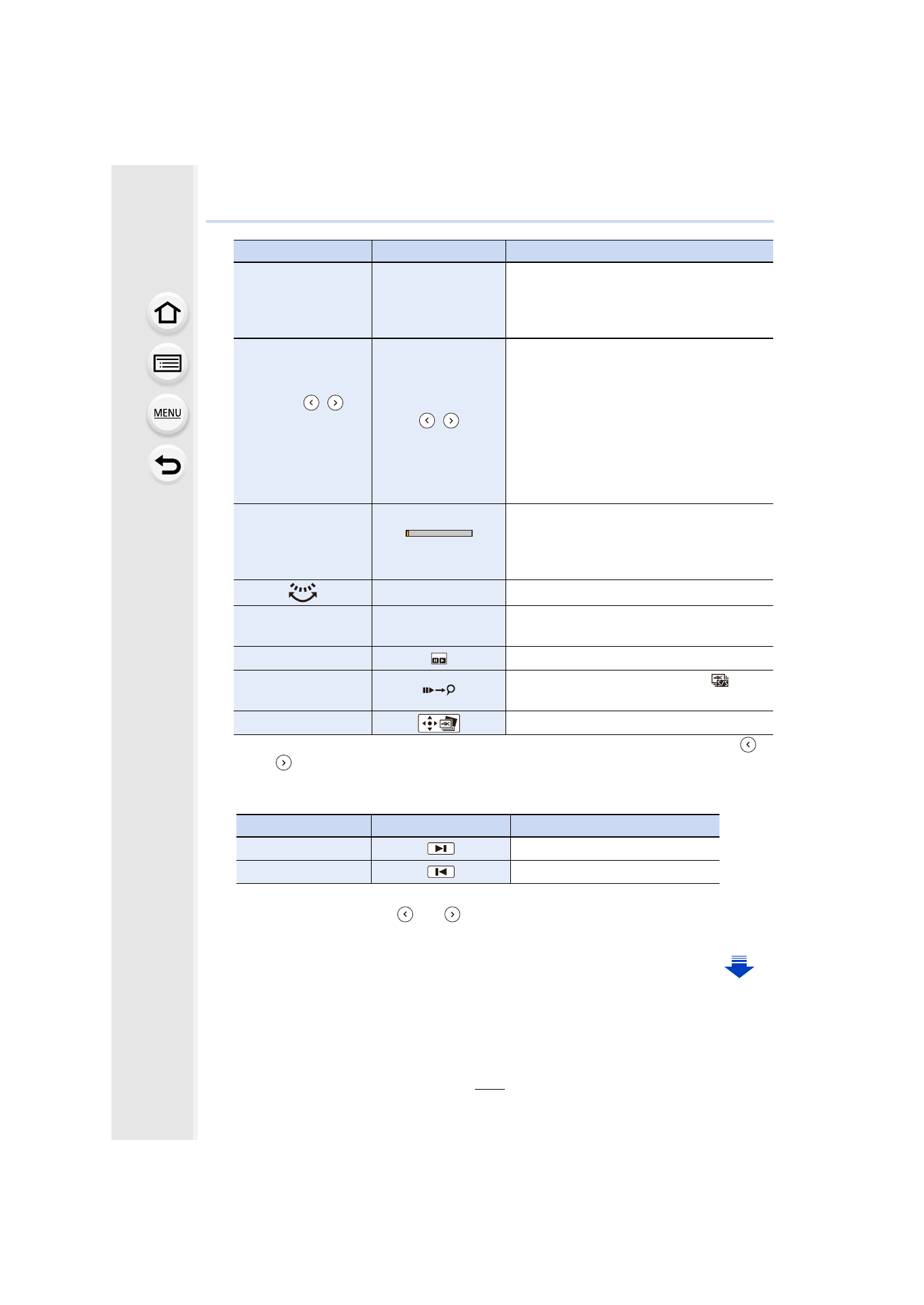
Button operation
Touch operation
Description of operation
2/1
Touching
>Dragging
Selects a frame
•
You can select a frame from 60 frames
(continuous burst time of approximately
2 seconds).
Select
/
with 2/1
>
[MENU/SET]
/
Displays the previous or next frames in
slide view
•
The previous or next 45 frames (burst time
of approximately 1.5 seconds) will replace
45 of the frames that are currently
displayed in slide view.
•
Pressing the same button again will
display the frames following the next ones
or the ones preceding the previous ones.
s
Touching/Dragging
Selects the frames to be displayed
•
Frames preceding and following the
selected frame will be displayed in slide
view.
Pinching out/in
Enlarges/reduces the display
3/4/2/1
Dragging
Moves the enlarged area
(during enlarged display)
[Fn2]
Displays the 4K burst playback screen.
[Fn1]
Switches to marker operation ([
]
([4K Burst(S/S)]) only)
[MENU/SET]
Saves the picture
Button operation
Touch operation
Description of operation
1
Moves to the next marker.
2
Moves to the previous marker.
- Lumix G85 Mirrorless Camera with 12-60mm Lens Lumix DMC-G85M Lumix DMC-G85 Lumix GH5 Lumix GX80 Lumix GX85 Mirrorless Camera with 12-32mm and 45-150mm Lenses Lumix G7 Mirrorless Camera with 14-42mm and 45-150mm Lenses (Black) Lumix G7 Mirrorless Camera with 14-42mm Lens Deluxe Kit (Silver) Lumix G7 Mirrorless Camera with 14-42mm Lens (Silver) Lumix DMC-G7 body