Preference on a smartphone/tablet, P305, P305) – Panasonic Lumix GX8 User Manual
Page 305
305
11. Using the Wi-Fi/NFC Function
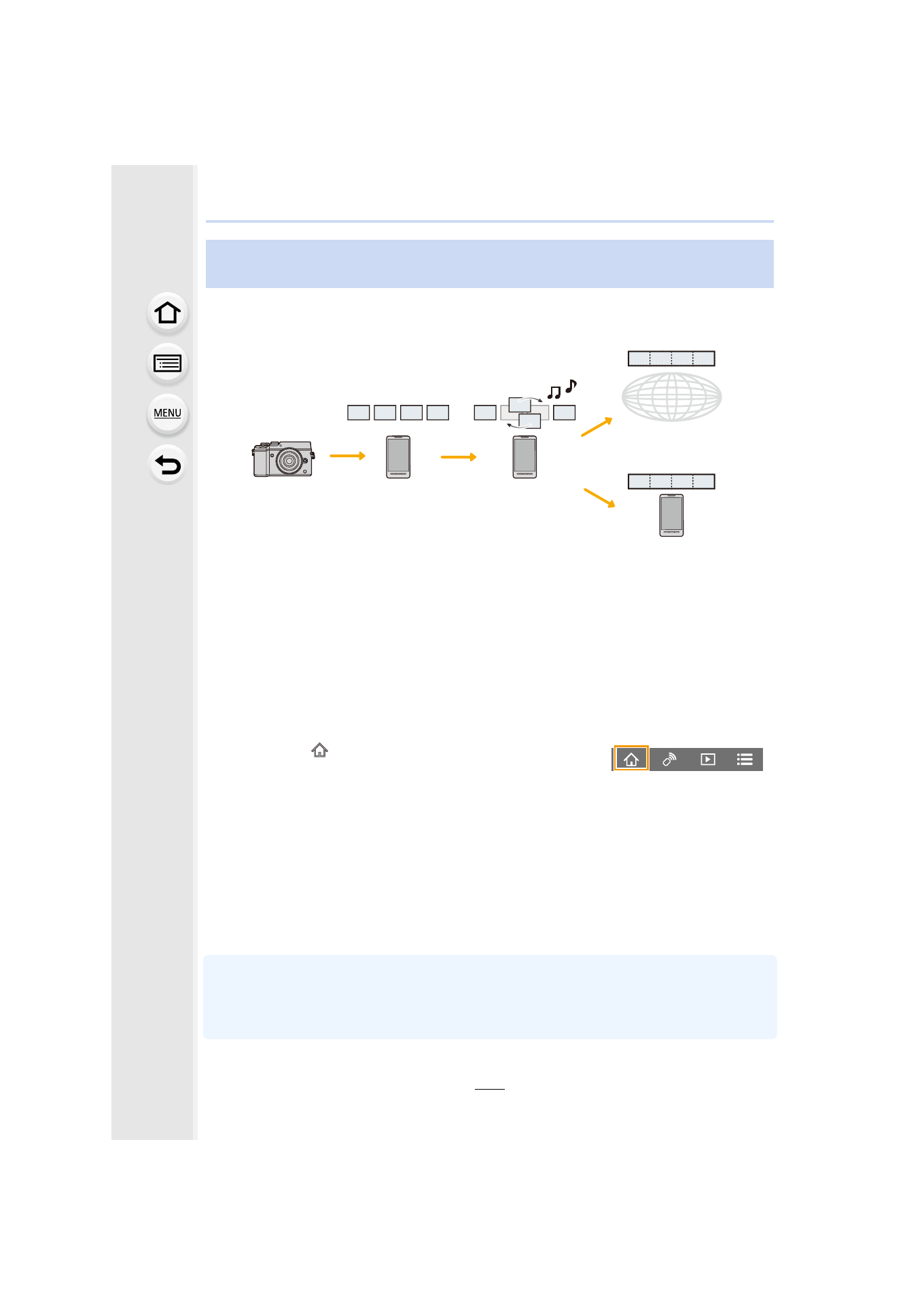
Using a smartphone, you can combine motion pictures recorded with the camera’s [Snap
Movie] function
. Music can be added to motion pictures to be combined. In
addition, you can save
the
combined motion picture or upload it on a web service.
A Record motion pictures with [Snap Movie].
B Send the recorded motion pictures.
C Edit the motion pictures.
D Combine the motion pictures, save the combined motion picture, and send it to a web
service.
E Combine the motion pictures, and save the combined motion picture.
∫
Combining motion pictures by operating a smartphone
1
2
Operate the smartphone.
•
[Snap Movie] of the “Image App” requires a smartphone that supports Android OS 4.3 or higher.
•
The iPhone 4 and iPod touch (4th generation) do not support [Snap Movie] of the “Image App”.
•
The smartphone may not be able to play back and save [Snap Movie] motion pictures recorded
with another device.
Combining motion pictures recorded with Snap Movie according to
your preference on a smartphone/tablet
1 Select [
].
2 Select [Snap Movie].
•
[Snap Movie] motion pictures with recent recording dates will be selected and
automatically sent to the smartphone.
•
When motion pictures with recent recording dates are not available, a screen that
lets you select motion pictures will be displayed. Select motion pictures and send
them.
3 Edit the motion pictures.
•
Operate the smartphone to edit the motion pictures, such as rearranging them,
deleting those that are unnecessary or adding music to them.
•
You can combine the edited motion pictures and save the combined file on the
smartphone or upload it on a web service.
•
Read the [Help] in the “Image App” menu for further details on how to operate.
- Lumix G85 Mirrorless Camera with 12-60mm Lens Lumix DMC-G85M Lumix DMC-G85 Lumix GH5 Lumix GX80 Lumix GX85 Mirrorless Camera with 12-32mm and 45-150mm Lenses Lumix G7 Mirrorless Camera with 14-42mm and 45-150mm Lenses (Black) Lumix G7 Mirrorless Camera with 14-42mm Lens Deluxe Kit (Silver) Lumix G7 Mirrorless Camera with 14-42mm Lens (Silver) Lumix DMC-G7 body