Panasonic Lumix GX8 User Manual
Page 55
55
2. Getting Started/Basic Operations
Displaying/not displaying the histogram
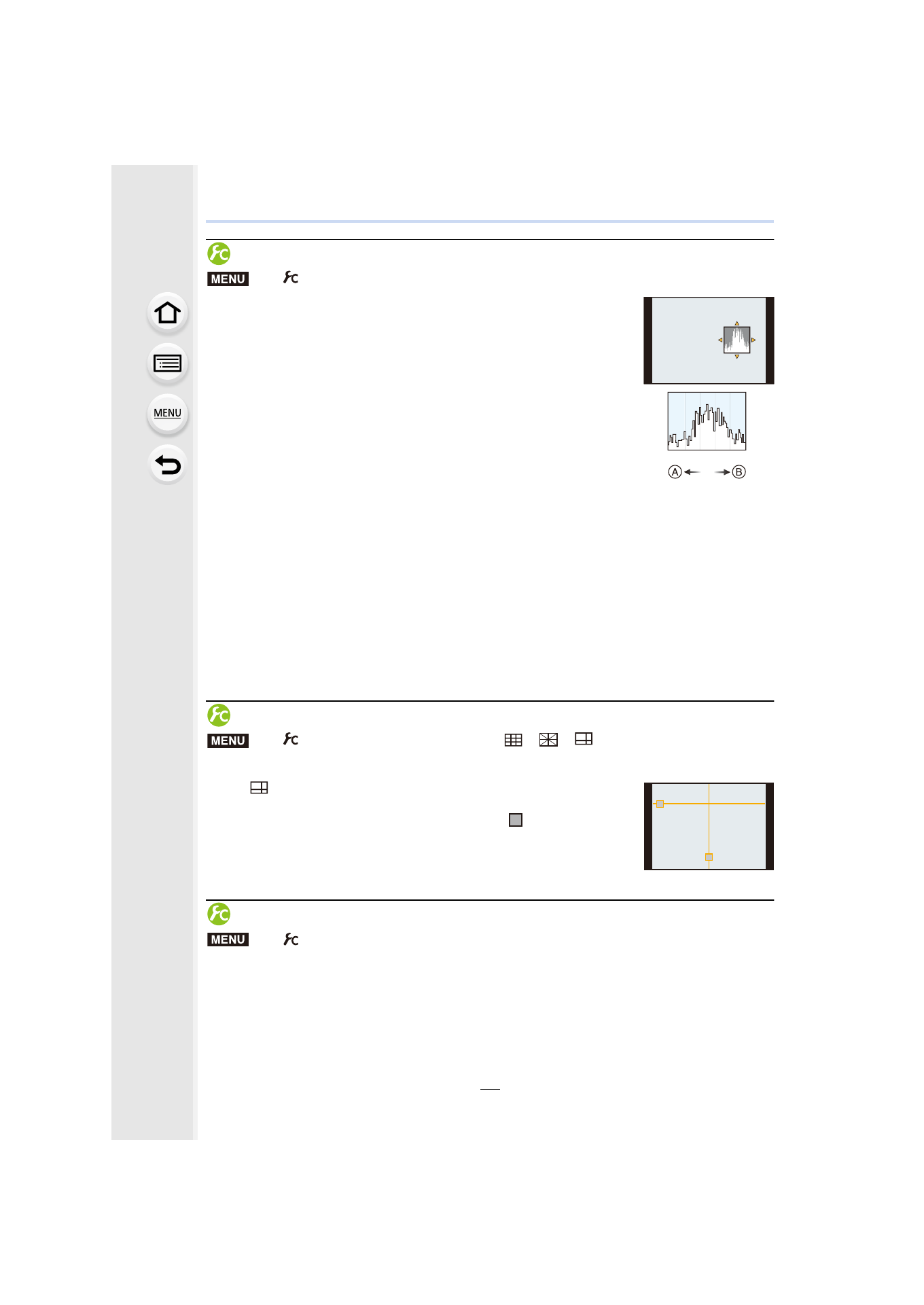
You can set the position by pressing 3/4/2/1.
•
Direct touch operation is also possible from the recording screen.
•
A histogram is a graph that displays brightness along the
horizontal axis (black to white) and the number of pixels at each
brightness level on the vertical axis.
It allows you to easily check a picture’s exposure.
A dark
B bright
•
When the recorded picture and the histogram do not match each other under the
following conditions, the histogram is displayed in orange.
–
During Exposure Compensation, or when the Manual Exposure Assistance is other than [n0]
in the Manual Exposure Mode.
–
When the flash is activated
–
When suitable exposure is not achieved
–
When the brightness of the screen is not correctly displayed in dark places
•
The histogram is an approximation in the Recording Mode.
•
The histogram displayed in this camera does not match histograms displayed by picture editing
software used in PCs etc.
Displaying/not displaying the guide lines
•
The guideline is not displayed in the Panorama Shot Mode.
When [
] is set, guideline positions can be set by pressing 3/4/2/
1.
•
You can also set the position directly by touching [
] on the guideline
of the recording screen.
Displaying/not displaying the on-monitor recording information screen
>
[Custom]
> [Histogram] > [ON]/[OFF]
>
[Custom]
> [Guide Line] > [
]/[
]/[
]/[OFF]
>
[Custom]
> [Monitor Info. Disp.] > [ON]/[OFF]
MENU
MENU
MENU
- Lumix G85 Mirrorless Camera with 12-60mm Lens Lumix DMC-G85M Lumix DMC-G85 Lumix GH5 Lumix GX80 Lumix GX85 Mirrorless Camera with 12-32mm and 45-150mm Lenses Lumix G7 Mirrorless Camera with 14-42mm and 45-150mm Lenses (Black) Lumix G7 Mirrorless Camera with 14-42mm Lens Deluxe Kit (Silver) Lumix G7 Mirrorless Camera with 14-42mm Lens (Silver) Lumix DMC-G7 body