Changing flash mode, P229, P229) – Panasonic Lumix GX8 User Manual
Page 229
229
8. Stabilizer, Zoom and Flash
Applicable modes:
Set the flash to match the recording.
1
Select the menu.
2
Press 3/4 to select the item and then press [MENU/SET].
¢ It can be set only when [Wireless] in [Flash] is set to [OFF] and [Firing Mode] is set to [TTL].
•
Some flash modes may not be available depending on the external flash’s settings.
The flash is activated twice.
The interval between the first and second flash is longer when [
] or [
] is
set. The subject should not move until the second flash is activated.
•
The Red-Eye Reduction effect differs between people. Also, if the subject was far away from
the camera or was not looking at the first flash, the effect may not be evident.
∫
Correcting red eyes
Applicable modes:
When Red-Eye Reduction ([
], [
]) is selected, Red-Eye Removal is performed
whenever the flash is used. The camera automatically detects red-eye and corrects the picture.
Settings: [ON]/[OFF]
•
[
] is displayed on the icon when it is set to [ON].
•
Under certain circumstances, red-eye cannot be corrected.
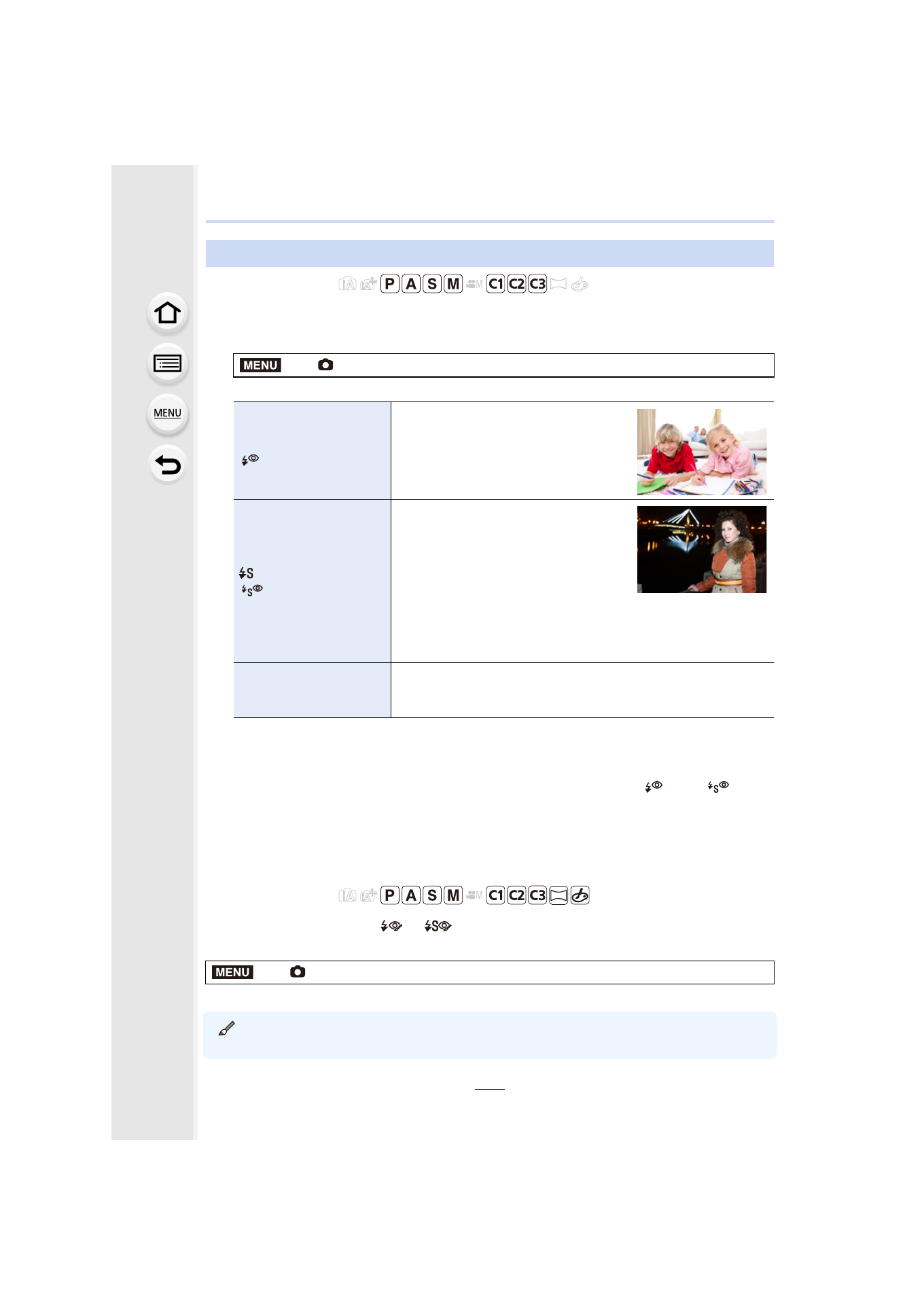
Changing Flash Mode
>
[Rec]
> [Flash] > [Flash Mode]
‰
([Forced Flash On])
([Forced On/
Red-Eye])
¢
The flash is activated every time
regardless of the recording conditions.
•
Use this when your subject is
back-lit or under fluorescent light.
([Slow Sync.])
([Slow Sync./
Red-Eye])
¢
When taking pictures against a dark
background landscape, this feature
will slow the shutter speed when the
flash is activated. Dark background
landscape will appear brighter.
•
Use this when you take pictures of
people in front of a dark background.
•
Using a slower speed can cause motion blur. Using a
tripod can enhance your photos.
Œ
([Forced Flash Off])
The flash is not activated in any recording conditions.
•
Use this when you take pictures in places where the use
of flash is not permitted.
>
[Rec]
> [Red-Eye Removal]
MENU
MENU
- Lumix G85 Mirrorless Camera with 12-60mm Lens Lumix DMC-G85M Lumix DMC-G85 Lumix GH5 Lumix GX80 Lumix GX85 Mirrorless Camera with 12-32mm and 45-150mm Lenses Lumix G7 Mirrorless Camera with 14-42mm and 45-150mm Lenses (Black) Lumix G7 Mirrorless Camera with 14-42mm Lens Deluxe Kit (Silver) Lumix G7 Mirrorless Camera with 14-42mm Lens (Silver) Lumix DMC-G7 body