Filtering the sources table – Grass Valley Kaleido-X v.7.80 User Manual
Page 211
203
Kaleido-X
User’s Manual
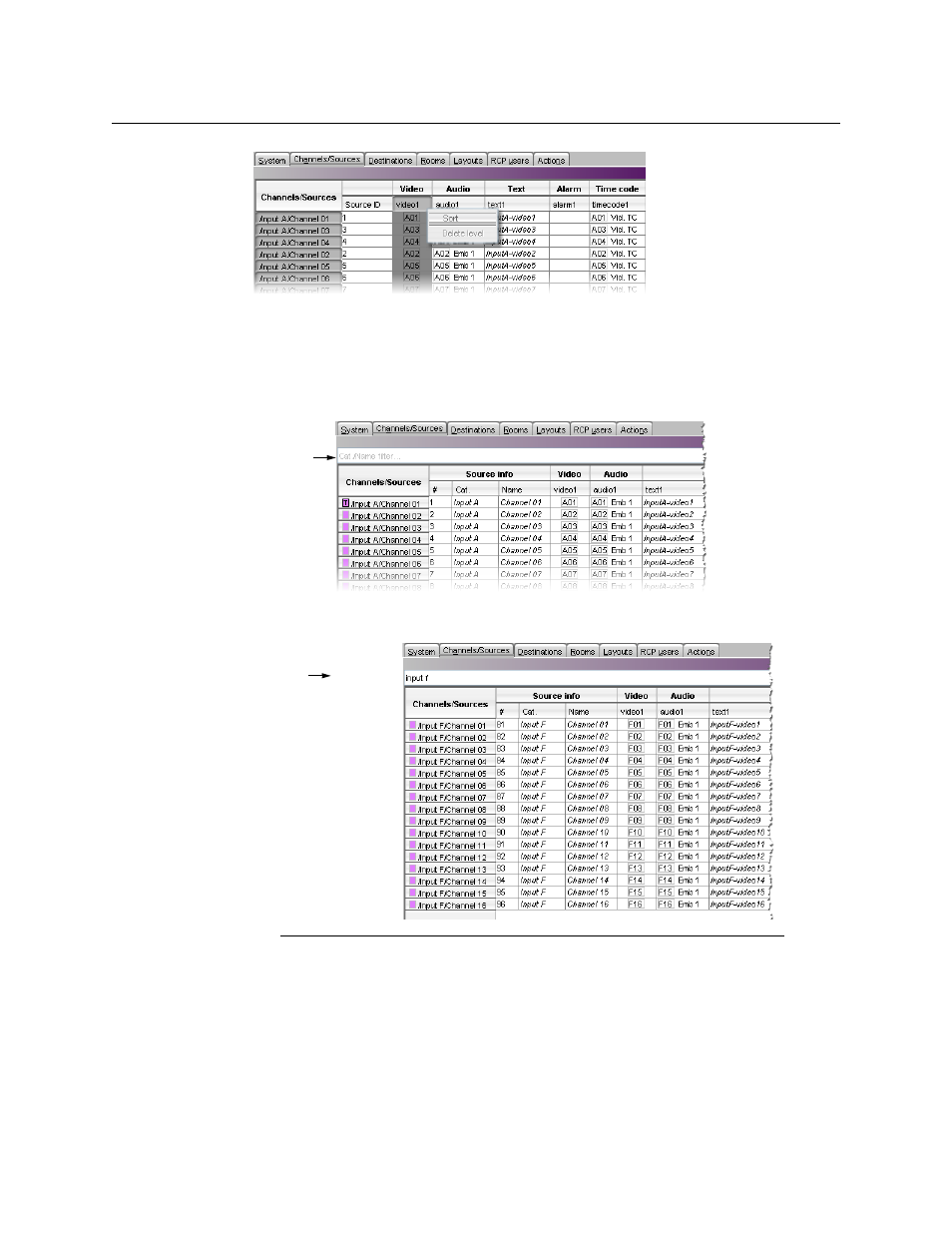
The sources table is sorted, based on the elements in the selected level.
Filtering the Sources Table
To filter the sources table
• Type in the Cat./Name filter box, located above the sources table.
Logical sources with categories and names that do not match the text or regular
expression are hidden as you type.
Notes
• The filter is not applied to new logical sources that have yet to be saved.
They will remain visible, until you saved the sources table.
• It is always possible to apply the template source to other logical sources,
even when this specific source is hidden.
• Apply template to all sources affects all logical sources, regardless of
filtering.
Cat./Name
filter
Filter text
Example: Type “input f”
to view only the sources
that belong to Input F.