3 feature configuration page – Comtech EF Data CDM-570 User Manual
Page 278
CDM-570/570L Satellite Modem with Optional IP Module
Revision 12
Ethernet IP Module - CLI and Telnet Operation
MN/CDM570L.IOM
14–8
14.2.2.3
Feature Configuration Page
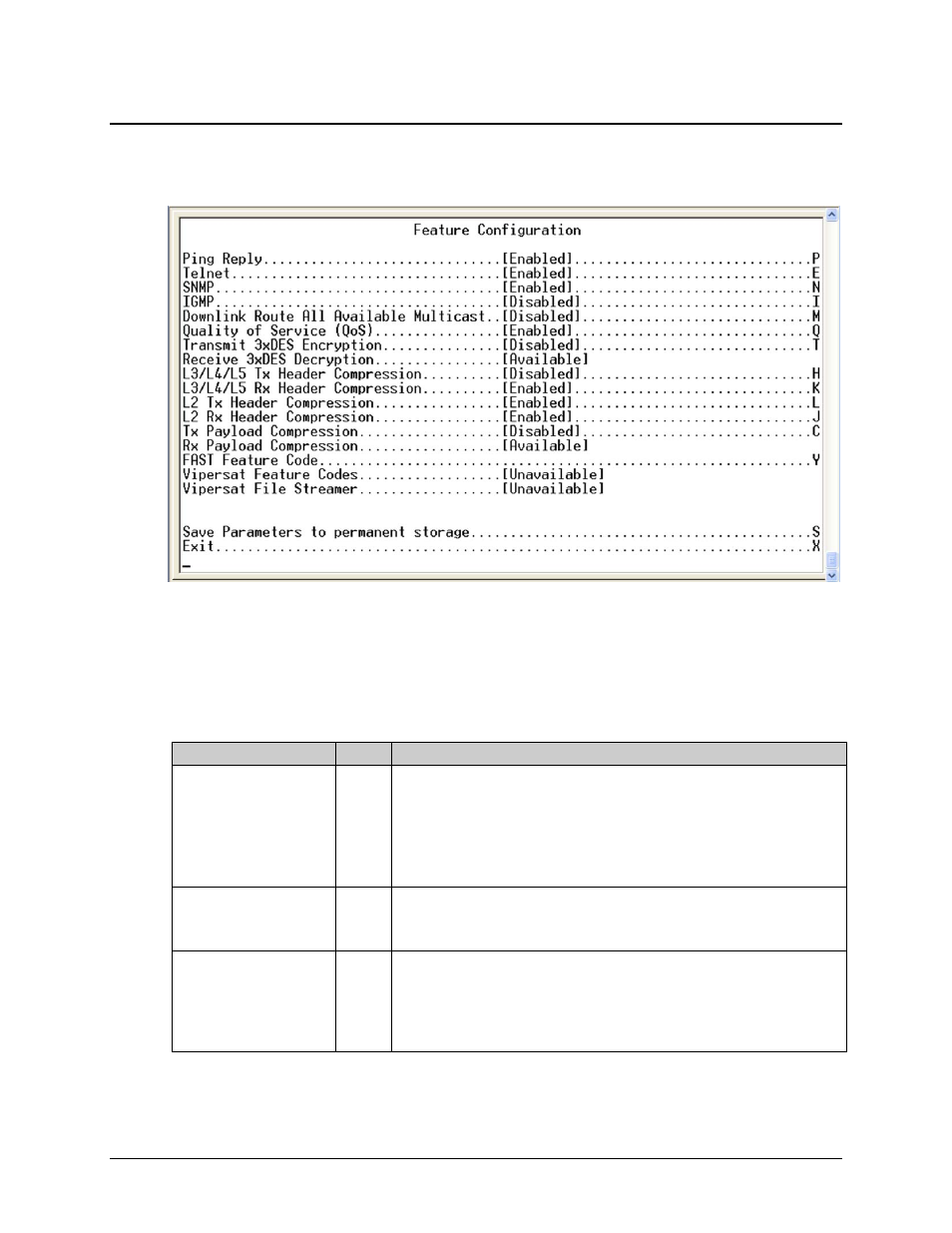
Activate the Feature Configuration page from the Administration page.
Figure 14-5. Feature Configuration page
The Feature Configuration page communicates the current availability for each of the features. If
a feature is marked “Unavailable” then the feature is a FAST feature. FAST features must be
purchased from Comtech EF Data.
The Feature Configuration page contains the following options/fields:
Selection
Entry Description
Ping Reply
P
Toggle [Enabled] or [Disabled]:
• Enabled tells the IP Module to respond to ping requests directed to the IP
Module Ethernet Interface.
• Disabled tells the IP Module not to respond to ping requests. This is used
as a security feature to prevent unauthorized parities from determining if a
device exists via the ping utility.
Telnet
E
Toggle [Enabled] or [Disabled]:
• Enabled allows access via Telnet.
• Disabled denies access via Telnet.
SNMP
N
Toggle [Enabled] or [Disabled]:
• Enabled tells the IP Module to respond to SNMP requests against the
private and public MIB.
• Disabled tells the IP Module not to respond to SNMP requests against the
private and public MIB.