Yaskawa MP940 User Manual
Page 148
4.5 MECHATROLINK Functions
4-55
4
Deleting Allocated Data
1. Position the cursor on the line for the station you want to delete, and select
Delete Allo-
cation (A)
from the
Edit
(E)
Menu.
2. The data allocated to the station will be deleted.
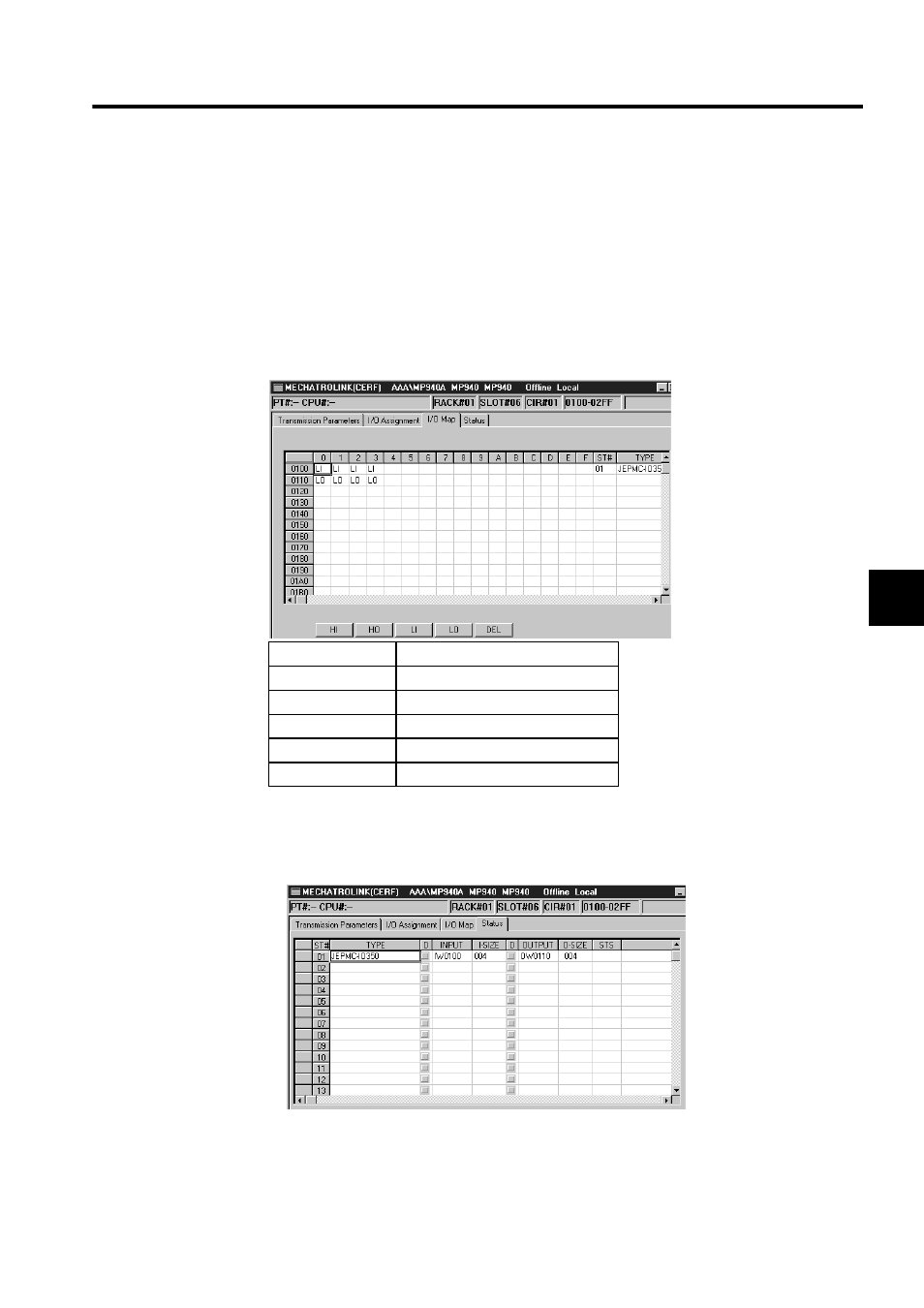
I/O Map Tab Window
The I/O Map Tab Window displays the I/O allocation status for the Machine Controller.
Status Tab Window
The Status Tab Window displays the communications status for each station.
You can only display the status on the Status Tab Window; settings cannot be changed.
The meaning of the items is the same as the I/O Assignment Tab Window, with only the STS
column added.
SCAN
Meaning
HI
Allocated as high-speed scan input.
HO
Allocated as high-speed scan output.
LI
Allocated as low-speed scan input.
LO
Allocated as low-speed scan output.
DEL
Deletes allocation.