Effect reordering / swapping, Bus 1 setup – D16 Group Drumazon 2 Drum Machine 909 Emulation Plug-In User Manual
Page 15
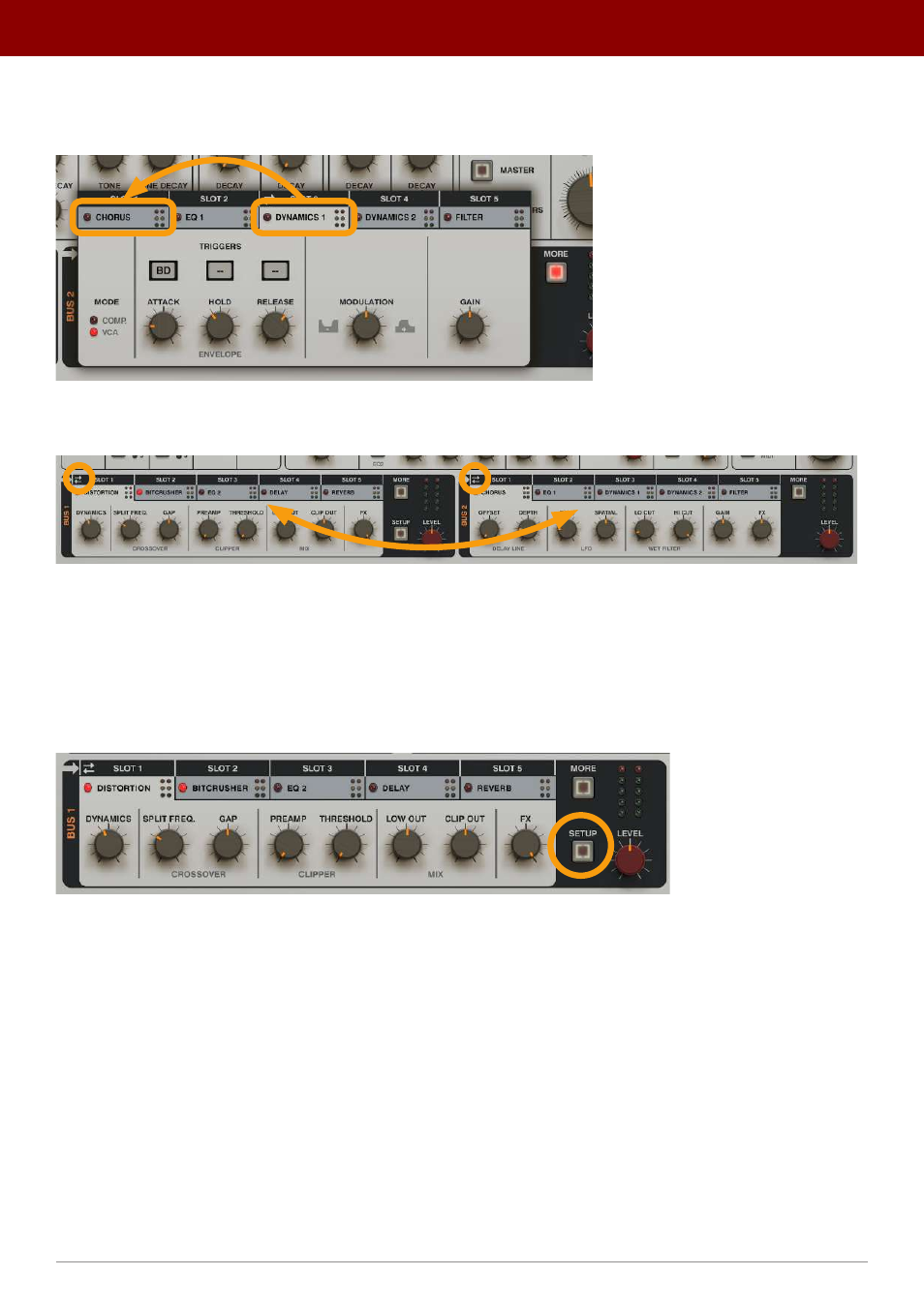
Effect reordering / swapping
The effects in a
Bus
are reorderable using simple mouse drag-and-drop on tab headers within a
Bus
.
Re-ordering the effects in a Bus
It’s also possible to swap effects between
Buses
. To do that, select the effects you want to swap in each
Bus
:
Swapping effects between Buses
Next, click the
Arrows
icon above the header in either of the two active effects to perform the swap.
Bus 1 setup
For more advanced routing, it’s possible to redirect the output from
Bus 1
into the
Master
effect chain and additionally
to split the signal and also send it to
Bus 2
. To access this option, use the
Setup
button in the
Bus 1
section:
The Setup button in Bus 1
The following parameters are available:
•
Amount
- Sets the amount of signal that’ll be sent to
Bus 2
, proportional
to the
Bus 1
Level
value.
•
Bus slot
- Decides which slot in
Bus 2
that the signal will be sent to.
•
Pre Level
- If
Pre Level
is enabled, the signal level (controlled by the
Amount
knob) sent to its destination is propor-
tional to the
Bus Level
value. When
Pre Level
is disabled, the
Amount
is independent of the
Level
parameter.
15
inteRface oveRview •
The sound conTrol secTion