D16 Group Drumazon 2 Drum Machine 909 Emulation Plug-In User Manual
Page 31
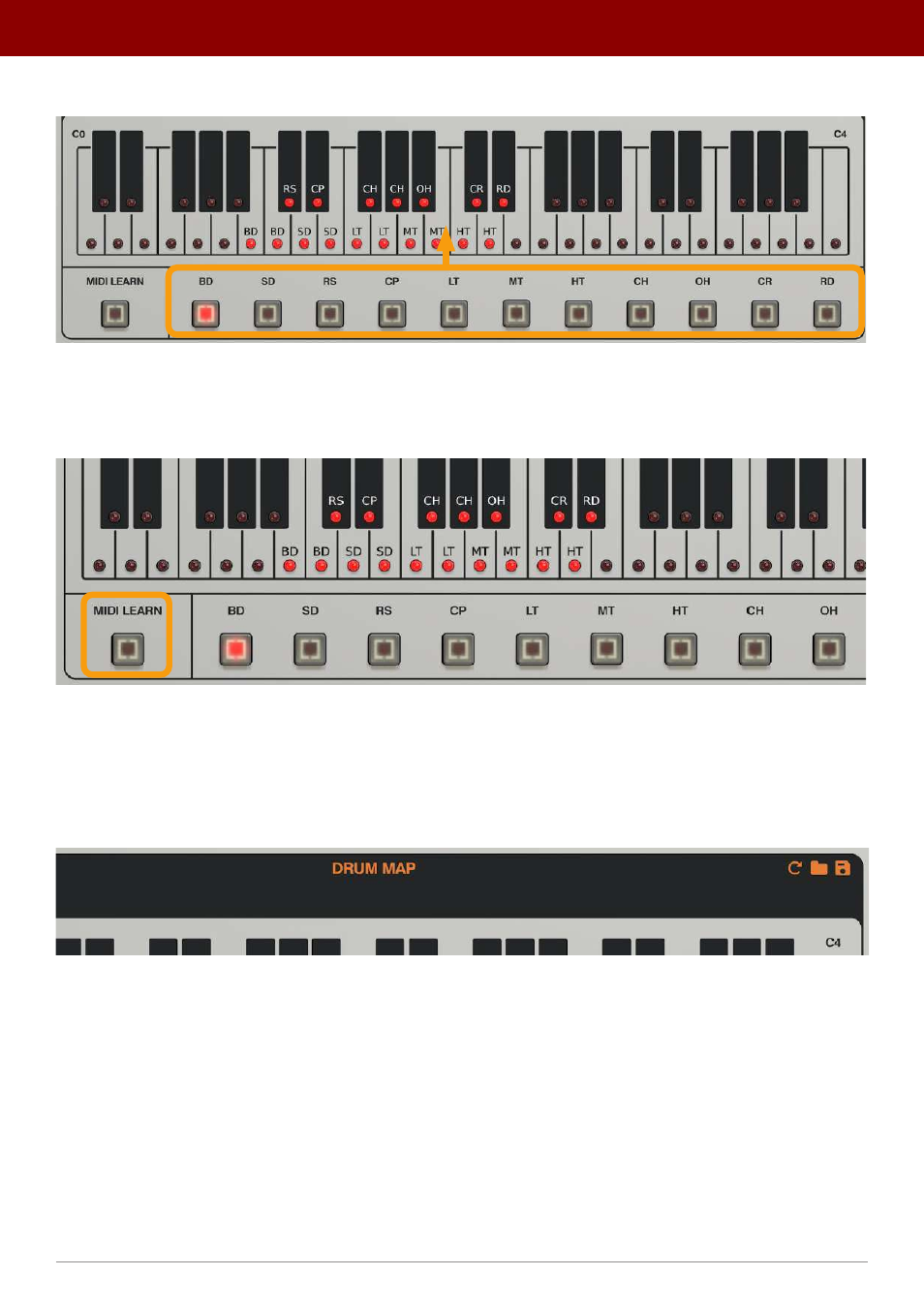
Using the selector at the bottom, you can select the drum sound / instrument you wish to re-map:
The Instrument selector
Then, use the keyboard above to change which MIDI Notes trigger that particular sound.
Alternatively, you can use the
MIDI Learn
function if you have a MIDI keyboard connected:
The MIDI Map – MIDI Learn
Once you activate the
MIDI Learn
mode, the plug-in will wait until you hit some keys on your MIDI keyboard to set as
new trigger notes for the selected instrument.
Drumazon
operates in a 4-octave MIDI range only (starting with the 3
rd
octave of the entire MIDI range).
Using the icon shaped buttons in the header:
Managing the Drum Map
You can do the following:
•
Restore
factory
(General MIDI based)
Drum Map
•
Load
a
Drum Map
from a file
•
Save
the
current
Drum Map
to a file
31
inteRface oveRview •
Play modes