Preset exchange, Export – D16 Group Drumazon 2 Drum Machine 909 Emulation Plug-In User Manual
Page 68
Advertising
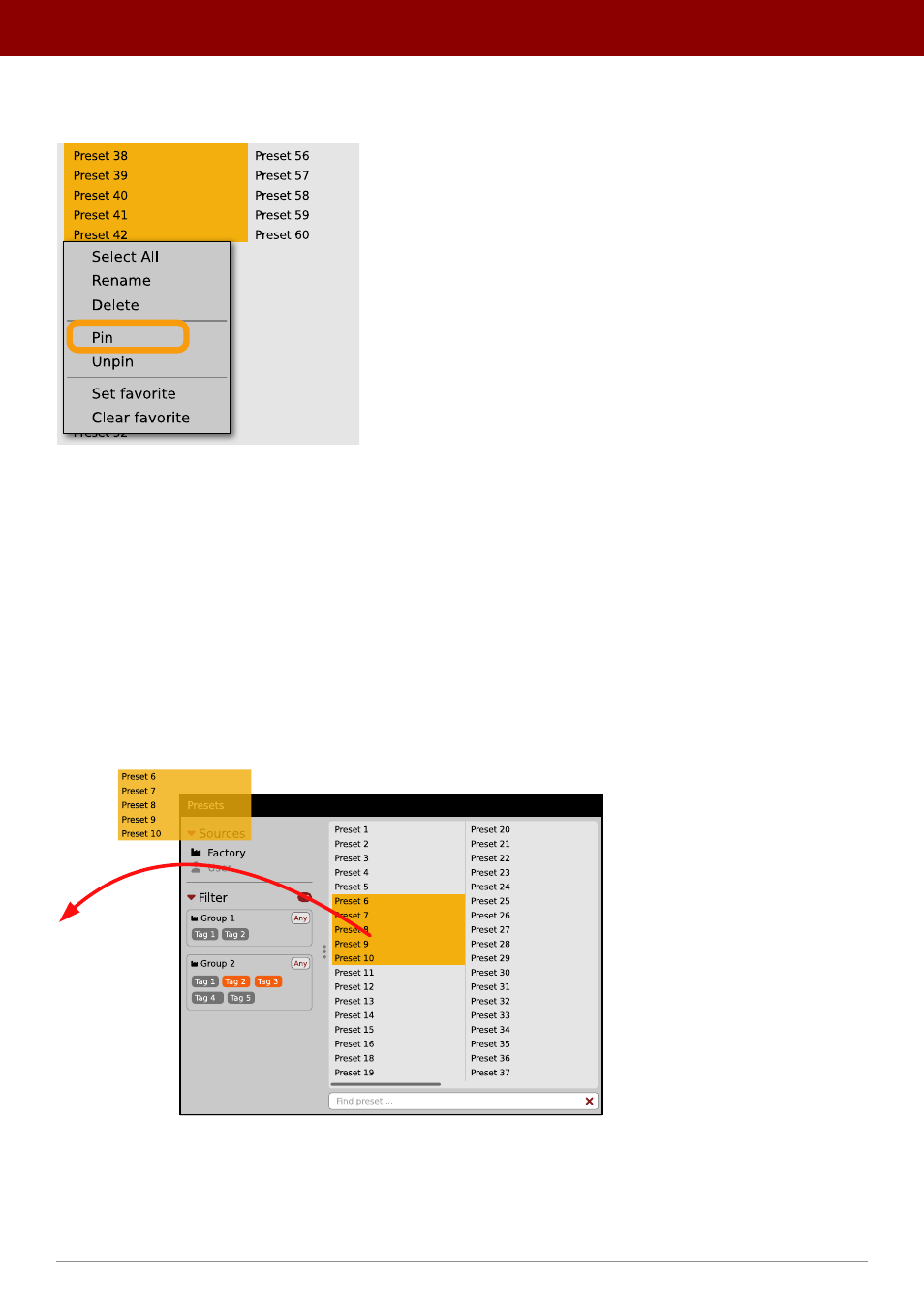
It’s also possible to perform the operation for a selection of presets. After selecting the desired presets in the
Results
window, right-click on the presets list to open the context menu:
Pinning presets from selection
And select the
Pin
option.
To clear the
Pin
flag for a selection of presets, use the
Unpin
option instead.
Preset exchange
If you want to make a backup, or exchange a preset with a collaborator, you can export / import selected presets.
Export
Select a preset or presets that you’re going to export and drag-and-drop them outside your DAW into a location you’d
like to store them:
Exporting presets
The presets will be saved as individual files (one per preset) in the plug-in’s native format.
68
PReset management •
ediTinG PreseTs
Advertising