Filter – D16 Group Drumazon 2 Drum Machine 909 Emulation Plug-In User Manual
Page 23
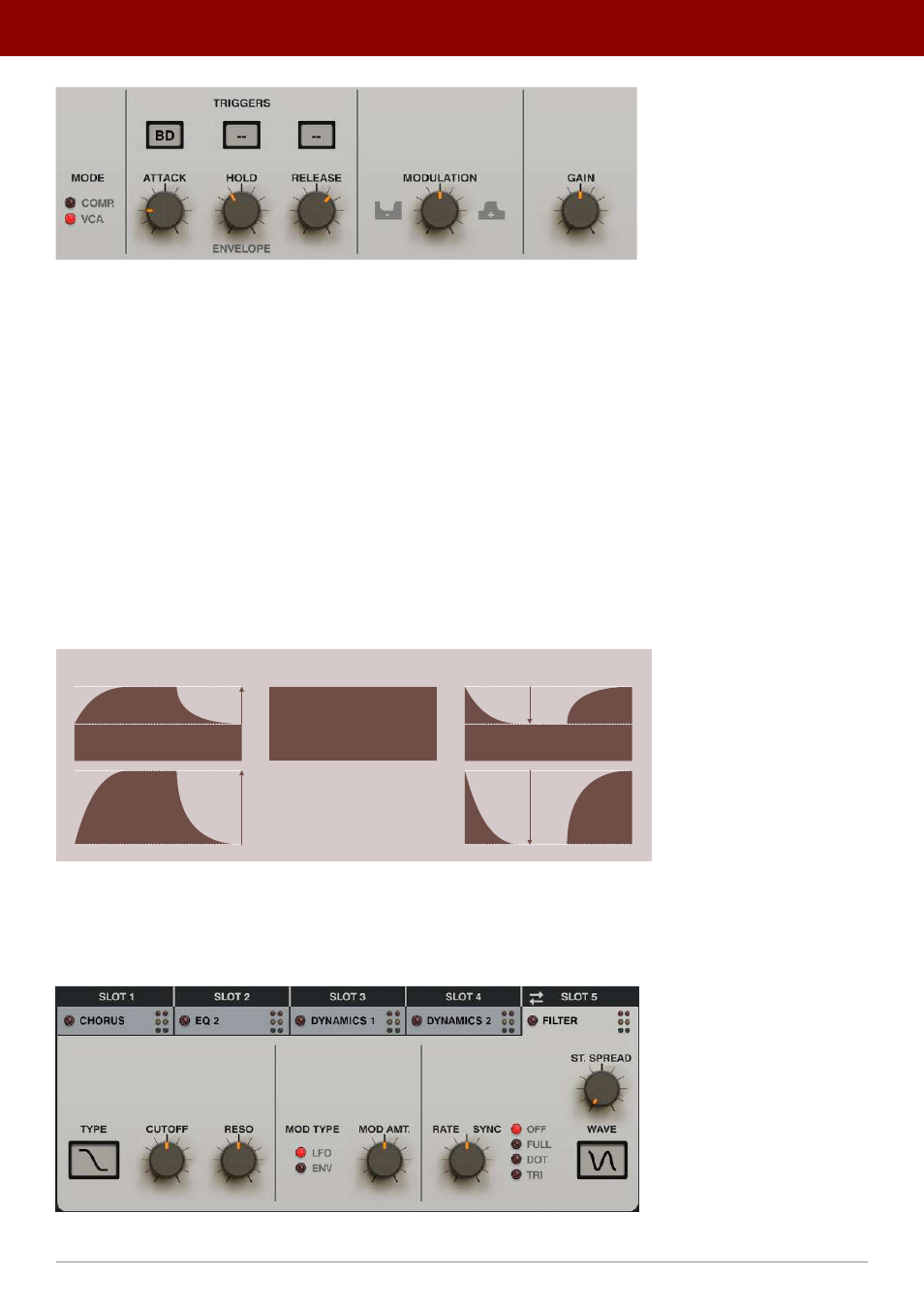
The Dynamics FX module - VCA mode
While in
VCA Mode
, the effect is controlled by the following set of parameters:
•
Attack
- Sets the attack time of the envelope between
1
and
500
ms.
•
Hold
- Sets the hold time of the envelope between
1
and
500
ms.
•
Release
- Sets the release time of the envelope between
1
and
500
ms.
•
Triggers
- Selects which inputs will trigger the compressor’s envelope. These three combo boxes can select three
different inputs and a signal from any of these will trigger the envelope.
•
Modulation
- Controls the way the envelope modulates the input signal’s amplitude;
•
0
- Sets the input signal to remain unchanged.
•
Positive values
- Reduces the signal volume “outside” the envelope. The greater the value, the bigger the
reduction of amplitude outside the envelope. At max settings, there will be no audible signal unless the
envelope is triggered.
•
Negative values
- Reduces the amplitude of the input signal. The signal is reduced by the value of the
envelope.
•
Gain
- Sets output gain after amplitude modulation.
MODULATION = 0
MODULATION > 0
MODULATION < 0
MIN
MAX
A diagram showing how different envelope modulation values affect amplitude
Filter
The last algorithm available in the
FX Bus
is the multi-mode
Filter
with cutoff modulation.
The Filter FX module
23
inteRface oveRview •
The sound conTrol secTion