Lower and higher bands, Bell filter / parametric eq, Delay – D16 Group Drumazon 2 Drum Machine 909 Emulation Plug-In User Manual
Page 18: Delay loop
Lower and Higher Bands
•
Mode
- Sets the mode in which the band operates.
•
Cut
- Sets the band to work as a cut filter.
•
Shelf
- Sets the band to work as shelf EQ.
•
Res / Width
- Controls
Resonance
while in
Cut
mode or slope
Width
while in
Shelf
mode.
•
Freq
- Adjusts the frequency of the
Shelf
/
Cut
filter.
•
Gain
- Sets the
Gain
value for the
Shelf
filter. Does nothing in
Cut
mode.
Bell filter / parametric EQ
There are two
Bell
filters in an
EQ
:
•
Freq
- Sets the center frequency of the peak.
•
Gain
- Boosts or attenuates the amplitude of the band.
•
Width
- Broadens or narrows the frequency range of the band.
Delay
Drumazon 2
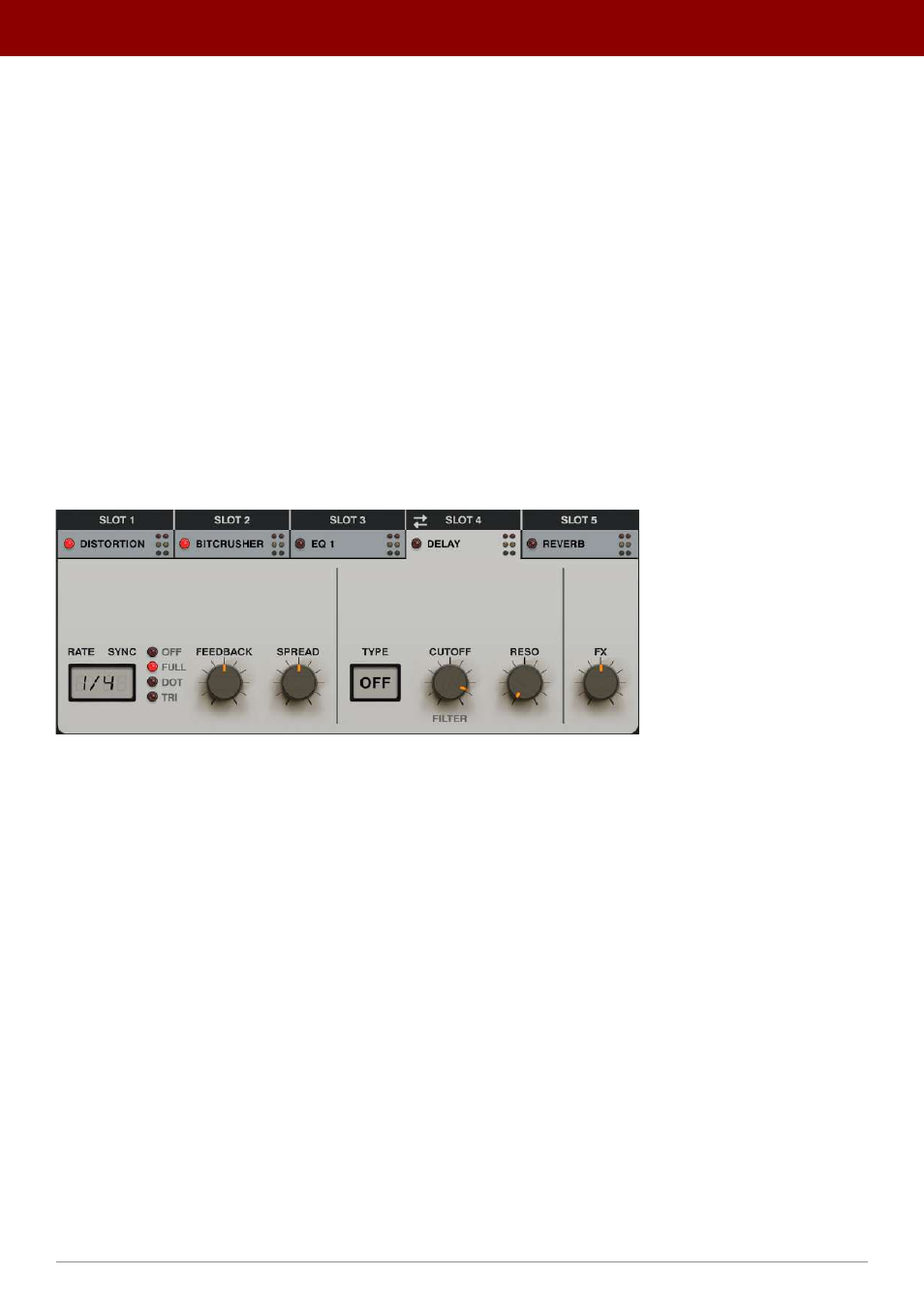
offers a delay effect with a multi-mode filter in the feedback loop and a tempo synchronize option.
The Delay effect
Delay loop
•
Rate
- Controls delay time and ranges between 1 - 1000 ms, if
Sync
is
Off
. It can also be set to one of the four
note values if
Sync
is set to any other position:
1/32
,
1/16
,
1/8
and
¼
.
•
Sync
- Syncs the delay line to the clock/tempo of the host application. Sync can take one of the following values;
•
Off
- Synchronization is inactive and delay time, controlled by the
Rate
parameter, is expressed
in milliseconds.
•
Full
- Synchronization is enabled and delay time is equal to the full note value set by the
Rate
display,
relative to the host tempo.
•
Dot
- Synchronization is enabled and delay time is equal to the dotted note value set by the
Rate
display,
relative to the host tempo.
•
Tri
- Synchronization is enabled and delay time is equal to the triplet note value set by the
Rate
display,
relative to the host tempo.
•
Feedback
- Delay loop feedback value.
•
Spread
- Stereo spread between Left / Right channels.
18
inteRface oveRview •
The sound conTrol secTion