Editing custom tags, Adding custom groups – D16 Group Drumazon 2 Drum Machine 909 Emulation Plug-In User Manual
Page 70
Editing custom Tags
There are a few edit options available for a user to perform on their own
Tags
, which are available by right-clicking
a
Tag’s
name in the
Filter
section:
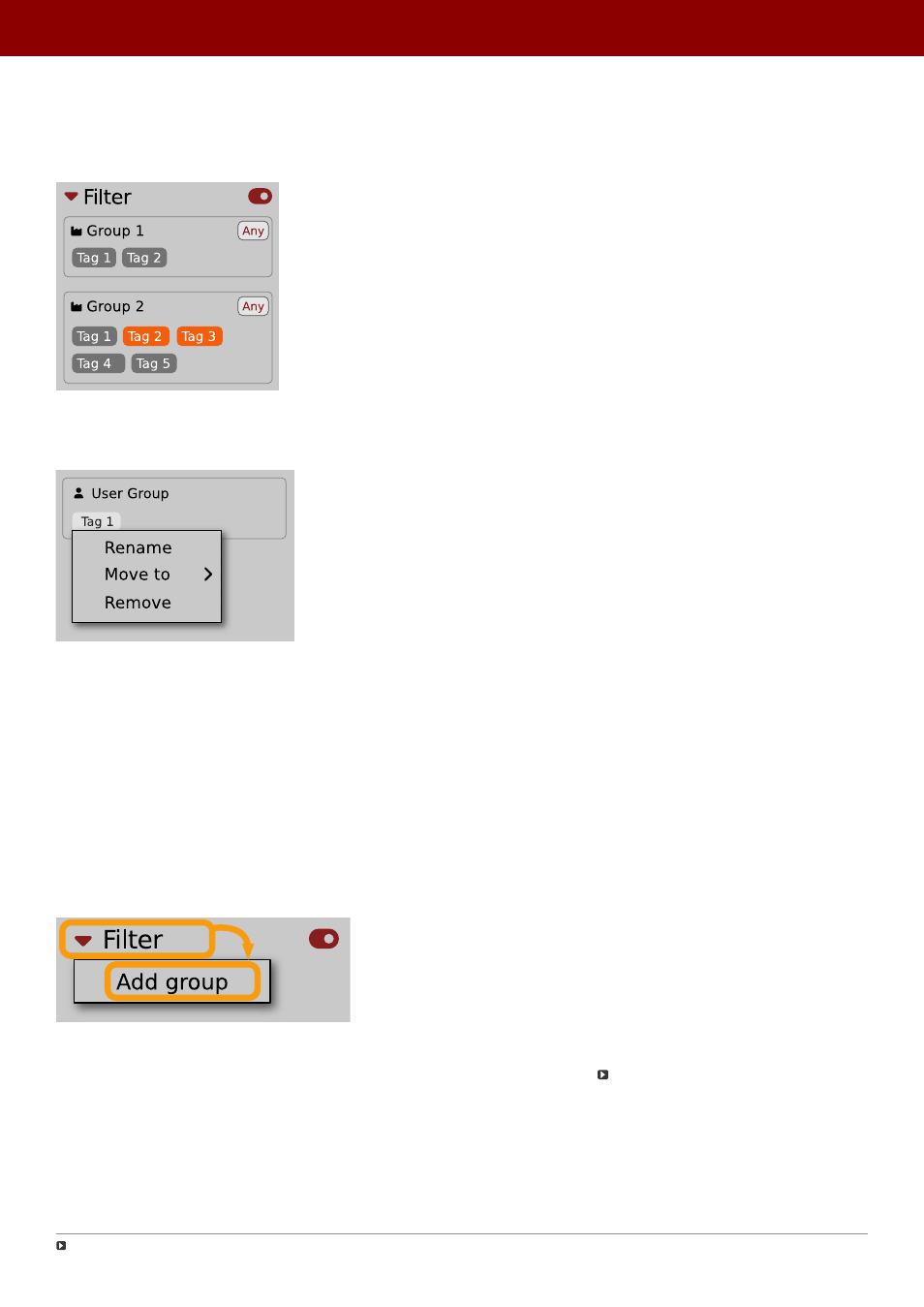
The Filter section
You will see a context menu with all the available options:
Editing options for a user Tag
•
Rename
- Changes the name of a
Tag
.
•
Move to
- Moves a
Tag
to another
Group
.
•
Remove
- Deletes a
Tag
.
The menu is accessible only for a user’s own
Tags
.
Adding custom Groups
You can add a custom filter to
Groups
by clicking the
Filter
label and selecting the
Add Group
option from
the pull-down menu:
Adding a user Group
From here, you can add
Tags
to that newly created
Group
(see above), or move
Tags
from other
Groups
.
You can also add a custom filter to
Groups
in the
Info Pane
(right column) or
Filter
(left column).
You can only move user Tags
70
PReset management •
creaTinG cusTom TaGs and GrouPs sTrucTure