Filtering pinned presets – D16 Group Drumazon 2 Drum Machine 909 Emulation Plug-In User Manual
Page 60
The flag is stored globally, meaning that a
Favorite
preset will be accessible as such from every other instance of the
plug-in
.
Once you have your
Favorite
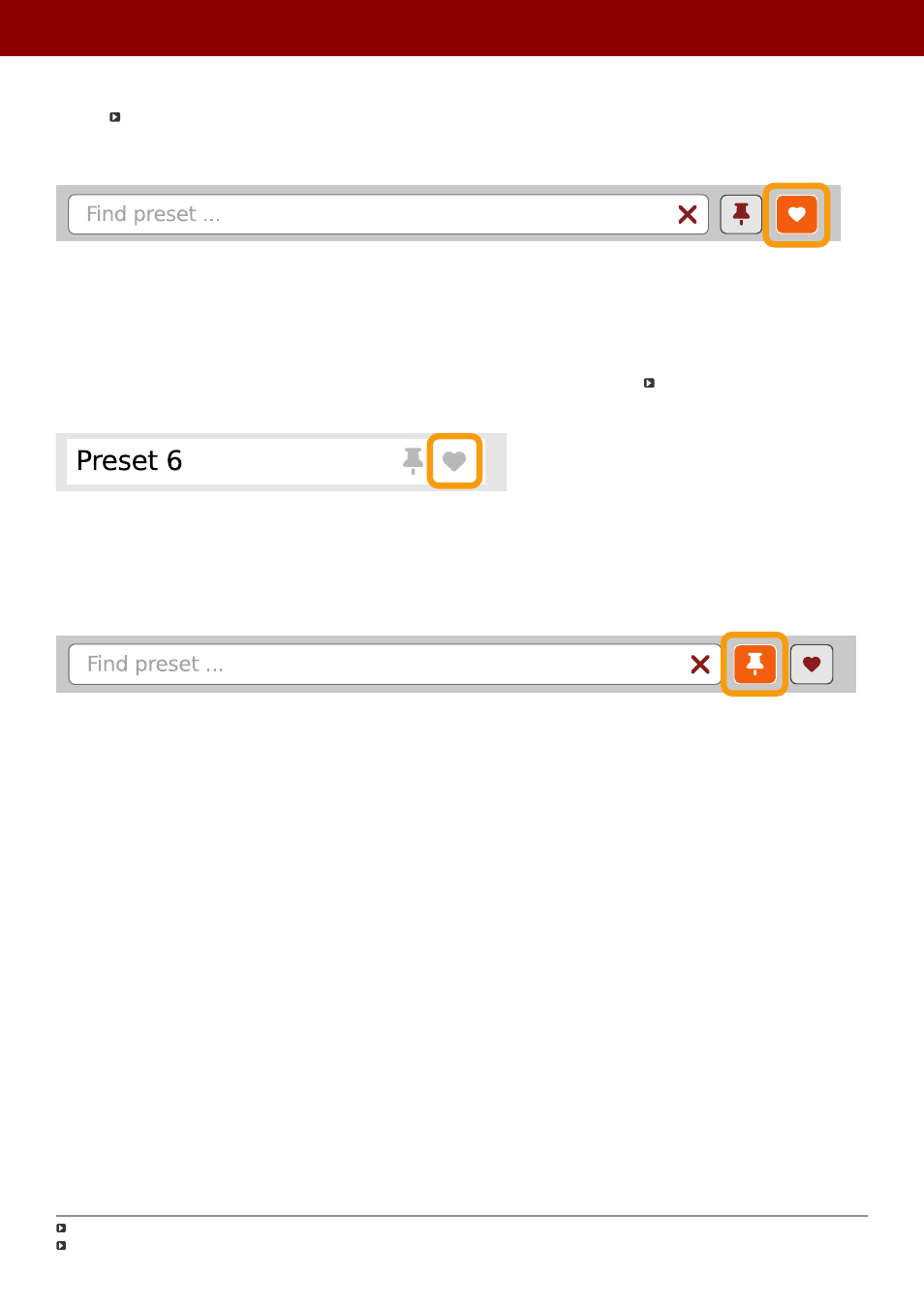
presets flagged, you can quickly filter them using the toggle button with a
Heart
icon on it:
Favorite presets filtering
If the button is active, then only
Favorite
presets will be shown (considering all remaining filters).
Filtering Pinned presets
You can
Pin
one or more presets using the
Pin
icon while hovering over a preset name
. You can unpin a preset by
clicking the icon again (toggle mode):
Pinning a preset on the list
Unlike
Favorites
, this flag works locally and it’s stored with the project file (not global config), so
Pins
are stored individ-
ually for every instance (with total recall, so a plug-in state is recalled if saved in the context of a project).
But, similarly to
Favorites
, you can easily filter presets using the toggle button with the
Pin
symbol on it:
Pinned presets filtering
If the button is active, then only
Pinned
presets will be shown (considering all remaining filters).
Sometimes project or plug-in reload may be required
It’s allowed for every
source
(
factory
or
user
)
60
PReset management •
BrowsinG PreseTs