Lfo modulator – D16 Group Drumazon 2 Drum Machine 909 Emulation Plug-In User Manual
Page 24
The first section controls basic filter parameters:
•
Type
- Selects one of 3 filter types, or disables the filter;
•
Off
- Disabled
•
Low-pass
•
Band-pass
•
High-pass
•
Cutoff
- Sets the base cutoff frequency.
•
Reso
- Sets the filter resonance level.
Then we have the following controls:
•
Mod type
- Chooses the cutoff frequency modulation source;
•
LFO
- Internal LFO.
•
Env
- Envelope generator triggered by one or more of
Drumazon’s
instruments.
•
Mod Amt
. - Sets the amount by which the modulation source affects the cutoff frequency.
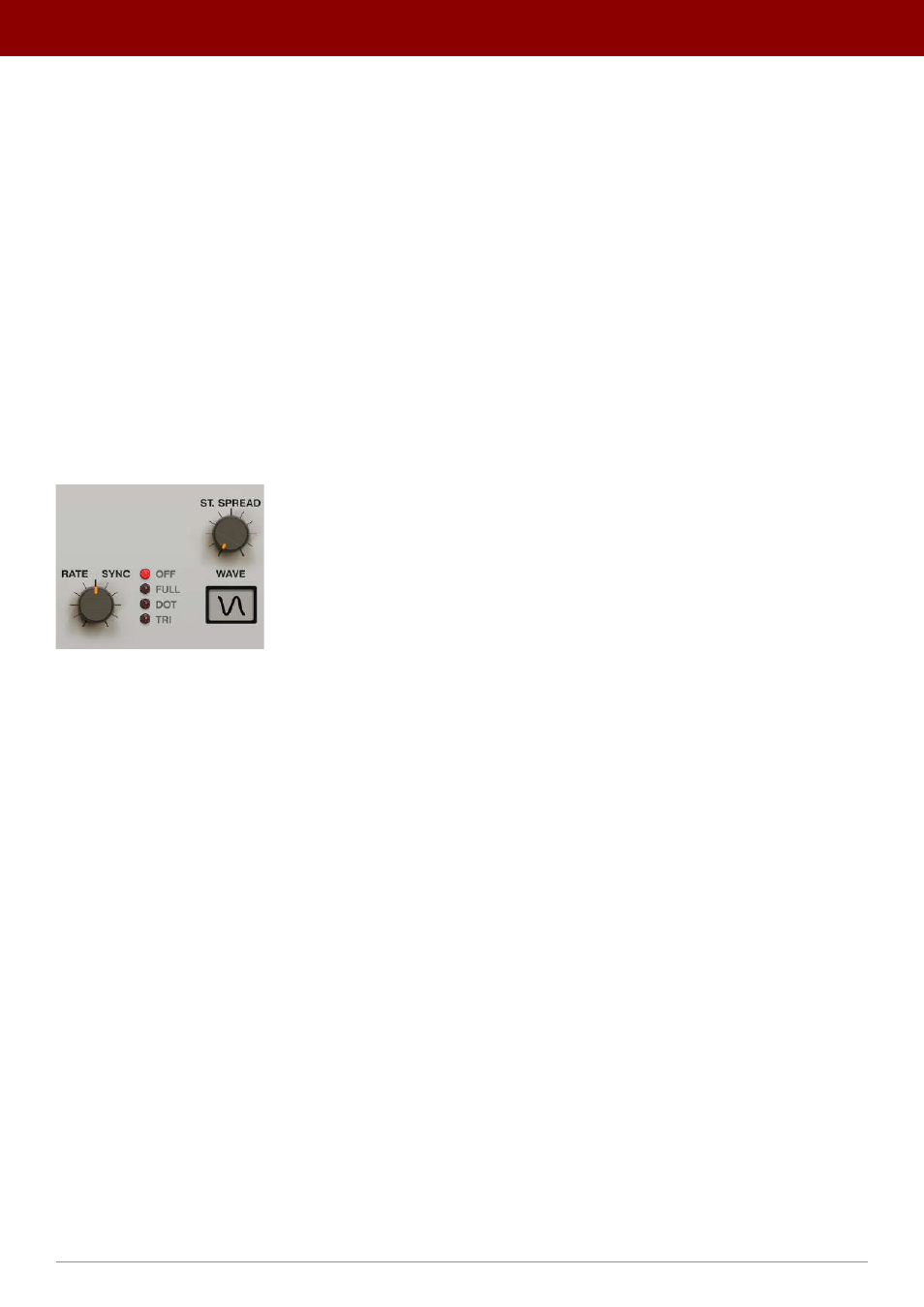
LFO Modulator
The Filter’s LFO modulator
The
LFO
is controlled with the following set of parameters;
•
Rate
- Controls the LFO frequency, ranging between
0.01
Hz to
20
Hz, if
Sync
is set to
Off
. Sets the LFO
frequency to note value if
Sync
is set to any other option.
•
Sync
- Sets the LFO to synchronize with the clock/tempo of the host application.
Sync
can take one of the
following values;
•
Off
- Synchronization is inactive and the LFO’s speed is controlled by the
Rate
parameter, expressed in Hz.
•
Full
- Synchronization is enabled and the LFO’s rate is equal to the full note value of the
Rate
display, at
the host tempo.
•
Dot
- Synchronization is enabled and the LFO’s rate is equal to the dotted note value of the
Rate
display, at
the host tempo.
•
Tri
- Synchronization is enabled and the LFO’s rate is equal to the triplet note value of the
Rate
display, at
the host tempo.
•
Wave
- Chooses the LFO’s waveform.
•
St. Spread
- Adjusts the stereo phase shift between the left and right channels for the LFO’s oscillations.
24
inteRface oveRview •
The sound conTrol secTion