Randomizer – D16 Group Drumazon 2 Drum Machine 909 Emulation Plug-In User Manual
Page 45
Advertising
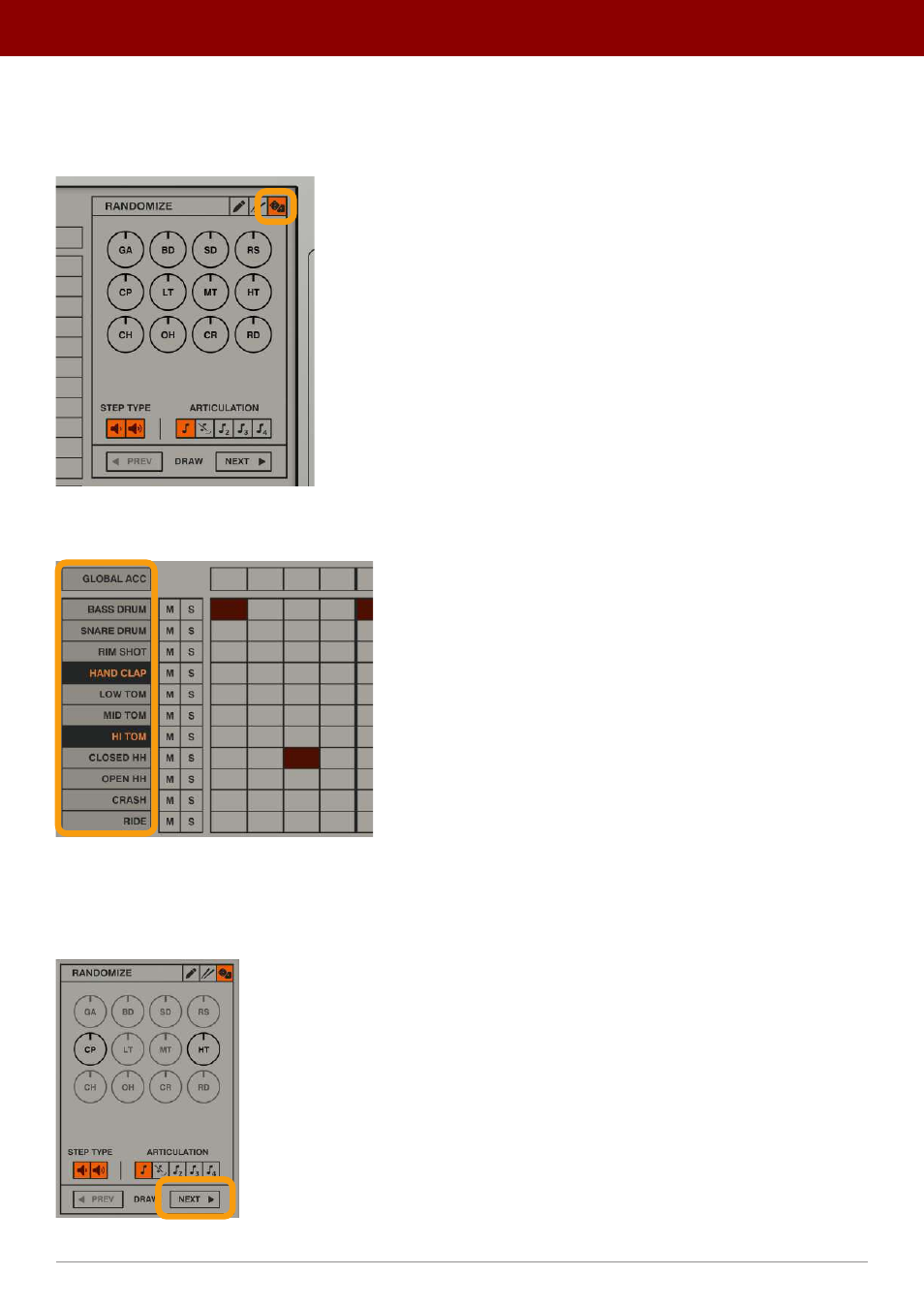
Randomizer
The
Randomizer
fills internal patterns with randomly generated content, working only in
Internal
mode. Select the
Random
tab from the
Pattern Editor
properties column to enable the
Randomizer
:
The Random mode tab
Using the instrument names column, you can select the tracks you wish to randomize:
Selecting tracks for randomization
Clicking selects a single track; to select more than one, hold the CTRL key on your keyboard while clicking additional
tracks to add to the selection. Once you’ve decided which tracks you wish to randomize, click the
Next
button to gener-
ate randomly populated track rows:
Generating new random pattern
45
inteRface oveRview •
Play modes
Advertising