D16 Group Drumazon 2 Drum Machine 909 Emulation Plug-In User Manual
Page 65
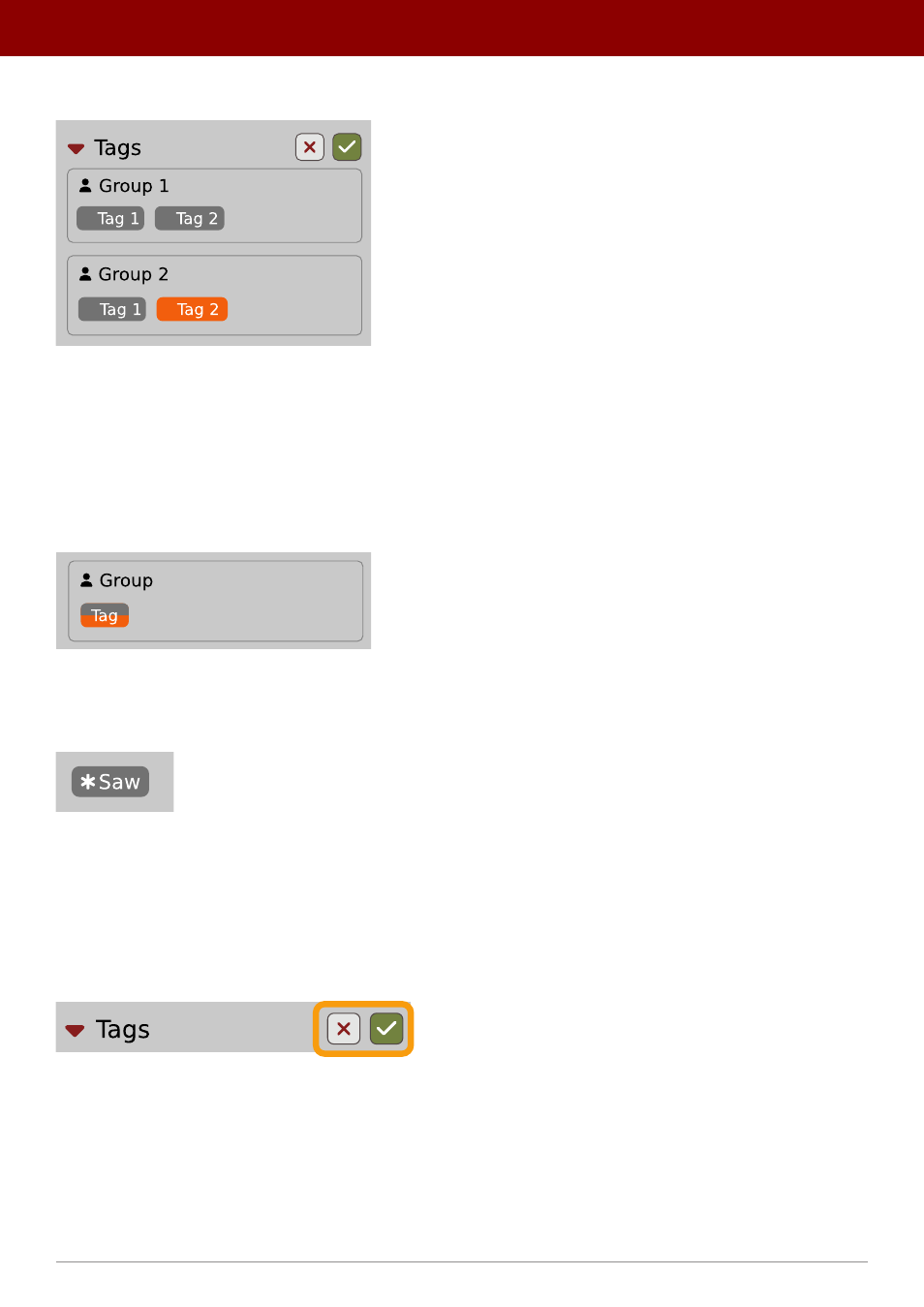
With the
Edit mode
enabled, you will see all possible
Groups
and
Tags
available for the preset(s):
The Tag Edit mode
Tag
buttons work in toggle mode, much like filtering. Clicking them either sets or erases a
Tag
for a chosen preset. If a
Tag
is set for a preset, it is indicated by an orange background color, whereas if a
Tag
is not set, it has a gray background color.
If you choose multiple presets with existing tags,
Tag
buttons will appear orange if a specific
Tag
appears in all selected
presets, and gray if it appears in none.
When a specific
Tag
is set only for a few of the selected presets, it appears as half-gray and half-orange.
Tags appearing only in part of selection
Changing the
Tag
status for one or more chosen presets sets or erases this
Tag
in all these presets. A status change
is signaled by an
Asterisk
to the left of a
Tag
.
A Tag with a status change
Tag
buttons highlighted in half-gray and half-orange color (where
Tag
values across the highlighted presets aren’t all the
same) workin a three-state system when switching between states; they turn gray if you erase the
Tag
for all selected
presets, orange if you set the
Tag
for all selected presets, and return to half-gray and half-orange if the selected items
remain unchanged or are returned to their initial state.
Potential changes have to be confirmed using the
OK / Cancel
buttons at the top part of the
Tags
section:
Confirmation buttons in the Tags section
65
PReset management •
ediTinG PreseTs