Clipper, Parametric eq – D16 Group Drumazon 2 Drum Machine 909 Emulation Plug-In User Manual
Page 17
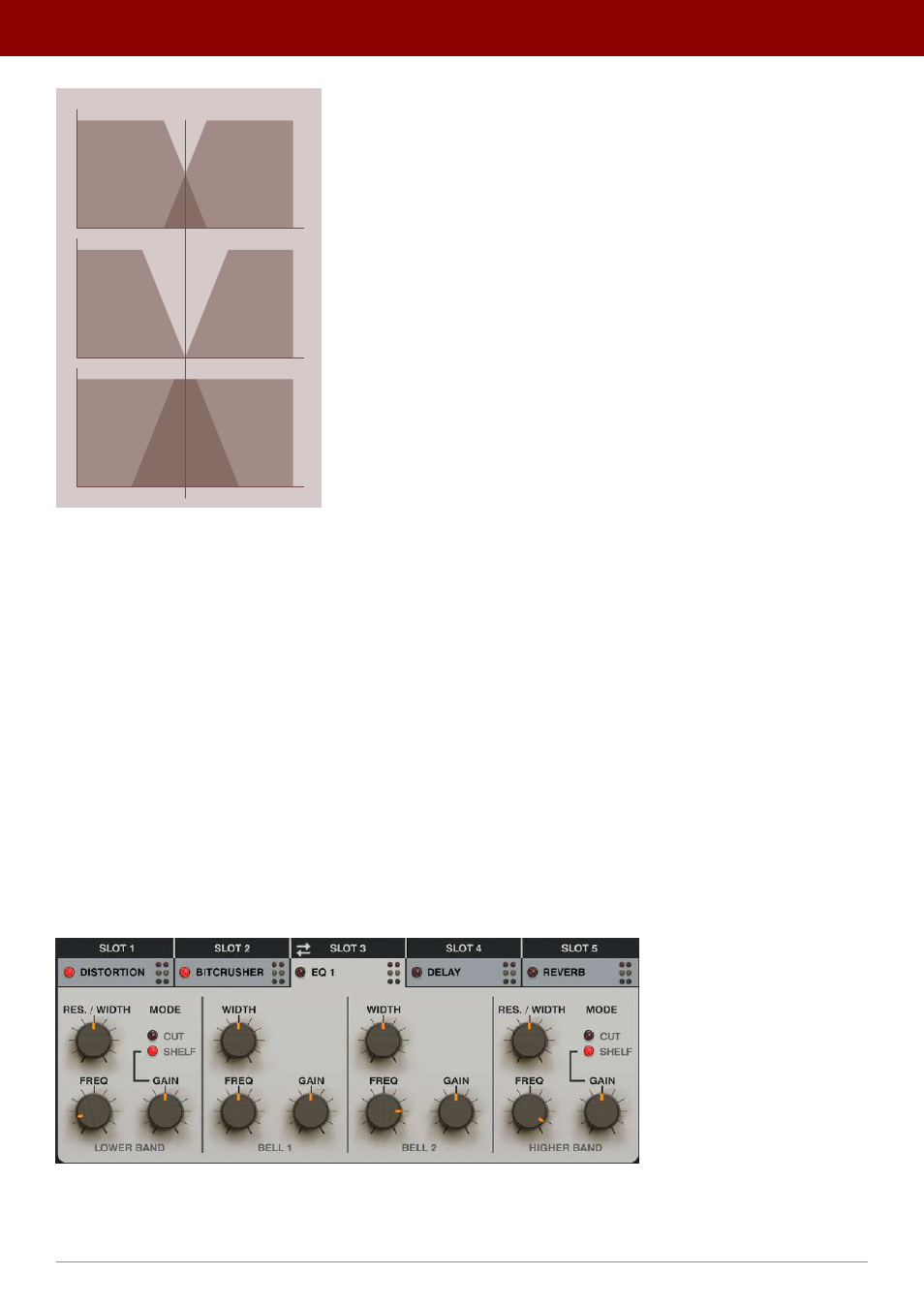
LOWER
BAND
LOWER
BAND
LOWER
BAND
HIGHER
BAND
HIGHER
BAND
HIGHER
BAND
SPLIT FREQUENCY
GAP = 0
GAP > 0
GAP > 0
A diagram showing the Distortion’s crossover
Clipper
•
Preamp
- Sets the level of signal amplification in the
Diode
clipper.
•
Threshold
- Sets the level of amplitude above which signal distortion occurs.
•
Knee
- Sets the knee shape for the
Diode
clipper.
Mix
•
Low Out
- Sets the output volume of the lower band that bypasses the
Clipper
. This parameter is active only
when
Crossover
is
Enabled
.
•
Clip Out
- Sets the output volume of the signal leaving the
Clipper
.
•
FX
- Crossfades between
Dry
and
Wet
signal.
Parametric EQ
Drumazon 2
offers a four-band
Parametric EQ
. The effect comprises lower and higher band filters that can work
independently in either low and/or high shelf/cut modes. Additionally, there are two bell / peaking EQ filters.
There are two instances of the effect in the
FX Bus
chains.
A parametric EQ
The effect has the following parameters:
17
inteRface oveRview •
The sound conTrol secTion