Trigger outs – D16 Group Drumazon 2 Drum Machine 909 Emulation Plug-In User Manual
Page 28
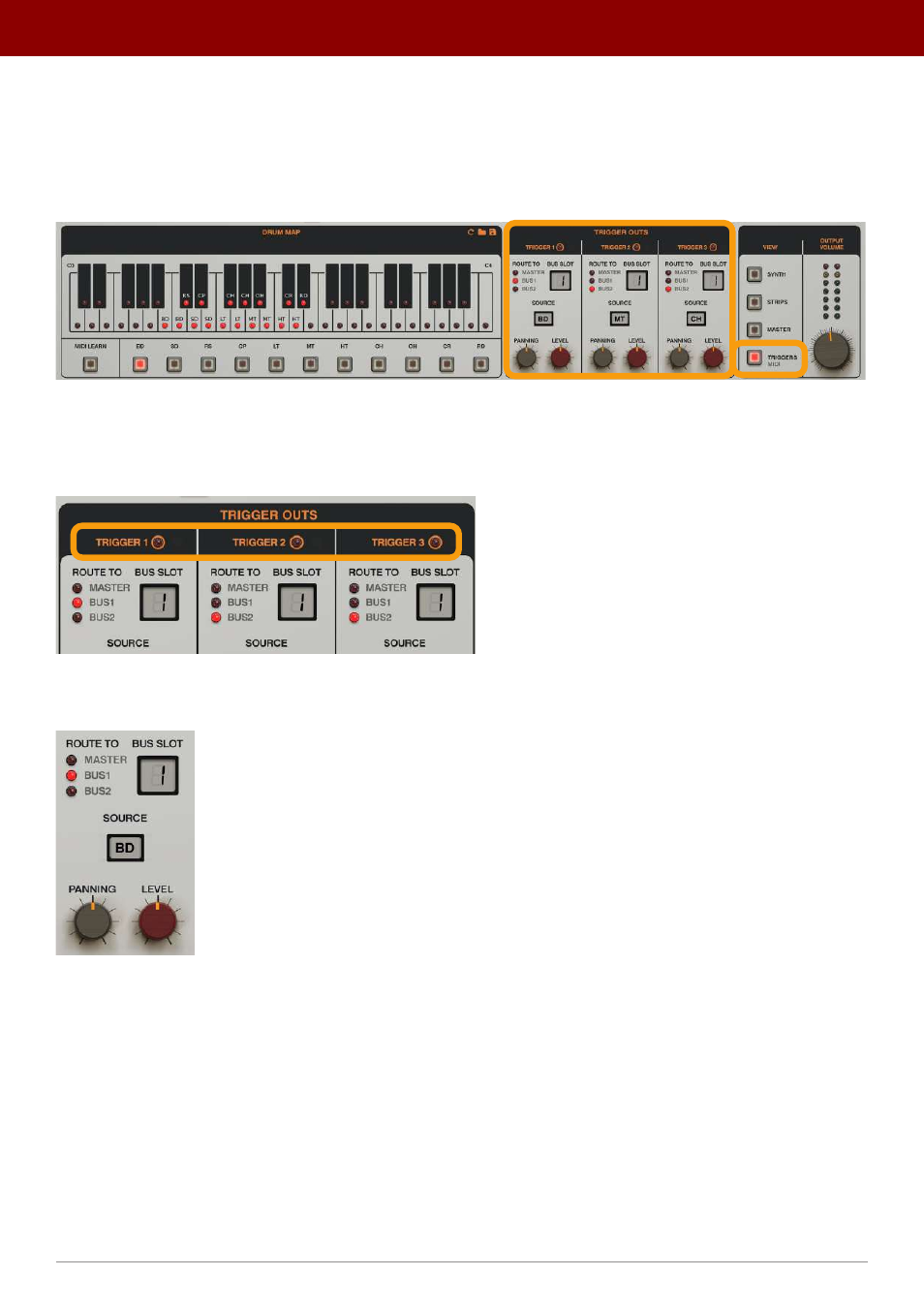
Trigger Outs
It’s possible to add an audible trigger sound, like what occurs in analogue machines. By default, this signal is off. When
turned on, you can decide which track (instrument) will trigger this sound and where the audio should be redirected to.
First, open the
Triggers
view:
The Trigger Outs section
Then set up to 3 simultaneous triggers that will be mixed with the rest of the drum instruments.
Enable
/
Disable
the triggers you want with the LED toggle buttons in the header:
Enabling / disabling Trigger Outs
Then decide where to route the audible trigger signal:
The Trigger Out section
•
Route To
– Selects where the trigger out signal should be sent to, where it will be mixed with the rest of the drum
sounds;
•
Master
•
Bus 1
•
Bus 2
•
Bus Slot
– Selects which
Slot
in the
Bus
the signal will go to, if the
Route To
parameter is set to one
of the two
Buses
.
•
Source
– Selects which instrument should initiate the trigger sound.
•
Panning
– Sets the stereo balance.
•
Level
– Adjusts the output level of the trigger sound.
28
inteRface oveRview •
The sound conTrol secTion