Filter enable / disable, Other types of filtering, Searching by name – D16 Group Drumazon 2 Drum Machine 909 Emulation Plug-In User Manual
Page 59: Filtering favorite presets
The
Operator
button works in toggle mode and offers a choice of two alternative
Operators
for the
Group
:
•
Any
- Means that a preset is shown in the
Results
when the preset includes at least one of the active
Tags
from the
Group
.
•
All
- Means that a preset is shown in the
Results
only when the preset includes all active
Tags
from the
Group
.
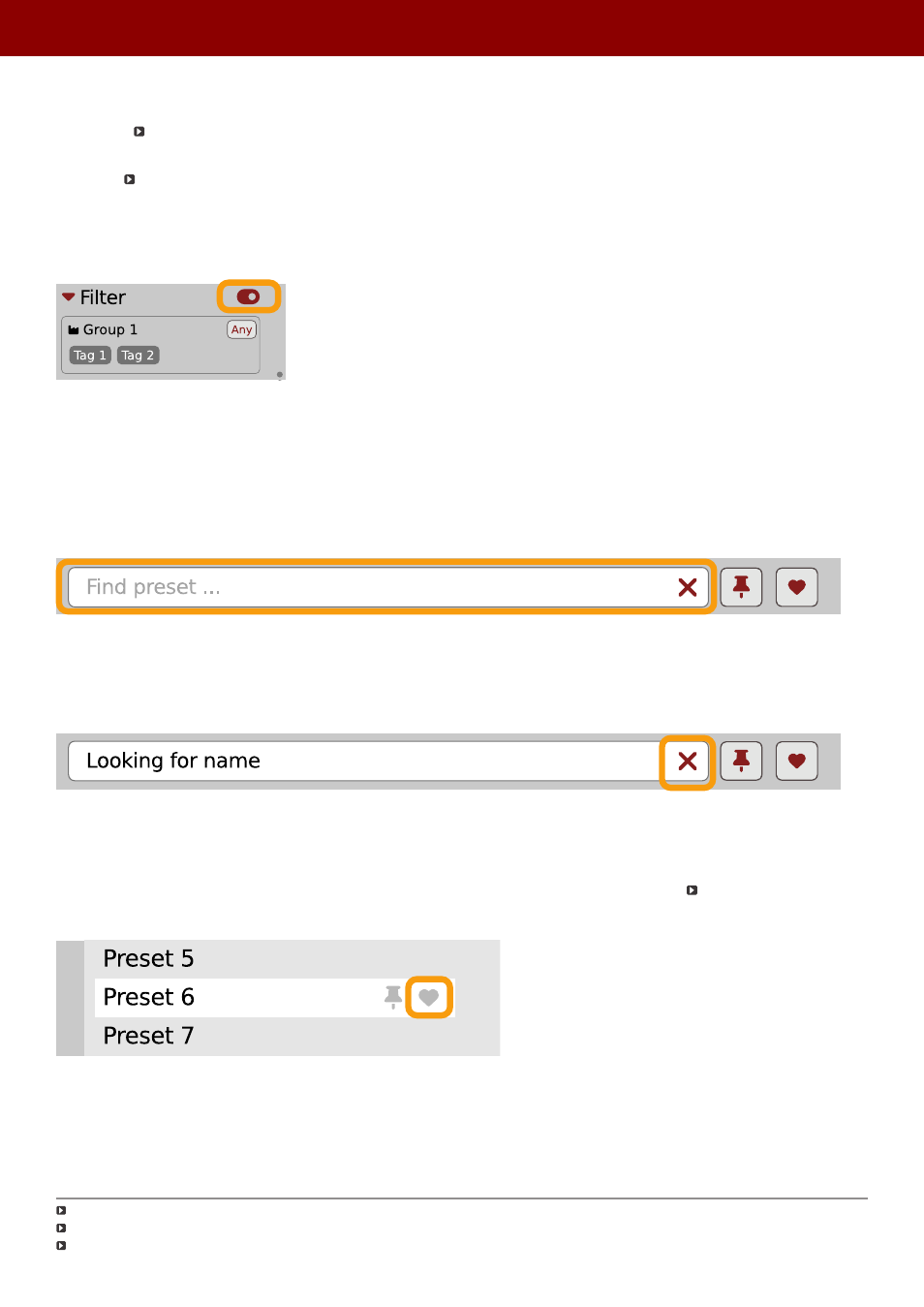
Filter enable / disable
You can quickly enable / disable the
Filter
using the toggle switch in the top-most section of the
Filter:
An On/Off switch for a Group Filter
Other types of filtering
Searching by name
Alternatively, you can look for a preset by entering its name or just a piece of its name into the
Find preset
field:
The Find preset input
The
Results
are refreshed on-the-fly and they work together with the other filters.
Using the
X
icon clears the entire field:
Clearing the search field
Filtering Favorite presets
You can mark presets as a
Favorite
by clicking the
Heart
icon while hovering on preset name
. You can unmark
presets by clicking the icon again (toggle mode):
Setting a preset as a Favorite on the list
Logical OR between Tags in the Group
Logical AND between Tags in the Group
It’s allowed for every
source
(
factory
or
user
)
59
PReset management •
BrowsinG PreseTs