Copy / paste / clear pattern, Loading and saving patterns, Loading patterns – D16 Group Drumazon 2 Drum Machine 909 Emulation Plug-In User Manual
Page 43
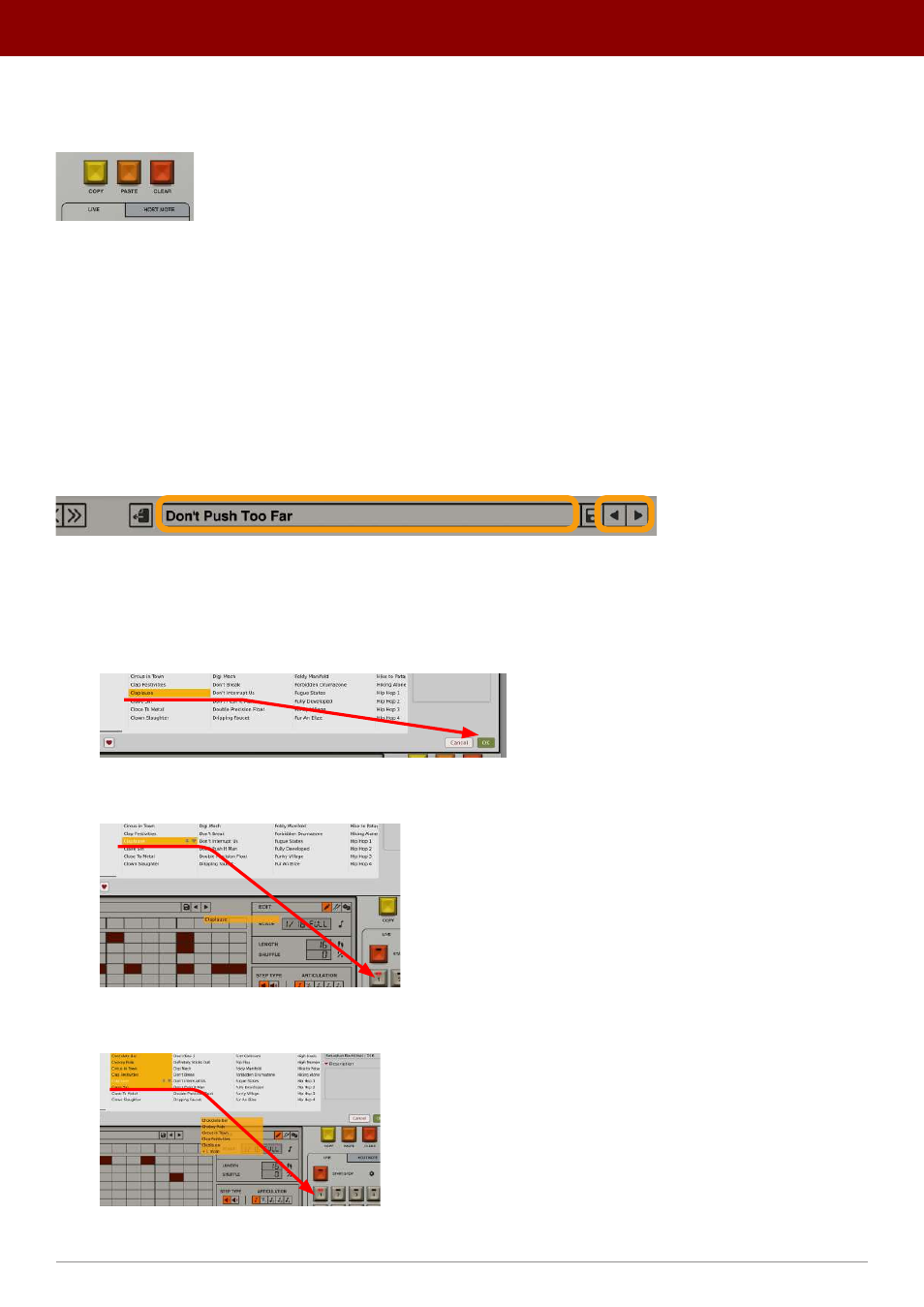
Copy / paste / clear pattern
Above the
Pattern Selector
, we have three more edit functions:
The Clear / Copy / Paste pattern buttons
•
Copy
- Copies a currently selected pattern into a buffer.
•
Paste
- Pastes the stored pattern onto the currently selected pattern slot.
•
Clear
- Clears a currently selected pattern.
Loading and saving patterns
Loading patterns
Clicking the
Pattern Name
box opens the
Pattern Browser
. Alternatively, you can use the
Arrow
icons to the right to
browse the
Pattern Content
line-by-line.
Browsing patterns
There are a few ways to load a pattern using the browser:
1.
You can open the
Browser
, select a pattern and click
OK
; this will load the pattern into a previously selected
Pattern
slot:
Loading a pattern through a browser
2.
You can use drag-and-drop to load a selected pattern into the desired
Pattern Slot
in the
Pattern Selector
:
Loading a pattern using drag-and-drop
3.
You can use drag-and-drop to load a few selected patterns at once into several
Pattern Slots
:
Loading a group of patterns using drag-and-drop
43
inteRface oveRview •
Play modes