Loading and saving an automation template, Midi / automation summary – D16 Group Drumazon 2 Drum Machine 909 Emulation Plug-In User Manual
Page 51
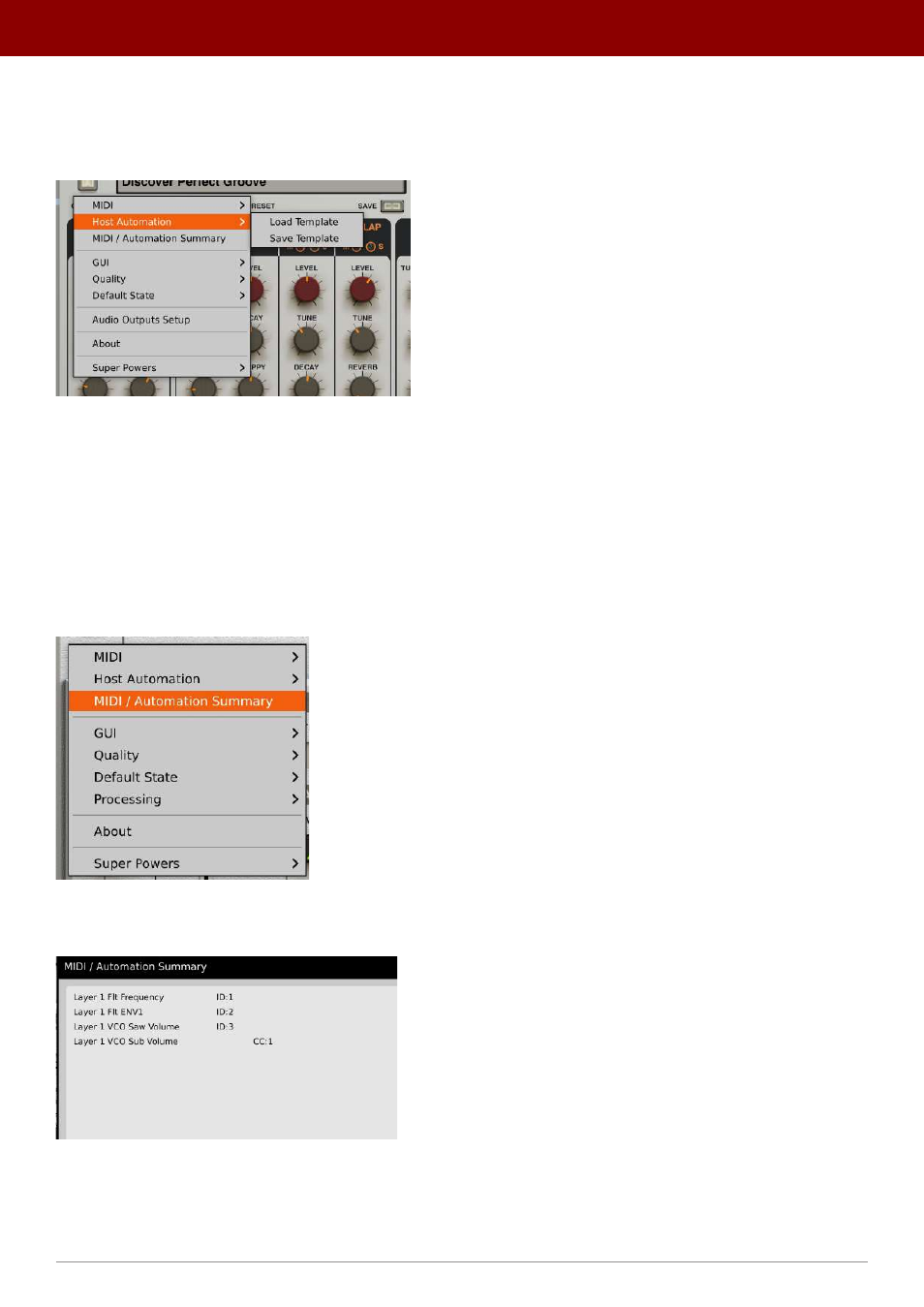
Loading and saving an automation template
Once you enable the desired parameters for automation, you can save the automation map as a template to load later
on in another plug-in instance.
The Host Automation options
Click the
Options
button and go to the
Host Automation
menu to see the following options:
•
Load Template
- Loads an automation map from a file.
•
Save Template
- Saves current plug-in state as a new automation map file.
MIDI / automation summary
Once you have enabled some parameters for automation or assigned them (using
MIDI Learn
) to MIDI CC, you can
check the current status of that assignment using
MIDI / Automation Summary
option in
Options
menu:
The MIDI / Automation Summary menu option
Using this option will bring up the
MIDI / Automation Summary
window:
The MIDI / Automation Summary window
This shows the list of parameters enabled for automation (with the respective
IDs
they are assigned to) and/or the MIDI
CC
numbers they are assigned to.
51
oPtions •
midi and ParameTer auTomaTion